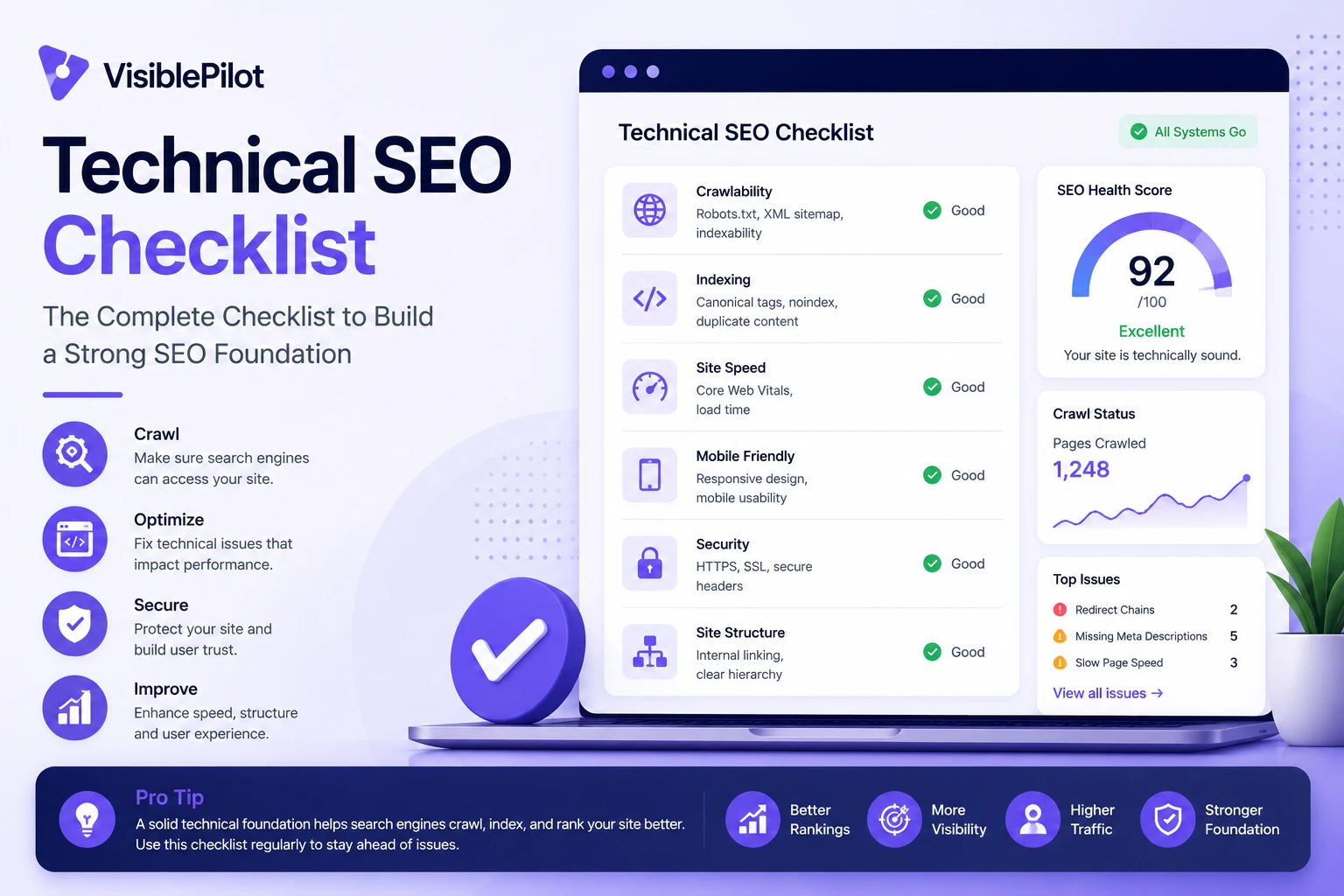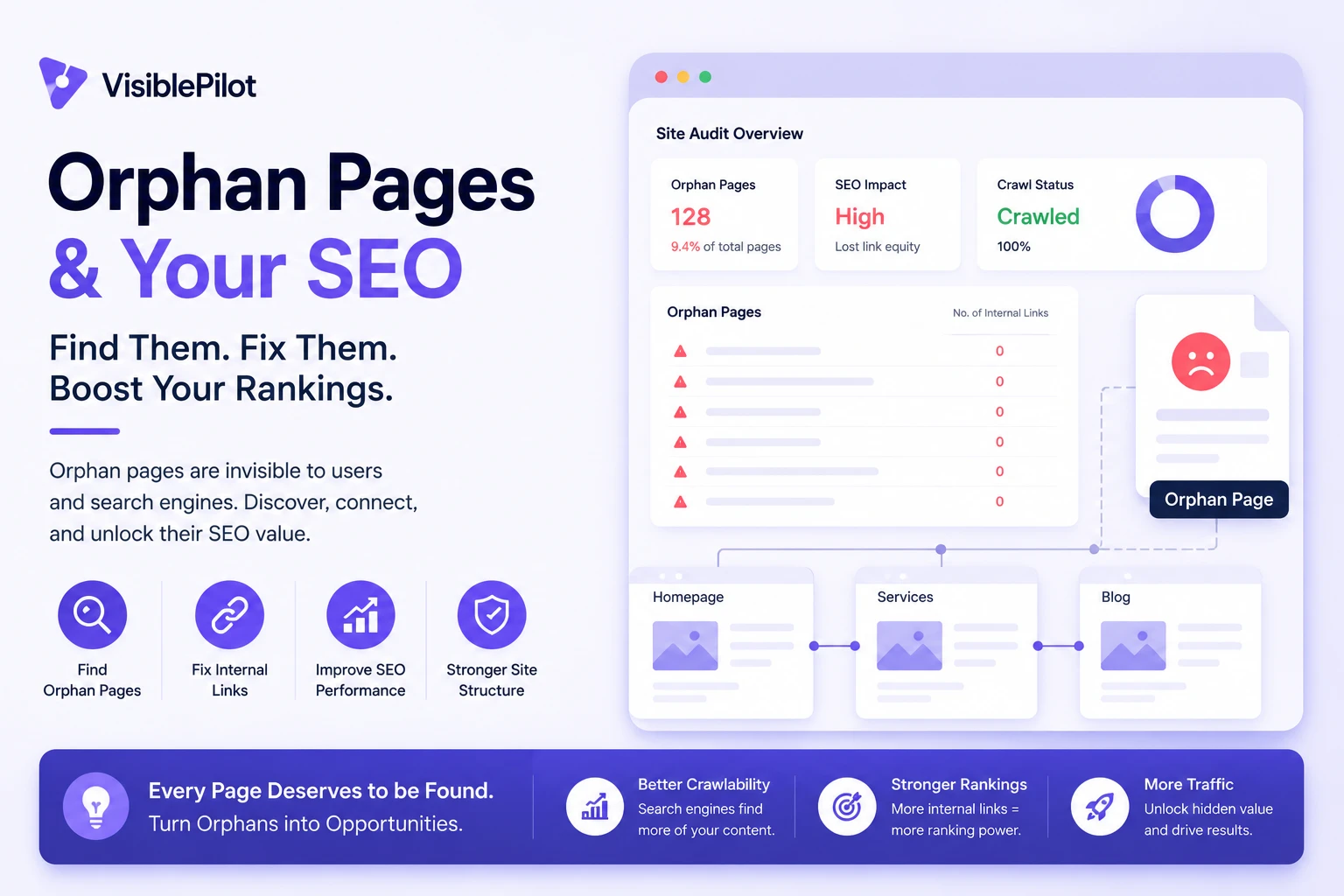
Category: Technical SEO

Practical guides for improving crawling, indexing, site architecture, internal linking and technical search visibility.

  • AI Search Readiness Checklist for Business Websites

    AI Search Readiness Checklist for Business Websites

    AI search readiness is the condition in which your important pages can be discovered, accessed, rendered, understood and supported with evidence by search and answer systems. It does not guarantee that Google, ChatGPT, Claude, Gemini, Perplexity or any other platform will cite you. It removes avoidable reasons they cannot.

    Use this checklist on three representative URLs: your homepage, one commercial page and one knowledge article. Mark each item Pass, Fail or Needs evidence. A site is not ready if a critical access or delivery check fails—even when its content ranks in conventional search.

    Before you start: gather pages, access and baseline evidence

    Do not begin with a sitewide score. Begin with a small, repeatable sample that reveals whether the same problem appears across templates. Choose the preferred canonical version of each URL and record why that page matters to the business.

    • Homepage: confirms the main organization, navigation and discovery paths.
    • Commercial page: confirms that a product, service, category or pricing offer is accessible and understandable.
    • Knowledge article: confirms that an answer-led page exposes its main explanation and supporting evidence.
    • Additional template: include a help-center, documentation or location page if it runs on a separate platform.

    For every URL, save the test date, HTTP status, redirect chain, canonical URL, robots directives, raw HTML, rendered HTML, sitemap presence and at least one internal link. Also note recent migrations, CDN changes, consent tools or security rules. That record lets you distinguish a real improvement from a cache change or unrelated release.

    EvidenceWhat to recordWhy it matters
    HTTP responseFinal status, redirects and content typeA crawler cannot use a page that returns an error, loop or misleading response.
    Access rulesrobots.txt, meta robots, X-Robots-Tag and WAF behaviorOne control may allow a page while another prevents access or indexing.
    Page outputRaw HTML and rendered DOMImportant copy may appear visually but be absent from the delivered source.
    DiscoveryInternal link, sitemap entry and canonicalThese signals help systems find and consolidate the preferred URL.
    MeaningPage purpose, publisher, entities, claims and sourcesClear meaning reduces the effort required to interpret and verify the page.
    Four connected website readiness checks for crawler access, rendering, entity clarity and supporting evidence
    Readiness is a chain: discovery and access must lead to usable page output, clear meaning and verifiable evidence.

    Check 1: discovery and crawler access

    A page that cannot be reached cannot contribute its full content to an AI answer. Test access at the URL level; a permissive-looking robots.txt file alone is not proof.

    1. Confirm the preferred URL is discoverable

    • Link to the page from at least one crawlable, relevant page using a normal HTML link.
    • Include the canonical URL in a valid XML sitemap when it belongs in search.
    • Avoid orphan pages and navigation that only appears after an interaction a crawler may not perform.
    • Make internal links point to the final canonical URL rather than redirects or parameter copies.

    2. Read robots.txt by user agent

    Separate search discovery controls from model-training controls. OpenAI documents OAI-SearchBot for ChatGPT search and GPTBot for potential model training as distinct user agents. Allowing or blocking one does not automatically express the same preference for the other. Anthropic likewise publishes crawler-specific guidance and states that its bots honor robots.txt directives.

    • Open the robots.txt file on every relevant subdomain.
    • Evaluate the most specific matching group for each crawler you care about.
    • Check broad wildcard rules as well as crawler-specific rules.
    • Retest after CDN, firewall or WordPress security changes.
    • Confirm the crawler receives the same policy you see from your own browser.

    3. Test the real HTTP response

    Request the page and its assets from outside your office network. A 200 status in your browser can hide a bot challenge, soft 404, login wall or rate limit. Record the final status, response body, headers and redirect chain.

    ResultPass conditionFailure example
    Robots policyThe intended search crawler is not disallowed from the URLA broad Disallow: / applies to the crawler.
    Server accessThe crawler receives the real page with a successful responseThe WAF returns 403, 429, a CAPTCHA or an empty shell.
    Canonical routeRedirects resolve once to the preferred URLMultiple hops, loops or inconsistent HTTP/HTTPS versions.
    Asset accessCSS, JavaScript and key images needed for rendering are reachableScripts containing the main content are blocked.

    Check 2: technical delivery, rendering and index controls

    Access is only the first gate. Next, verify that the page actually delivers its main information and remains eligible for indexing where indexing is required.

    4. Compare raw and rendered output

    • Find the page title, H1, primary answer, product or service description, important links and visible evidence in raw HTML.
    • Render the page with JavaScript and compare the result. Note content that appears late, only after a click or only after consent.
    • Disable or fail key scripts and observe whether the main information disappears.
    • Check mobile output as well as desktop; responsive layouts can hide critical sections.

    Client-side rendering is not automatically a failure. It becomes a readiness risk when essential information depends on unreliable execution, blocked resources, authentication or delayed interactions. Google’s official guidance says its AI features rely on the same foundational crawling and indexing systems used by Search, and pages need to meet Search eligibility requirements.

    5. Inspect index and canonical controls

    • Confirm the preferred page does not carry an unintended noindex meta tag or X-Robots-Tag header.
    • Make sure the canonical points to the preferred, equivalent page—not a staging URL, category page or unrelated duplicate.
    • Check hreflang, pagination and parameter rules for conflicts.
    • Verify that the page is not hidden behind login, paywall behavior or consent logic inconsistent with your intended access policy.
    • Use search-console inspection for Google eligibility, but do not treat one platform’s index status as proof for every other system.

    6. Validate page stability

    Repeat the request several times and from more than one network location. Intermittent 5xx errors, timeouts and bot-only 403 responses can create a problem that a one-time audit misses. Record a short sample rather than claiming reliability from a single successful fetch.

    Check 3: content clarity, entities and citation signals

    A technically accessible page can still be difficult to use if the subject, publisher or claim is unclear. Review the page as a source an unfamiliar reader must evaluate.

    7. State the page’s purpose early

    • Use one descriptive H1 that matches the page’s actual purpose.
    • Answer the central question or describe the offer near the beginning.
    • Use meaningful headings that let a reader locate definitions, steps, evidence and limitations.
    • Avoid opening paragraphs made entirely of slogans, category jargon or unsupported superlatives.

    8. Make important entities explicit

    Name the organization, product, service, person, location or concept instead of relying on pronouns and visual context. Keep naming consistent across the page, about page, contact details and structured data. Link to authoritative internal pages that explain unfamiliar entities.

    • Identify who publishes or is responsible for the information.
    • Explain the relationship between the company, product and service.
    • Provide current contact, location or support details when relevant.
    • Use structured data that matches visible content; do not add claims that users cannot see.
    • Resolve ambiguous abbreviations and distinguish similarly named products or organizations.

    9. Strengthen verification and citation readiness

    Citation readiness means a reader or system can trace a material statement to useful evidence. It is not a schema type and does not guarantee citation.

    • Add a visible publication or last-updated date when freshness matters.
    • Describe the method, sample and limitations behind original findings.
    • Link factual claims to primary or authoritative sources where possible.
    • Name the author or reviewer and explain relevant experience.
    • Use specific examples, measurements or screenshots that genuinely support the conclusion.
    • Correct stale claims instead of changing the date alone.

    Google’s current guidance for generative AI search emphasizes valuable, non-commodity content and a clear technical structure. It also says there is no special AI-only markup required for Google’s AI features. Structured data can still support ordinary search features when it accurately represents visible content, but it is not a shortcut to inclusion.

    Check 4: platform testing and pass/fail recording

    Platform tests are observations, not universal rankings. Test narrow prompts that a potential customer could realistically ask, save the exact wording and date, and separate three outcomes: the platform knew the brand, surfaced the URL or cited the page as support.

    TestRecordDo not conclude
    Branded discoveryWhether the correct organization and canonical site appearOne correct answer does not prove broad discoverability.
    Page-specific queryWhether the exact page, title or distinctive fact appearsAbsence does not identify the technical cause by itself.
    Non-branded problem querySources and URLs used in the answerA single citation is not a stable rank position.
    Freshness queryWhether a recently updated fact is reflectedA delayed update does not prove permanent exclusion.
    Referral checkVisits tagged from relevant answer platformsNo referral traffic does not prove the page was never used.

    Create an evidence log with: URL, platform, prompt, date, account or location conditions, response, cited sources, screenshot and interpretation. Repeat the same test after meaningful changes. For a step-by-step testing method, see How to Test If a Website Is Ready for AI Search.
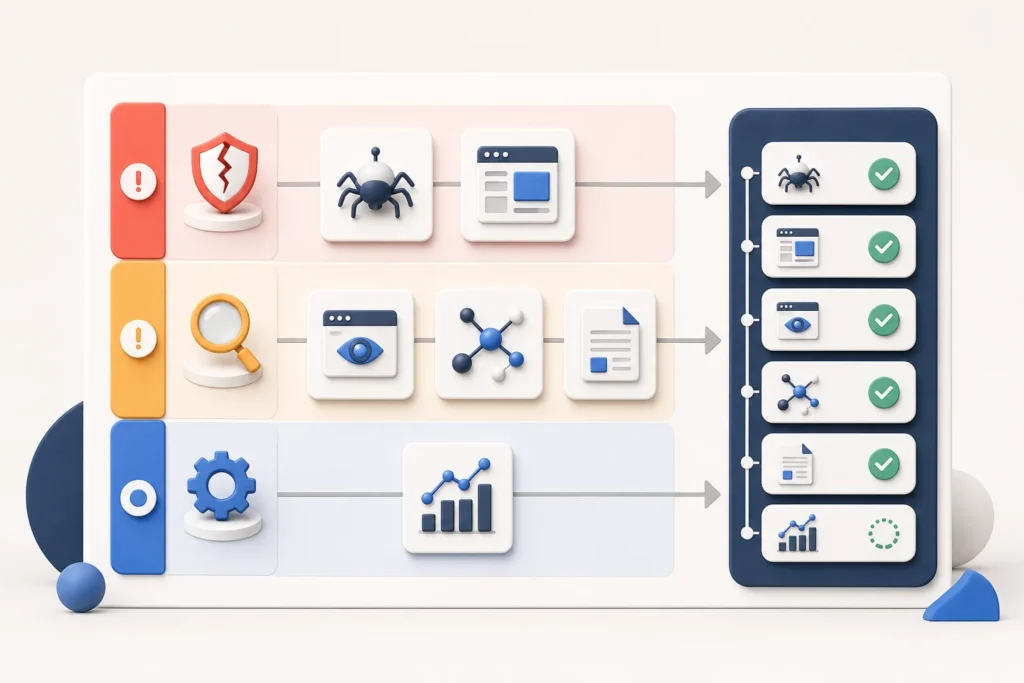
    Website readiness findings sorted into critical, important and improvement priorities
    Fix access and delivery blockers before moving to clarity improvements and optional optimization.

    Prioritize critical, important and improvement items

    Do not average failures into a percentage that hides blockers. A site with excellent content and a crawler-wide access denial is not “90% ready.” Use severity based on which gate the issue stops.

    PriorityDefinitionExamplesAction
    CriticalPrevents discovery, access or delivery of the main pageCrawler disallow, noindex, 403 challenge, server error, empty rendered contentFix and retest before lower-priority optimization.
    ImportantThe page is accessible but meaning or verification is materially weakAmbiguous entity, missing ownership, unsupported core claim, conflicting canonicalAssign an owner and resolve in the next content or technical cycle.
    ImprovementAdds clarity or measurement without repairing a current blockerBetter internal anchors, richer examples, clearer update notes, expanded monitoringSchedule after critical and important work.

    Recommended pass rule: every sampled priority URL passes discovery, intended crawler access, successful delivery, index controls and essential content rendering. Important clarity and evidence gaps have named owners and deadlines. Platform visibility is tracked separately as an outcome, not used to erase a technical failure.

    Evidence and screenshots to include

    A useful audit is reproducible. Capture enough evidence for another person to verify the finding without relying on your summary.

    • The exact robots.txt group and timestamp.
    • Response headers and the relevant part of the returned body.
    • Raw HTML and rendered DOM showing the main heading and answer.
    • Meta robots, X-Robots-Tag and canonical values.
    • The internal link and sitemap entry leading to the preferred URL.
    • Visible organization, author, date, method and primary source links.
    • Platform test prompt, response, cited links and date.
    • Before-and-after evidence using the same test conditions.

    Remove private tokens, personal data and admin URLs before sharing screenshots. Do not manufacture dashboard images to make a result look more authoritative.

    Common interpretation mistake: rankings are not readiness evidence

    A conventional ranking can show that Google discovered and selected a page for a particular query. It does not prove that every AI search product can access, render, interpret or cite that page. The reverse is also true: a technically ready page is not guaranteed to rank or be cited.

    Keep the layers separate: readiness covers controllable access and quality conditions; visibility records what platforms actually surfaced; performance measures visits, engagement and business outcomes. This separation makes diagnosis possible.

    AI search readiness checklist: compact worksheet

    CheckpointPass whenStatus
    Representative pages selectedHomepage, commercial page and knowledge article are documented
    Discovery path existsCanonical URLs have relevant internal links and, where appropriate, sitemap entries
    Crawler policy checkedIntended search crawlers are not accidentally disallowed
    Server access verifiedReal page returns successfully without challenge or soft error
    Main content deliveredEssential copy and links appear in raw or reliably rendered HTML
    Index controls alignedNo unintended noindex, header or canonical conflict exists
    Entities are clearPublisher, subject and relationships are explicit and consistent
    Claims are verifiableDates, authorship, methods and primary sources support material claims
    Platform tests loggedPrompts, dates, responses and citations are saved separately
    Issues prioritizedBlockers, important gaps and improvements have owners and retest dates

    Frequently asked questions

    What is the minimum AI search readiness test for a small business site?

    Test the homepage, one service or product page and one helpful article. Confirm discovery, intended crawler access, successful delivery, index controls, rendered main content, clear business identity and support for important claims. Record the result rather than relying on a score.

    Should I allow every AI crawler?

    That is a business and content-policy decision. Distinguish search discovery, user-requested access and model-training agents, then choose deliberately. Document the decision per crawler and subdomain so a security change does not accidentally override it.

    Does passing this checklist guarantee a ChatGPT or Google AI citation?

    No. Passing removes detectable readiness barriers. Platforms still decide what to crawl, index, retrieve, rank and cite. Official Google guidance explicitly notes that meeting requirements does not guarantee crawling, indexing or serving.

    Do I need llms.txt or special AI schema?

    Not for Google’s AI features: Google states that no special AI text file or schema is required. Other services may evolve their own conventions, so treat any optional file as an experiment with documented outcomes—not a replacement for accessible HTML, sound technical SEO and useful evidence.

    How often should the checklist be repeated?

    Retest after a migration, redesign, CDN or WAF change, robots update, JavaScript framework release or major template edit. For stable sites, run a representative check monthly or quarterly and monitor server logs continuously enough to notice crawler-wide failures.

    Next step

    Run this checklist on three URLs today and fix the first critical blocker before adding speculative AI-search tactics. Visible Pilot is being built to help businesses identify the technical, content, SEO and AI-search issues that keep useful pages from being discovered, understood and recommended.


    Official references

  • How to Test If a Website Is Ready for AI Search

    How to Test If a Website Is Ready for AI Search

    A website is ready for AI search when its important pages can be discovered, fetched, rendered, interpreted and verified without an avoidable technical or editorial failure. That does not guarantee an appearance in ChatGPT, Google AI features, Claude, Gemini, Perplexity or another answer engine. Readiness is the part you can test; selection belongs to each platform.

    Quick answer: choose representative URLs, confirm discovery and crawler access, compare raw and rendered output, check index controls and content clarity, apply one controlled fix, then repeat the same test.

    What “ready for AI search” means in practical terms

    AI search readiness is a chain, not a single score. A useful test covers five gates.

    GatePass evidence
    DiscoveryAn internal link or sitemap leads to the preferred URL.
    AccessThe intended crawler reaches the real page without a robots, WAF, login or rate-limit block.
    DeliveryMain copy, headings and links exist in raw or reliably rendered HTML.
    InterpretationThe topic, publisher and important entities are unambiguous.
    VerificationClaims include dates, methods, primary references or original evidence.

    OpenAI documents OAI-SearchBot and GPTBot as separate controls, so a training preference should not be confused with search discovery. Google’s JavaScript SEO guidance recommends inspecting rendered HTML when content depends on client-side rendering.

    Step 1: establish a clean baseline

    Start with a deliberate sample rather than crawling every URL:

    • Homepage: tests the main entity, navigation and route into the site.
    • Commercial page: use a product, service, pricing or category page.
    • Knowledge article: use a guide or research page answering a narrow question.

    If the marketing site, app and help center use different technology, add one page from each. Record the canonical URL, template, last meaningful update and business purpose.

    Capture the pre-test conditions

    • Date, time, country and device.
    • CDN or WAF and any consent layer.
    • robots.txt, meta robots and relevant HTTP headers.
    • Raw HTML and rendered HTML.
    • Sitemap entry, canonical tag and an internal link.
    • Recent releases, migrations or security changes.

    This baseline stops you attributing a result to your fix when it came from a deployment, cache variation or changed test conditions.

    Homepage, commercial page and knowledge article connected to the same diagnostic test
    Use the same readiness checks across representative page types so template-level failures become visible.

    Step 2: run the same checks on every page

    Test discovery and access

    • Reach the URL from the homepage through ordinary HTML links.
    • Confirm the canonical URL appears in an accessible XML sitemap.
    • Check that internal links do not mainly point to redirects or non-canonical copies.
    • Read robots.txt for user agents relevant to your policy.
    • Request the page using a browser agent and an authorized crawler agent; compare status, headers and body.
    • Inspect CDN, WAF, CAPTCHA, geo-blocking and rate-limit logs.

    A sitemap helps discovery but does not repair weak architecture. Google explains that robots.txt manages access but is not a reliable way to keep a URL out of search. Its robots.txt guide also warns against blocking important resources.

    Test delivery and rendering

    • The preferred URL returns the intended status without a redirect loop.
    • The response is the real page, not an interstitial or soft 404.
    • Title, H1, main answer and important links appear in rendered output.
    • Essential content does not require scrolling, clicking or authentication.
    • Mobile and desktop expose equivalent primary content and index controls.
    • Canonical and structured-data URLs resolve correctly.

    Compare raw and rendered HTML. The practical question is whether the content needed for discovery and understanding is available in the version a crawler can process.

    Test clarity and verifiability

    • The opening identifies the subject and answers the primary question.
    • Company, product, service, person and location names are consistent.
    • Claims state scope, date, method and limitations where relevant.
    • Platform specifications and statistics link to primary sources.
    • Original tests explain inputs, observations and results.
    • Structured data matches visible content.

    Structured data can supply explicit clues but does not replace accurate visible content. Google’s structured-data documentation says markup should describe the page.

    Step 3: separate the failure types

    FailureEvidenceFirst action
    DiscoveryNo internal link; stale sitemapAdd a relevant link and correct the sitemap.
    Access403, 429, CAPTCHA or robots disallowConfirm policy; change the narrowest blocking rule.
    Delivery5xx, redirect chain or soft 404Repair the response before editing copy.
    RenderingMain content absent after renderingExpose essential content reliably and retest.
    MeaningUnclear purpose, entities or ownershipRewrite the opening and key sections.
    EvidenceUnsupported or undated claimsAdd primary sources, method and scope.

    Fix the earliest broken gate first. Improving copy on a page that returns a security challenge will not resolve access.

    Step 4: apply the smallest safe fix

    Large redesigns make cause and effect difficult to prove. Choose the smallest change that repairs the observed failure while preserving security, privacy and stability.

    • Adjust the specific crawler rule instead of disabling protection globally.
    • Repair the component hiding essential content instead of rebuilding the template.
    • Align canonical, sitemap and internal-link signals for the preferred URL.
    • Rewrite the opening and headings before commissioning a full refresh.
    • Add a primary source, test method and date—or remove an unverifiable claim.

    Document affected URLs, old evidence, the exact adjustment, deployment time, owner and rollback plan.

    Security note: AI visibility is never a reason to expose private, licensed or sensitive content. Test only pages intended to be public.

    Blocked website corrected and retested until crawler access and rendered content pass
    Change one cause at a time, preserve evidence and repeat the original test conditions.

    Step 5: retest with identical inputs

    Repeat the original test after caches and crawler rules update. Use the same URL, user agent, location, viewport and evidence fields.

    CheckExample pass condition
    AccessThe authorized crawler receives the intended response twice without a challenge.
    RenderingH1, opening answer and important links appear in rendered HTML.
    Index controlNo accidental noindex; canonical agrees with the preferred URL.
    ClarityAn unfamiliar reviewer can identify topic, publisher and claim scope.
    Platform testMention, link and citation are recorded separately.

    Do not define success as “the brand appeared once.” Answers vary with prompt wording, timing, location and product behavior. Readiness should be judged from reproducible site evidence.

    For Bing, Microsoft recommends sitemaps and IndexNow to support discovery and freshness. IndexNow notifies participating engines of changes; it does not guarantee selection. See its sitemap and IndexNow guidance.

    Worked example: a service page behind a bot challenge

    A software company’s homepage is visible, but its main service page is rarely discovered. The team assumes it needs more “AI-optimized” copy.

    • All three test URLs are linked and listed in the sitemap.
    • Browser requests load them normally.
    • The service URL returns a challenge to the selected authorized crawler agent.
    • The other pages render normally.
    • The service-page copy is clear, so content is not the first failure.

    The security owner verifies crawler identity using published information and modifies only the false-positive rule. General protection remains. The same request then receives the intended page, and rendered output contains the service description and links. The access gate passes. Adding copy would not have repaired the challenge.

    Evidence and screenshots to include

    • Dated robots.txt with relevant rules highlighted.
    • Request and response headers showing URL, user agent, status and security response.
    • Raw HTML excerpt containing—or missing—the main answer.
    • Rendered screenshot and extracted HTML snippet.
    • Canonical, meta robots and X-Robots-Tag values.
    • Internal-link source and sitemap location.
    • CDN or WAF event without sensitive configuration.
    • Prompt, platform, region, language, timestamp and cited URLs.
    • Before-and-after record with the pass condition.

    The common interpretation mistake

    A traditional ranking is evidence of one search outcome—not proof of universal AI readiness. A ranking page can be blocked for a particular crawler, poorly rendered elsewhere or unsuitable for a specific answer. A technically ready page may also not be selected because it is less relevant, authoritative, current or distinctive.

    Track crawl access, indexability, retrieval, brand mention, link and citation separately.

    Frequently asked questions

    How many pages should I test first?

    Start with three. Add one for every materially different platform or template.

    Does passing guarantee AI visibility?

    No. It removes observable barriers within your control; selection still depends on relevance, competition, freshness and platform behavior.

    Should GPTBot and OAI-SearchBot have the same rule?

    Not automatically. OpenAI documents different purposes. Decide training and search-discovery policies separately.

    Do I need special AI schema?

    No universal AI schema guarantees inclusion. Use supported markup that accurately represents visible content.

    How often should I repeat the test?

    Retest after fixes, migrations, redesigns, CMS releases, CDN/WAF changes and template updates; sample stable sites monthly or quarterly.

    Can chatbot answers be the only test?

    No. Pair them with request evidence, rendered HTML, index controls, logs and a change record.

    Next step: turn the test into a checklist

    Run this method on three representative URLs, then use the AI search readiness checklist for business websites to expand the review.

    Visible Pilot is being built to identify technical, content, SEO and AI-search issues that prevent websites from being discovered, understood and recommended. Until the checker is ready, this test gives you a defensible baseline and a way to prove whether each fix worked.


    Primary references: OpenAI crawlers; OpenAI publisher guidance; Google JavaScript SEO; Google robots.txt; Google structured data; Bing sitemaps and IndexNow.

  • The Complete Technical SEO Checklist for 2026

    The Complete Technical SEO Checklist for 2026

    A website can have excellent products, useful content and a credible brand yet still struggle in search because of technical problems underneath the surface. Search engines must be able to discover a URL, access it, understand its content and select the correct version before rankings are even possible.

    This technical SEO checklist gives website owners, marketers and developers a practical audit sequence for 2026. It covers the issues that matter across WordPress, Shopify, Wix, WooCommerce and custom websites, without treating every warning from an SEO tool as an emergency.

    Quick answer: Start by confirming that important pages return a successful status code, are not blocked, can be crawled through internal links and contain indexable content. Then review canonicalization, sitemaps, redirects, mobile rendering, Core Web Vitals, structured data and ongoing monitoring.

    1. Confirm that important pages are technically eligible for Google Search

    Google describes three minimum technical requirements for a page to be eligible for indexing: Googlebot must not be blocked, the page must work and return an HTTP 200 success response, and it must contain indexable content. Meeting those requirements does not guarantee indexing or rankings, but failing one of them can prevent the page from appearing at all.

    • Open each priority URL without logging in.
    • Confirm it returns a 200 status code.
    • Check that the main content appears in the rendered HTML.
    • Verify that robots.txt does not block the URL or essential page resources.
    • Look for accidental noindex directives in the HTML or HTTP headers.

    Use Google Search Console’s URL Inspection tool for important pages. Test the live URL when the indexed version looks outdated or when you suspect that Google sees something different from visitors.

    Common mistake: Blocking a page in robots.txt does not reliably remove it from search. If you need Google to process a noindex rule, the crawler must be allowed to access the page and read that directive.

    2. Audit robots.txt and indexing directives separately

    Robots.txt controls crawling. Robots meta tags and X-Robots-Tag headers control indexing and search-result presentation. They solve different problems, so audit them separately.

    Robots.txt checks

    • Confirm the file is available at /robots.txt.
    • Look for broad rules that block important folders, product pages, scripts, CSS or images.
    • Check staging rules after a migration. A site can accidentally launch with a sitewide disallow rule.
    • Do not block resources required to render the main content.
    • Include the sitemap location when useful, but do not assume this fixes crawlability problems.

    Meta robots and header checks

    • Find pages carrying noindex, nofollow or restrictive snippet directives.
    • Confirm that intentional noindex rules are limited to pages that should not appear in search.
    • Check PDFs and other non-HTML files for X-Robots-Tag headers when relevant.
    • Review CMS search visibility settings after theme, plugin or platform changes.

    3. Make every important page reachable through crawlable internal links

    Googlebot discovers URLs through links, sitemaps and redirects. Important pages should be reachable through normal HTML links from other discoverable pages. A sitemap can support discovery, but it does not replace a coherent website structure.

    • Use real <a href> links rather than JavaScript-only click events.
    • Ensure every important page has at least one useful incoming internal link.
    • Keep important pages reasonably close to the homepage or a relevant category hub.
    • Use descriptive anchor text that explains the destination.
    • Check pagination, faceted navigation, related products and archive pages.
    • Find URLs known to the CMS, sitemap, analytics or Search Console but missing from a normal crawl.

    For a detailed process, read our guide to finding and fixing orphan pages. It explains how to compare crawl data with sitemap, analytics, CMS and Search Console exports.

    4. Clean up HTTP status codes, redirects and broken links

    Status codes tell crawlers what happened when they requested a URL. A technical audit should identify errors and then evaluate their context rather than blindly forcing every URL to return 200.

    StatusWhat it usually meansWhat to review
    200The request succeededConfirm the page contains the intended content and is not a soft 404.
    301 or 308Permanent redirectUse for lasting URL changes and point directly to the final relevant destination.
    302 or 307Temporary redirectConfirm the change is genuinely temporary.
    404 or 410The resource is unavailableRestore, redirect or leave removed depending on whether a relevant replacement exists.
    5xxServer-side failureInvestigate hosting, application, database, timeout and deployment errors promptly.
    • Remove internal links that point to broken URLs.
    • Avoid redirect chains and loops.
    • Do not redirect unrelated removed pages to the homepage.
    • Update internal links to point directly to the final URL.
    • Monitor intermittent server errors, not only permanent failures.
    • Check whether custom 404 pages return the correct 404 status.

    5. Review canonical tags and duplicate URLs

    Duplicate or near-duplicate URLs can appear because of tracking parameters, product variants, filters, print pages, HTTP and HTTPS versions, trailing-slash variations or CMS-generated archives. Canonical signals help search engines choose a representative URL.

    • Use a self-referencing canonical on indexable primary pages when appropriate.
    • Point duplicate versions to the preferred canonical URL.
    • Keep canonical tags, internal links, sitemaps and redirects consistent.
    • Do not canonicalize a page to an unrelated destination.
    • Check that canonical URLs return 200 and are not blocked or noindexed.
    • Review parameter and faceted-navigation URLs on ecommerce sites.

    Best practice: Treat canonicalization as a group of reinforcing signals. A canonical tag is less persuasive when the sitemap lists another URL and all internal links point somewhere else.

    6. Validate the XML sitemap

    An XML sitemap helps search engines discover new and updated URLs. It should be a clean list of canonical pages you want considered for indexing, not an archive of every URL your website has ever generated.

    • Include only canonical, indexable URLs that return 200.
    • Use absolute URLs with the correct HTTPS and hostname version.
    • Remove redirects, errors, noindexed pages and duplicates.
    • Keep modification dates accurate when your CMS supports them.
    • Split very large sitemaps when they approach protocol limits.
    • Submit the sitemap or sitemap index in Google Search Console.
    • Compare sitemap URLs with crawled URLs to find disconnected pages.

    Google supports several sitemap formats and limits a single sitemap to 50 MB uncompressed or 50,000 URLs. Most small and medium websites will remain far below those limits, but large ecommerce and publishing sites should use sitemap index files.

    7. Check mobile rendering and JavaScript dependencies

    Google primarily uses mobile crawling. Your audit should therefore focus on what the mobile crawler can access and render, not only how the desktop page looks to a logged-in administrator.

    • Compare mobile and desktop main content.
    • Ensure important text is not omitted from the mobile version.
    • Check navigation, accordions, filters and product options on small screens.
    • Confirm lazy-loaded content appears when a crawler renders the page.
    • Give each important application screen or content state a stable URL.
    • Make sure JavaScript-generated links are crawlable.
    • Inspect rendered HTML for text, links, canonical tags and structured data.

    JavaScript is not automatically bad for SEO. The risk appears when essential content or navigation depends on scripts that fail, require unsupported interactions or load differently for crawlers.

    8. Measure Core Web Vitals with field and lab data

    Core Web Vitals measure real-world loading performance, responsiveness and visual stability. Google’s current good-experience targets are:

    • Largest Contentful Paint (LCP): within 2.5 seconds.
    • Interaction to Next Paint (INP): under 200 milliseconds.
    • Cumulative Layout Shift (CLS): 0.1 or less.

    Use field data to understand actual user experience and lab tools to diagnose causes. A single fast test from your office does not represent visitors using slower phones, congested networks or distant locations.

    Common improvements

    • Compress and correctly size hero images.
    • Preload the genuine LCP resource when appropriate.
    • Reduce unused JavaScript and third-party scripts.
    • Break up long main-thread tasks.
    • Reserve dimensions for images, embeds and advertisements.
    • Use efficient caching and content delivery.
    • Improve server response time and database performance.

    9. Validate structured data without treating it as a ranking shortcut

    Structured data gives search engines explicit information about a page and may make the page eligible for supported rich results. It does not guarantee a rich result and should accurately represent visible page content.

    • Use a supported type that matches the page.
    • Include required and useful recommended properties.
    • Ensure marked-up information is visible and accurate.
    • Do not add reviews, prices, availability or author details that are not present on the page.
    • Use Google’s Rich Results Test for supported features.
    • Monitor enhancement reports in Search Console.
    • Retest templates after theme or plugin updates.

    Common useful types include Product, Article, LocalBusiness, Organization, BreadcrumbList, Event, JobPosting, Recipe and VideoObject. Use only the types that genuinely fit your content and Google’s current search feature support.

    10. Audit titles, headings, images and metadata at scale

    Technical SEO overlaps with on-page SEO when templates generate missing, duplicated or misleading metadata. Review patterns across page types rather than editing random URLs one by one.

    • Give each important page a descriptive title.
    • Write useful meta descriptions for pages that deserve search traffic.
    • Use a clear main heading that matches the page purpose.
    • Keep heading order understandable for readers.
    • Add meaningful alt text to informative images.
    • Use descriptive filenames where practical.
    • Prevent templates from creating thousands of near-identical titles.
    • Check social sharing titles and descriptions for important pages.

    11. Check international and local technical signals where relevant

    Businesses serving several countries or languages need consistent regional architecture. Local businesses should also ensure that search engines can understand their location and business identity.

    • Use separate, crawlable URLs for language or regional versions.
    • Implement reciprocal hreflang annotations where needed.
    • Include an x-default version when it fits the experience.
    • Avoid automatic location redirects that prevent crawlers or travellers from accessing another version.
    • Keep business name, address, phone and service information consistent.
    • Use relevant LocalBusiness structured data without inventing information.

    12. Review technical readiness for AI search experiences

    Technical SEO remains foundational for AI-powered search. Google states that its established SEO best practices continue to apply to AI Overviews and AI Mode, with no special markup required for inclusion.

    • Keep important content crawlable and indexable.
    • Use clear internal linking and logical topic relationships.
    • Publish original, useful information rather than scaled variations of the same page.
    • Support text with relevant images and video when they improve the answer.
    • Make factual claims easy to verify.
    • Keep product, local and organizational information current.
    • Do not create hundreds of thin pages for every imagined AI query variation.

    For more detail, see our guide to optimizing a website for generative AI features on Google Search and our practical GEO strategies for AI visibility.

    13. Create a monitoring and change-control process

    A technical SEO audit is a snapshot. Websites change every week through new content, plugin updates, product imports, redirects, theme releases and developer deployments. The stronger approach is continuous monitoring with clear ownership.

    • Crawl the site after migrations, redesigns and major releases.
    • Monitor Search Console indexing, crawl and enhancement reports.
    • Track changes in organic landing pages and conversions.
    • Alert the team to new 5xx errors, broken internal links and accidental noindex rules.
    • Keep backups before changing templates, metadata or redirect rules.
    • Document what changed, why it changed and how success will be measured.
    • Verify fixes after deployment and retain a rollback path.

    Technical SEO audit priority order

    1. Critical access, security and server errors
    2. Accidental blocking or noindex directives
    3. Important pages missing from the index
    4. Broken links, redirect loops and incorrect canonicals
    5. Site architecture and orphan pages
    6. Mobile rendering and JavaScript issues
    7. Core Web Vitals and performance
    8. Structured data and search appearance
    9. Template metadata and image optimization
    10. Ongoing monitoring and prevention

    Common technical SEO mistakes

    • Trying to fix every crawler warning without checking business impact.
    • Using robots.txt to remove pages from the index.
    • Submitting a sitemap full of redirects, errors and noindexed URLs.
    • Redirecting every deleted page to the homepage.
    • Changing URLs without mapping redirects first.
    • Optimizing only the homepage while product, service or article templates remain broken.
    • Relying on one speed-test result instead of real-user data.
    • Adding structured data that does not match visible content.
    • Publishing pages without internal links.
    • Applying automated changes without backups, verification or rollback.

    Technical SEO checklist

    • Priority pages return 200 and contain indexable content.
    • Googlebot is not unintentionally blocked.
    • Noindex rules are intentional and crawlable.
    • Robots.txt is valid and does not block required resources.
    • Important URLs have crawlable internal links.
    • Broken links, redirect chains and loops are fixed.
    • Canonical tags point to valid preferred URLs.
    • The XML sitemap contains clean canonical URLs.
    • Mobile pages contain the full important content.
    • JavaScript does not hide essential links or text.
    • Core Web Vitals are measured with field data.
    • Structured data is valid, visible and appropriate.
    • Titles, headings and image metadata work across templates.
    • International and local signals are consistent.
    • Important changes have backups, verification and rollback.

    Frequently asked questions

    How often should you run a technical SEO audit?

    Small, stable websites may need a full review every quarter, with lighter monthly monitoring. Ecommerce, publishing and frequently updated websites should monitor critical issues continuously and run deeper audits after major releases.

    Does a perfect technical audit guarantee higher rankings?

    No. Technical SEO makes content accessible and understandable, but rankings also depend on relevance, usefulness, competition, reputation and many other signals. A technically perfect empty page is still not useful.

    Which technical SEO issue should be fixed first?

    Start with issues that prevent important pages from loading, being crawled or being indexed. Server failures, accidental sitewide blocking and incorrect noindex rules normally take priority over cosmetic metadata warnings.

    Can WordPress, Shopify or Wix handle technical SEO automatically?

    Modern platforms handle many defaults, but they cannot know your preferred site architecture, which duplicate URL should win, whether a removed page needs a redirect or whether an important page has become orphaned. Platform automation reduces manual setup; it does not remove the need for review.

    Is technical SEO different for AI search?

    The fundamentals are largely the same. Content must be accessible, indexable, useful and connected to the rest of the site. Clear structure and reliable information support visibility in both conventional and AI-powered search experiences.

    Conclusion

    The best technical SEO audit does not produce the longest list of errors. It identifies which issues prevent valuable pages from being discovered, understood and used, then fixes those issues in a safe order.

    Begin with access and indexability. Then improve site structure, canonicalization, sitemaps, mobile rendering, page experience and structured data. Finally, put monitoring in place so the same problems do not quietly return.

    If you would rather automate ongoing checks instead of repeating the entire process manually, tools like Visible Pilot can monitor a connected website, prioritize new SEO opportunities and apply approved improvements with backups and rollback available.


    Authority references: Google Search technical requirements; Google crawling and indexing documentation; Google sitemap guidance; Google Core Web Vitals guidance; Google guidance for generative AI features.

  • Orphan Pages in SEO: How to Find, Fix and Prevent Them

    Orphan Pages in SEO: How to Find, Fix and Prevent Them

    Some of the most useful pages on a website receive little or no organic traffic for a simple reason: search engines and visitors have no clear path to reach them.

    These are often called orphan pages. A page may be live, included in a sitemap and even indexed, yet still be disconnected from the website’s normal internal linking structure. When that happens, search engines receive fewer signals about the page’s context, importance and relationship to the rest of the site.

    In simple terms: an orphan page exists, but it is not properly connected to the rest of your website. Fixing it means deciding whether the page should be linked, updated, consolidated, redirected or removed.

    What is an orphan page?

    An orphan page is a URL that exists on your website but has no useful internal links pointing to it from other crawlable pages on the same site.

    Imagine a plumbing company publishes a detailed page about emergency hot-water repairs. The page is accessible through its direct URL, but it is not linked from the services page, navigation, homepage, blog or any relevant article. The page exists, but it is structurally isolated.

    An orphan page is not necessarily:

    • A broken page: it may load normally and return a 200 status code.
    • An unindexed page: it may already be indexed through a sitemap, backlink or previous internal link.
    • A deep page: a page can require several clicks to reach and still not be orphaned.
    • A noindex page: an intentionally excluded page can still receive internal links.

    The defining problem is the absence of a meaningful internal path to the page.

    Why orphan pages matter for SEO

    Search engines may have difficulty discovering them

    Search engines discover many URLs by following links from pages they already know. XML sitemaps help with discovery, but they do not replace a logical internal linking structure. An important page that relies only on a sitemap is missing one of the clearest discovery paths available.

    The page receives fewer importance signals

    Internal links help communicate which pages matter and how topics are connected. A product linked from a collection page, buying guide and related-product section sends a clearer structural signal than a product that appears nowhere except the XML sitemap.

    Search engines receive less topical context

    Internal anchor text and the copy surrounding a link help explain what the destination page covers. A contextual link such as “technical SEO audit checklist” communicates more than a generic “click here” link. Without incoming links, search engines lose some of those contextual clues.

    Visitors are less likely to find the page

    SEO problems often overlap with usability problems. If visitors cannot reach an important page through normal navigation or related content, they may never discover the service, product, guide or comparison it contains.

    • Product discovery can fall.
    • Lead-generating pages receive fewer visits.
    • Useful content produces less engagement.
    • Older content delivers a lower return on production effort.

    Orphan pages can also weaken AI search visibility

    There is no special AI-search markup that repairs weak website architecture. Established SEO fundamentals still matter: pages need to be crawlable, understandable and connected to related information. Clear internal linking helps demonstrate that a website contains a coherent body of knowledge rather than a collection of disconnected URLs.

    Important: adding internal links does not guarantee rankings. It makes a useful page easier to discover, easier to understand and better integrated into the website.

    How orphan pages are created

    Most orphan pages are not created intentionally. They usually appear after normal website changes.

    Website redesigns

    A new navigation or template may omit older service, category or resource pages while leaving their URLs live.

    Campaign landing pages

    Advertising pages can remain accessible after a campaign ends, even though nothing on the website links to them.

    Product changes

    An ecommerce product may be removed from every collection while remaining available through its direct URL.

    Publishing errors

    A writer may publish an article without adding it to a hub page or linking to it from related content.

    Archive changes

    Removing a category, hiding a tag archive or changing pagination can disconnect older posts.

    JavaScript navigation

    Some interfaces expose pages through buttons or scripts without creating standard crawlable links.

    How to find orphan pages

    No single data source is enough. The most reliable approach compares URLs found by a website crawl with URLs known to other systems.

    Step 1: Crawl the website

    Start from the homepage and allow your crawler to follow internal links. The resulting list represents pages that can currently be reached through the site’s link structure.

    Step 2: Export URLs from additional sources

    • XML sitemaps
    • Google Search Console performance reports
    • Google Search Console indexing reports
    • Analytics landing pages
    • CMS exports
    • Server logs
    • Backlink tools
    • Advertising and email landing-page lists

    Step 3: Normalize the URLs

    Standardize HTTP and HTTPS, www and non-www, trailing slashes, uppercase paths, tracking parameters and fragment identifiers. Otherwise, the same page may appear several times.

    Step 4: Compare the lists

    A potential orphan page appears in one or more external data sources but not in the internal crawl. For example, a service page may appear in the sitemap and Search Console but remain absent from the crawl.

    URL typeCrawl resultOther evidenceLikely action
    Important service pageNot foundTraffic or impressionsUpdate and add links
    Old campaign pageNot foundNo traffic or linksRemove or redirect
    Active productNot foundPresent in sitemapAdd to a relevant collection

    Step 5: Verify every candidate

    • Does the URL return a 200 status?
    • Is it canonicalized elsewhere?
    • Is it intentionally noindexed?
    • Does it contain useful, current content?
    • Does it receive traffic, conversions or backlinks?
    • Is there a crawlable link the audit missed?

    Decide what to do with each page

    Finding an orphan page does not automatically mean you should add links to it. First decide whether the URL deserves to remain part of the website.

    Page conditionRecommended action
    Useful, unique and strategically importantAdd relevant internal links and place it within the correct hierarchy.
    Useful but outdatedUpdate it before adding new links.
    Overlaps with a stronger pageConsolidate useful content and redirect the weaker URL.
    Obsolete but has traffic or backlinksRedirect it to the closest relevant replacement.
    Obsolete with no replacementRemove it with an appropriate 404 or 410 response.
    Required for users but not searchKeep it accessible and consider noindex based on its purpose.

    How to fix orphan pages

    Add contextual internal links

    The strongest fix for an important page is usually a relevant link from another useful page. Suitable sources include service hubs, product collections, topic guides, related articles, comparison pages, breadcrumbs and related-content modules.

    Use descriptive anchor text

    Anchor text should set a clear expectation. “Learn how to fix orphan pages” is more useful than “read more.” Use natural variations instead of forcing the same exact keyword into every link.

    Place the page inside a logical hierarchy

    Service website:
    Homepage → Services → Commercial Services → Office Cleaning

    Ecommerce store:
    Homepage → Furniture → Office Furniture → Desks → Product

    Repair template-level problems

    If hundreds of products or posts become orphaned, the issue is unlikely to be solved one page at a time. Review the theme or CMS logic responsible for archive listings, collection rules, pagination, breadcrumbs and related-content blocks.

    Redirect or remove pages that should not remain

    Do not add links merely to preserve an obsolete URL. Consolidate relevant information and redirect to the closest suitable replacement. Avoid sending every removed page to the homepage, because that rarely satisfies the original intent.

    WordPress, Shopify, Wix and WooCommerce examples

    WordPress

    WordPress orphan pages commonly result from uncategorized posts, removed menu links, page-builder templates, deleted archive pages or articles published without related links.

    • Assign each post to a meaningful category.
    • Link cornerstone guides to supporting articles.
    • Confirm custom post types appear in archives.
    • Check that page-builder buttons use real URLs.
    • Review whether tag archives add genuine value.

    Shopify

    Shopify products can become orphaned when they are removed from every collection but remain active. Seasonal collections can also become disconnected when promotional navigation is removed.

    • Find active products that are not assigned to a collection.
    • Review automated collection rules.
    • Check products accessible only through search or direct URLs.
    • Review expired campaign collections.
    • Confirm breadcrumbs and related-product links work correctly.

    WooCommerce

    WooCommerce combines WordPress content issues with ecommerce taxonomy issues. Products may be excluded from categories, hidden by catalogue settings or disconnected after a theme change. Check product categories, attribute archives, related products, breadcrumbs and paginated shop pages.

    Wix

    Wix pages may become isolated when they are hidden from menus and no contextual links are added elsewhere. Dynamic pages and CMS collections should also be checked to confirm that every important item has a crawlable route.

    Best practices for preventing orphan pages

    • Use a publishing checklist: identify the parent hub, incoming links, outgoing links and intended search intent before publication.
    • Build topic clusters deliberately: connect supporting articles to a central guide and to closely related pages.
    • Audit after major changes: run a new crawl after redesigns, migrations, navigation updates and large product imports.
    • Review new URLs regularly: compare recently published CMS URLs against the crawl.
    • Keep sitemaps accurate: include canonical URLs you genuinely want search engines to consider.
    • Assign ownership: make one person or process responsible for confirming that newly published pages are properly integrated.

    A simple publishing rule

    Every important new page should receive at least one relevant incoming internal link before or immediately after it is published.

    Common orphan-page mistakes

    • Treating every candidate as a problem: some account, checkout and campaign URLs are intentionally outside normal navigation.
    • Linking from irrelevant pages: internal links should help users, not merely satisfy an audit score.
    • Keeping weak pages alive: an orphan-page report is not a reason to preserve thin or obsolete content.
    • Relying only on the sitemap: sitemap inclusion does not create a useful website hierarchy.
    • Using generic anchor text everywhere: descriptive anchors communicate more context.
    • Ignoring the root cause: repeated orphaning often indicates a template, workflow or collection-rule problem.

    Orphan-page checklist

    • Run a crawl from the homepage.
    • Export URLs from sitemaps, Search Console, analytics and the CMS.
    • Normalize URL formats before comparing data.
    • Identify URLs missing from the internal crawl.
    • Verify status codes, canonicals and indexing instructions.
    • Check traffic, backlinks, conversions and content quality.
    • Keep, update, consolidate, redirect or remove each page.
    • Add contextual links to valuable pages.
    • Repair template-level causes.
    • Repeat the audit after major website changes.

    Frequently asked questions

    Are orphan pages always bad for SEO?

    No. Some URLs are intentionally isolated, including private account pages, temporary campaign pages and utility pages. The concern is an important indexable page that should be discoverable but is not properly connected.

    Can an orphan page still rank?

    Yes. It may be discovered through a sitemap or backlink and may rank based on its own content and external signals. However, a useful internal structure gives search engines and visitors clearer access and context.

    Does adding a page to the menu fix it?

    It can, but not every page belongs in the main menu. A contextual link from a relevant category, guide, service page or product collection is often more useful.

    Should orphan pages be removed from the sitemap?

    If the page is obsolete, redirected, non-canonical or intentionally excluded from search, it generally should not remain in the XML sitemap. Valuable canonical pages can stay in the sitemap, but they should also have a logical internal path.

    How often should orphan pages be checked?

    Check after major redesigns, migrations and navigation changes. For active publishing or ecommerce websites, a monthly or quarterly comparison is often practical.

    Conclusion

    Orphan pages are not merely URLs with zero links. They are a sign that useful content may not be properly integrated into your website’s structure.

    The right response depends on the page. Important pages should be updated and connected. Duplicates should be consolidated. Obsolete URLs should be redirected or removed. Repeated problems should be fixed at the template or workflow level.

    If you would rather automate this process instead of comparing URL sources manually, tools such as Visible Pilot can continuously monitor a website, identify internal-linking opportunities and apply approved improvements with backup and rollback controls.