

An AI crawler blocked by robots.txt is not always blocked by robots.txt. The same symptom can come from a matching Disallow rule, a 403 response, a CDN challenge, a web application firewall, a redirect loop, or an incomplete user-agent test. This guide gives you a repeatable way to locate the blocking layer and verify a safe fix.
Quick answer: Fetch /robots.txt, evaluate its rules for the exact crawler token and target URL, then request that page using the documented user agent. A reliable diagnosis also checks the final HTTP response, CDN/WAF events, and origin logs. An allow rule alone does not prove access.
Quick diagnosis: why an AI crawler appears blocked
Start by separating policy from delivery. A robots.txt file tells a compliant crawler which paths it may request. It does not configure your firewall, bypass bot protection, repair a timeout, or guarantee that an AI platform will discover or cite the page.
The most common causes are:
- A matching robots rule: the crawler-specific group or a wildcard group disallows the requested path.
- The wrong crawler was configured: search, training, and user-triggered agents can have different names and purposes.
- The wrong host was checked: rules on one hostname do not automatically describe a subdomain.
- Infrastructure denial: a CDN, WAF, host firewall, rate limiter, or security plugin returns 401, 403, 429, or a challenge page.
- Delivery failure: DNS, TLS, redirects, 5xx errors, timeouts, or unusable HTML prevent retrieval.
- Unverified traffic: a request claims an AI user agent but does not match the provider’s published network information.
Symptom map: robots policy or another failure?
| Observed symptom | Likely layer | Evidence to collect |
|---|---|---|
| Parser reports Disallowed | Robots policy | Matching agent group, rule, and target path |
| Browser gets 200; crawler-style request gets 403 | CDN, WAF, or plugin | Response headers, request ID, security event |
| Both requests redirect repeatedly | Routing or application | Complete redirect chain and final URL |
| HTTP 200 returns empty or consent-only HTML | Rendering or delivery | Raw HTML, rendered output, blocked resources |
| No request reaches the origin | Network, timing, or discovery | DNS/TLS result and timestamped access logs |
Important: robots.txt is public guidance for compliant crawlers, not access control for confidential content. Protect private material with authentication or server-side authorization.
Test 1: inspect the robots.txt file that actually applies
Open the robots.txt URL for the exact hostname you are testing—for example, https://example.com/robots.txt. Subdomains have their own files, so rules on www.example.com do not automatically govern shop.example.com. Save the response body, status code, timestamp, and relevant headers.
Next, identify the crawler’s documented token and purpose. OpenAI currently documents separate controls for OAI-SearchBot (search), GPTBot (potential model-training collection), and ChatGPT-User (certain user-triggered visits). OpenAI says the OAI-SearchBot and GPTBot settings are independent and notes that search systems may take about 24 hours to adjust after a robots.txt update. Check the official OpenAI crawler documentation before changing production rules.
A narrowly scoped example that allows search crawling while declining GPTBot is:
User-agent: OAI-SearchBot
Allow: /

User-agent: GPTBot
Disallow: /
Use that pattern only if it matches your policy. Other providers use their own agents. Anthropic, for example, documents separate ClaudeBot, Claude-User, and Claude-SearchBot controls in its official crawler guidance.
How to read overlapping robots.txt rules
Do not diagnose the file by searching for the word Disallow. Evaluate which user-agent group applies and which path rule matches the requested URL. CMS settings, SEO plugins, staging configuration, and deployments can generate or rewrite the file.
- Confirm robots.txt returns plain text rather than HTML, a login page, or an edge challenge.
- Check the exact hostname, protocol, and target path.
- Look for a crawler-specific group before assuming the wildcard group is decisive.
- Review trailing slashes, path case, and dynamically generated rules.
- Keep a dated copy before editing so the change is auditable and reversible.
Test 2: compare browser and crawler-style requests
Request the same representative URL twice: once with a normal browser identity and once with the provider’s documented crawler user-agent string. Record the first status, every redirect, final status, headers, response size, and a snapshot of the returned HTML.
If both requests receive the same usable 200 response, the failure may be historical, intermittent, path-specific, or outside your test window. If the browser gets 200 while the crawler-style request gets 403 or a challenge, infrastructure is treating the identities differently.
Safety note: changing a user-agent string does not make your test request an authentic provider crawler. It only reproduces systems that key off the string. Use published IP information and your own logs to verify real traffic.
Root-cause checks beyond robots.txt
1. HTTP status and redirects
Check the target page, robots.txt, essential assets, and canonical destination. A 200 on the first URL is not enough if it redirects to a blocked host, returns a soft error, or delivers a consent wall instead of the main content.
2. CDN and web application firewall
Search edge-security events for the timestamp, URL, user agent, source address, action, and rule ID. Common causes include managed bot challenges, bot scores, country rules, rate limits, and custom expressions. Prefer the narrowest exception for the intended verified crawler and public paths.
3. WordPress and security plugins
Maintenance mode, coming-soon settings, security plugins, caches, and SEO plugins can alter robots responses or deny non-browser traffic. Compare the public edge and origin where safe. Do not disable all security as a shortcut.
4. Rendering and resource access
A crawler can receive HTTP 200 yet obtain little usable content. Compare raw HTML with the visible page. Confirm the title, main copy, canonical, and essential structured information are delivered without fragile client-side actions.
5. Crawler identity and server logs
Treat the user-agent string as a claim, not proof. Correlate requests with provider-published network data and keep timestamps, request IDs, status codes, paths, source addresses, and response sizes. Never allow traffic solely because it contains a familiar bot name.
Fixes ordered by impact, effort, and risk
| Priority | Fix | Risk control |
|---|---|---|
| 1 | Correct an unintended crawler-specific robots rule | Change only the necessary agent and public path |
| 2 | Repair redirect, DNS, TLS, or origin errors | Retest the exact URL and preserve canonical behavior |
| 3 | Tune the blocking CDN/WAF rule | Use verified signals and a narrow exception |
| 4 | Deliver essential content in usable HTML | Check users and conventional search for regressions |
| 5 | Improve discovery and internal links | Do this after access is demonstrably healthy |
Choose the smallest safe change that resolves the evidenced failure. A blanket Allow: /, disabled firewall, or broad IP bypass can create unnecessary exposure. Document the old state, exact change, owner, time, expected result, and rollback plan.
Verification: prove the issue is resolved
A fix is verified only when the same test that previously failed now passes under controlled conditions:
- The live robots.txt file returns 200 and the intended rule applies to the exact agent and URL.
- The target URL reaches a stable final 200 response without an unintended challenge or redirect.
- The delivered HTML contains the page’s primary content and essential metadata.
- No CDN/WAF event blocks the verified provider request for the tested public path.
- Origin logs show the request, final status, response size, and normal processing time.
- Tests across the homepage, a commercial page, and a knowledge article are consistent.
- The result is timestamped; platform visibility is reviewed later on a separate timeline.
Pass condition: “Allowed in robots.txt” is only an intermediate result. The access test passes when a representative public URL is permitted, delivered successfully, usable in the response, and confirmed in logs.
When access is healthy but the platform still does not cite the site
Successful crawling removes one possible barrier; it does not guarantee inclusion, ranking, retrieval, mention, or citation. The system may not have revisited the URL, another source may be more relevant, or the query may fall outside current platform coverage.
Shift from access diagnostics to discoverability and citation readiness: improve internal links, make the subject and entity relationships explicit, add verifiable first-party evidence, keep important facts current, and test representative prompts over time. Use the AI Crawler Access and Blocking Guide for the wider framework, then follow how to check if GPTBot can crawl your website.
Common mistake: trusting a user-agent string
The riskiest mistake is creating a security bypass for any request that says it is an AI crawler. User-agent strings are easy to copy. Verify the provider’s current published network information and correlate it with logs. Also check redirects and downstream controls: a request can pass the first edge rule and fail later.
Frequently asked questions
How do I know whether robots.txt blocks an AI crawler?
Fetch the file for the exact hostname, select the rules for the crawler’s documented token, and evaluate the target path. Then run an HTTP test because the policy result alone does not prove delivery.
Does allowing an AI crawler guarantee AI search visibility?
No. It removes one potential crawling restriction. Discovery, usability, relevance, freshness, authority, platform coverage, and model behavior can still affect whether the page appears or is cited.
Why does a crawler get 403 when robots.txt allows it?
A 403 usually points to another enforcement layer: a CDN, WAF, hosting firewall, security plugin, IP policy, or bot challenge. Use response headers and timestamped security events to identify the exact rule.
Should I allow every AI crawler?
No. Decide by agent purpose and your publishing policy. Search crawling, model-training collection, and user-triggered retrieval may use separate agents. Allow only the access that supports your objective.
How quickly does a robots.txt change take effect?
It depends on the provider and recrawl timing. OpenAI currently says its search systems may take about 24 hours to adjust after a robots.txt change. Verify the live file immediately, record the time, and assess platform behavior later.
Next step: diagnose before broadening access
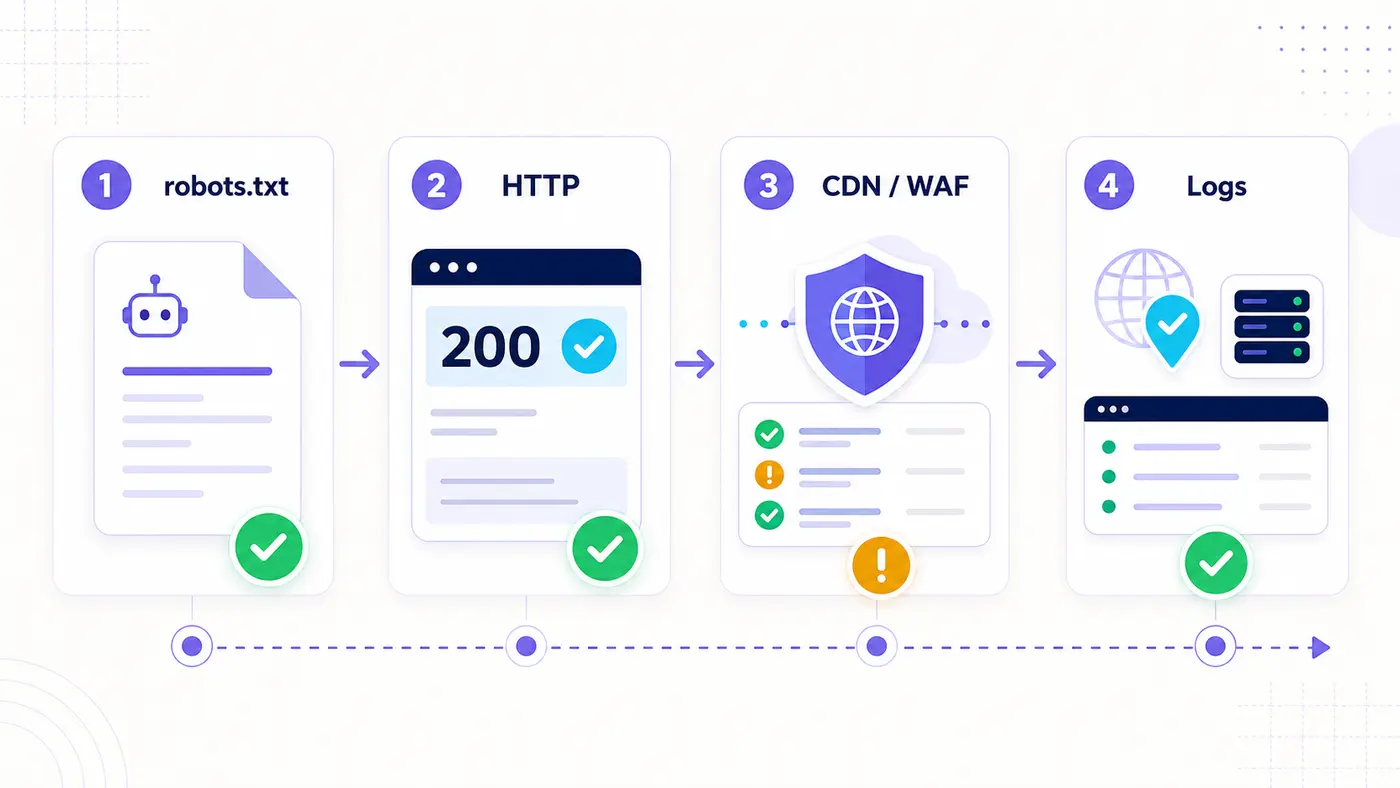
Work through four layers in order: robots.txt, HTTP delivery, CDN/WAF behavior, and logs. This produces a defensible fix and avoids weakening protection without proof.
Last reviewed: July 28, 2026. Crawler names, purposes, IP ranges, and robots behavior can change; verify provider documentation before changing production rules.