

This llms.txt example for WordPress gives you a practical starting file, a safe publishing method and a repeatable test plan. By the end, you will have a short Markdown index at yourdomain.com/llms.txt that points to your most useful public pages without replacing your sitemap, robots.txt file or technical SEO work.
The important caveat is simple: llms.txt is an emerging proposal, not a guaranteed ranking or citation signal. The official llms.txt specification describes a machine-readable way to summarize a site for language-model use at inference time. Treat implementation as a controlled experiment and record what changes.
What you will build: one concise file with a site title, short description and curated links; a public 200 response at /llms.txt; and an evidence log showing the version, test date and outcome.
What an llms.txt example for WordPress means in practical terms
An llms.txt file is a Markdown document served from a predictable URL. It should help a reader or compatible tool understand what the website is, which pages matter and why each link is useful. It is not a dump of every WordPress URL. A curated file is easier to review, less likely to expose thin or private pages and clearer about the site’s priorities.
The proposed structure begins with one H1, followed by a blockquote summary. You may then add brief notes and H2 sections containing Markdown link lists. A section named Optional has a defined purpose in the proposal: its links may be skipped when a shorter context is needed. Keep descriptions factual and make every destination publicly accessible.
Step 1: establish a clean baseline and choose representative URLs
Before publishing anything, save a baseline. Open https://yourdomain.com/llms.txt and record the current status code, response body and date. A 404 is a valid starting observation. If a plugin already creates the route, download its output before editing settings.
Choose five to ten URLs rather than exporting the whole site. A useful first set is:
- Homepage: the clearest statement of the organization and audience.
- Primary service or product page: the page that explains the main offer.
- About page: ownership, expertise and company context.
- Two strong guides: original, maintained resources that answer important questions.
- Documentation or contact page: include only when it helps a user complete a task.
Exclude drafts, admin paths, internal search results, tag archives, duplicate parameter URLs and anything marked noindex. The file should not reveal content that anonymous visitors cannot access.
Step 2: create, publish and validate one controlled version
Use the following llms.txt example for WordPress as a template. Replace the sample domain, descriptions and destinations with your own. Do not copy the example blindly; each line should communicate why that page deserves attention.
# Northstar Analytics

> Northstar Analytics helps small teams find and fix website discoverability problems.

Use these links to understand the company, its services and its maintained guidance.

## Start Here

- [Website Visibility Audit](https://example.com/services/visibility-audit/): Scope, deliverables and who the audit is for.
- [About Northstar](https://example.com/about/): Company background, reviewers and editorial standards.

## Guides

- [AI Search Readiness Guide](https://example.com/guides/ai-search-readiness/): A practical framework for access, rendering and citation evidence.
- [Technical Website Health Checklist](https://example.com/guides/website-health/): Checks for crawlability, status codes, canonicals and page output.

## Optional

- [Contact](https://example.com/contact/): Request help with a website assessment.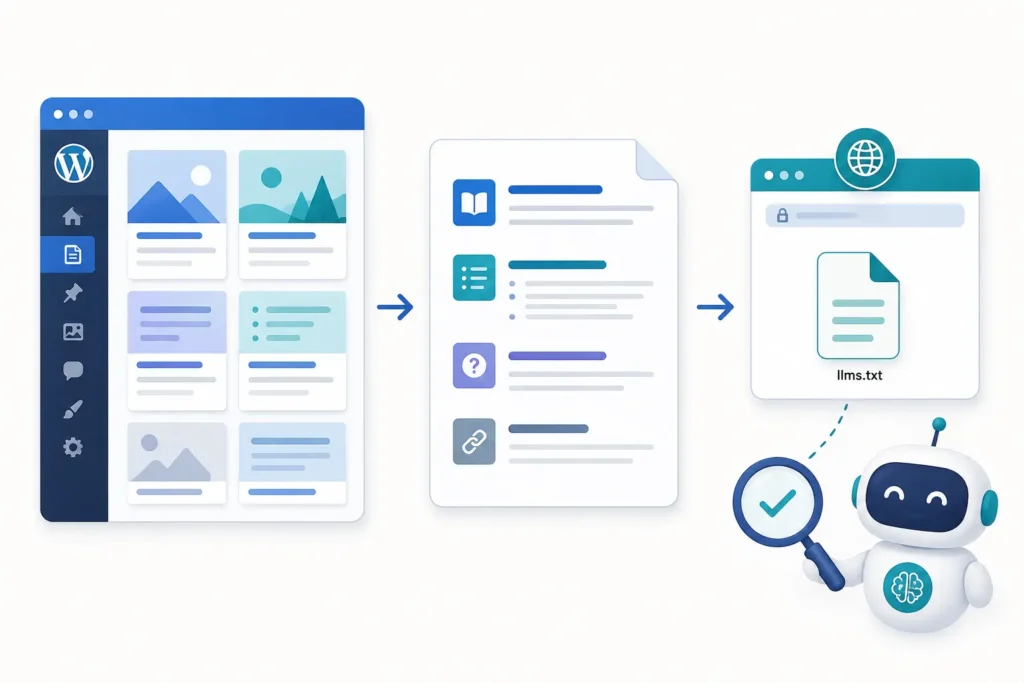
For a manual setup, save the content as UTF-8 plain text named llms.txt, then upload it to the public web root through your host’s file manager, SFTP or deployment process. On many installations, that is the directory containing wp-config.php. If your managed host prevents root writes, use a maintained WordPress plugin that serves the same public route through a rewrite rule. The plugin route still needs the same validation.
After publishing, request the exact URL in a private browser window. The pass condition is a direct 200 response with readable Markdown and a text/plain or other sensible text content type. Clear page, object and CDN caches if an old response remains.
Step 3: separate access, content and outcome evidence
A file can exist yet fail its purpose. Inspect three layers independently so one successful check does not hide another problem.
| Layer | What to inspect | Pass condition |
|---|---|---|
| Access | Status, redirects, firewall challenge and response type | The public URL returns the intended file without login or bot challenge. |
| Content | Heading order, descriptions, absolute URLs and destination quality | The Markdown is valid, concise and every selected link resolves to the preferred page. |
| Outcome | Server logs, compatible-tool retrieval and dated platform observations | You record what happened without treating one crawl or citation as universal proof. |
Step 4: apply the smallest safe fix and document it
If validation fails, change one cause at a time. Correct a misspelled URL, remove an inaccessible page, repair the rewrite rule or adjust a cache setting; then save the file with a version note. Avoid installing several generators together because competing physical files and dynamic routes can produce confusing results.
When a WordPress SEO plugin marks a page noindex, do not automatically list that page in llms.txt. The controls serve different systems, but the contradiction usually signals that the content selection needs review. Keep your sitemap, canonical URLs, robots rules and llms.txt choices intentional.
Step 5: retest with the same inputs and define a pass condition
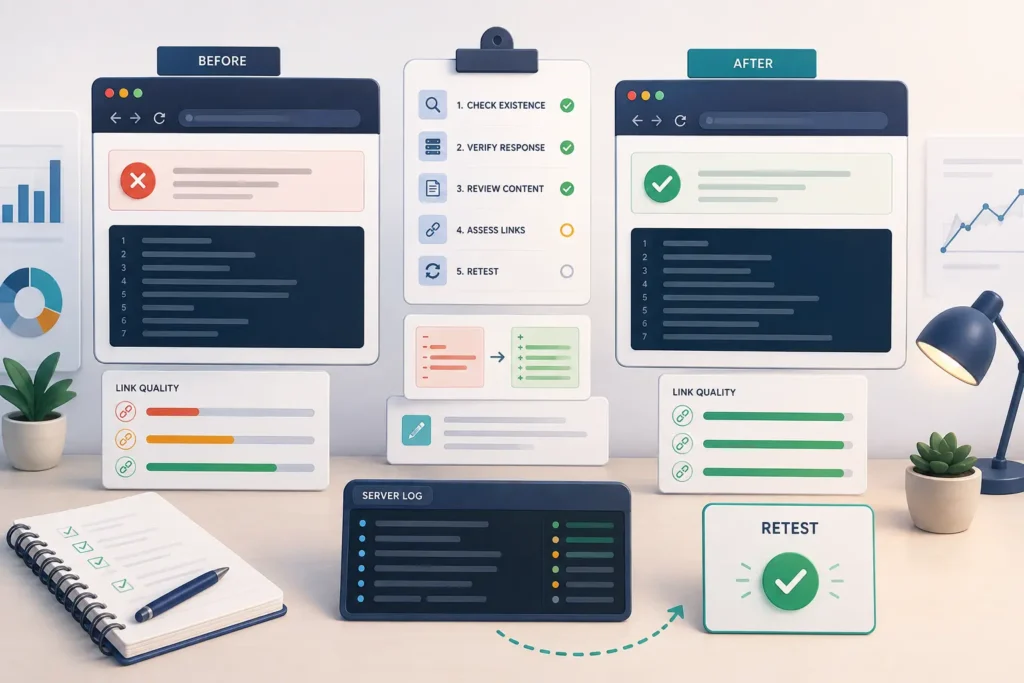
Repeat the baseline request from the same network and testing method. Save the final URL, timestamp, headers, body checksum or archived copy, and screenshots. Test every linked page for a successful response and verify that its title and description still match the file.
Recommended pass rule: /llms.txt returns the intended version with no redirect loop or challenge; the structure follows the proposal; every listed URL is canonical, public and useful; and the evidence log contains a before result, the single change and a verified retest.
Worked example: from 404 to a verified file
Imagine a 30-page WordPress consultancy site. Its baseline request returns 404. The owner chooses the homepage, services page, about page and three original guides, then publishes the sample structure through the host’s file manager. The first retest returns 200, but one guide redirects twice and another is accidentally noindex.
Instead of declaring success, the owner changes the guide link to its canonical destination and removes the noindex page from the file pending editorial review. The second retest records six direct, public destinations and a stable file response. That proves implementation and link quality improved. It does not prove an AI platform will rank or cite the site.
Evidence and screenshots worth keeping
- The baseline and final HTTP response for
/llms.txt. - The exact file version and date of each change.
- A validator or parser result showing the Markdown structure.
- The final destination and status for every link.
- Relevant cache, rewrite or security settings—without private tokens.
- Server-log requests to the file, with IP or personal data removed.
- Dated platform tests using the same prompt and conditions.
Common mistake: presenting a proposal as a ranking guarantee
The most damaging mistake is describing llms.txt as “robots.txt for AI” and implying that publishing it forces crawling, indexing or citations. Robots.txt is an established crawl-control mechanism; llms.txt is a separate proposed content index. It also cannot repair blocked crawlers, weak pages, missing evidence, broken rendering or poor site architecture. Use the file as a low-risk machine-readability experiment inside a broader llms.txt and machine-readable website strategy.
Frequently asked questions
Where should llms.txt be placed in WordPress?
Serve it at the root URL, such as https://example.com/llms.txt. A physical file may sit beside wp-config.php, while a plugin may generate the response dynamically. What matters is the public route and verified output.
Do I need a WordPress plugin to create llms.txt?
No. A small site can maintain a plain-text file manually. A plugin is useful when content changes frequently, but its output should be curated, cached correctly and tested after updates.
Should every WordPress post appear in the file?
Usually not. Prioritize authoritative, public and maintained pages. Large exports add noise and may include archives, duplicates or thin posts that do not help explain the site.
Does llms.txt improve ChatGPT or Google rankings?
There is no guaranteed ranking benefit. Google has not made llms.txt a requirement for its AI search features, and the proposal itself does not promise inclusion. Measure accessibility and observed outcomes separately.
Next step
Use this llms.txt example for WordPress to publish one controlled version today, then record the result before adding more URLs. For a repeatable review of crawler access, rendering, content clarity and evidence, get the Visible Pilot AI Search Readiness checklist.