

Why ChatGPT cannot find my local business is usually not one simple SEO problem. The business may be open, verified on Google, and visible to customers, yet ChatGPT still omits it, describes it incorrectly, or cites a directory instead of the official website. That symptom matters because people increasingly ask conversational tools for nearby services, comparisons, opening details, and recommendations.
The right response is a diagnosis, not a promise. You need to determine whether ChatGPT can access the site, whether the page delivers useful content, whether the business is described as a clear local entity, and whether the available evidence is strong enough for a particular answer. This guide gives you a repeatable path from symptom to proof.
Important: Allowing a crawler, adding LocalBusiness schema, or updating a business profile can improve eligibility and understanding. None of those actions guarantees that ChatGPT will mention or cite a business for every prompt.
Quick diagnosis: the most likely causes of “why ChatGPT cannot find my local business”
Start with the failure class. If you mix technical access, content quality, and answer selection into one “AI visibility” score, you may spend hours editing copy when the real issue is a firewall challenge—or change server rules when the page simply does not answer the question.
| Likely cause | What you may observe | First check |
|---|---|---|
| OAI-SearchBot is blocked | The official site is absent while third-party pages appear | Review robots.txt, response codes, WAF events, and OpenAI’s published crawler IP ranges |
| The page is technically reachable but empty or incomplete | A browser shows content, but raw HTML or a crawler-style request shows a shell | Compare raw response HTML with the rendered page and inspect failed scripts or APIs |
| Local entity evidence is weak or inconsistent | ChatGPT confuses the name, location, category, hours, or service area | Compare the website, business profile, structured data, and trusted listings |
| Useful local pages are missing | The homepage ranks or loads, but specific service-and-location questions have no strong answer | Audit service, location, pricing, FAQ, contact, and about pages |
| The site is healthy but not selected | Pages are accessible and accurate, yet another source is cited for one prompt | Test more prompts and runs; compare relevance, specificity, freshness, and source support |
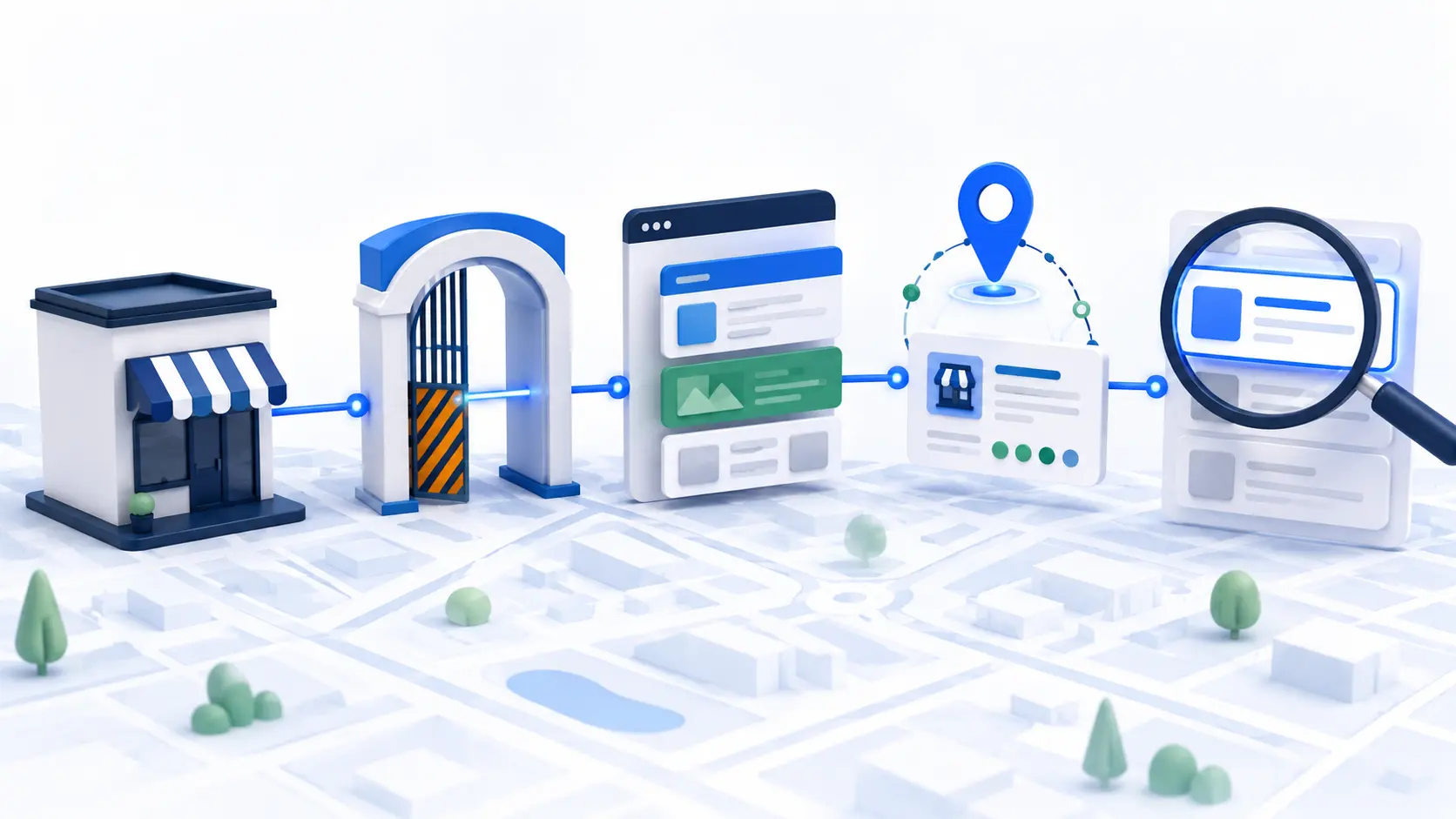
Symptom map: access failure vs rendering failure vs discovery or citation gap
Access failure means the request never receives the intended public page. A disallow rule, login wall, bot challenge, rate limit, geographic rule, or server error may return a block page or non-success status. OpenAI identifies OAI-SearchBot as the crawler used to surface websites in ChatGPT search results and recommends allowing it when a site wants search inclusion.
Rendering failure means the URL responds but the useful business facts are absent from the delivered content. A JavaScript-only site can expose a nearly empty shell when an API fails, a script is blocked, or important text appears only after an interaction. Google’s JavaScript SEO guidance explains why server-side or pre-rendered content is often more robust for discovery.
Discovery and entity failure means the page is accessible, but systems cannot confidently connect the business name with its real location, category, service area, phone, hours, and official URL. Citation failure happens later: the platform understands the business but selects another source—or no source—for that particular question.
Test 1: reproduce the issue on representative URLs
Do not begin with a single prompt such as “What is the best plumber near me?” Results can change with wording, user location, web-search state, and time. Create a small fixed panel of prompts and record every condition so you can repeat the test after making changes.
- Ask a navigational question using the exact business name, city, and service, such as “What services does [Business] in [City] provide?”
- Ask a category question that does not include the brand, such as “Which emergency plumbers serve [Area]?”
- Ask a factual buying question: hours, service area, appointment method, price approach, accessibility, warranty, or same-day availability.
- Run each important prompt more than once and save the answer, source links, date, location, and whether live web search was active.
- Map every prompt to the best official page. If the answer requires opening hours, the target may be a location page—not the homepage.
Pass condition: You can reproduce the original omission under documented conditions and identify the official URL that should contain the answer. Without that baseline, a later appearance may be normal answer variation rather than evidence of a fix.
Test 2: audit pages that answer real buying questions, not just the homepage
A local homepage often says who the company is, but not enough about each service, location, or decision. Audit representative URLs: the homepage, every genuine location page, two or three priority service pages, contact page, about page, and any page containing hours, prices, booking details, or service-area rules.
Each page should make its subject clear without requiring a visitor to infer it from a logo or navigation menu. State the business name, service, real location or service area, who the offer is for, important limitations, and the next step. Avoid cloning one thin city page across dozens of locations; the useful evidence should reflect what is genuinely different.
- A unique title and main heading that match the page’s real purpose
- Visible business name, address or service area, phone, hours, and contact path where relevant
- Specific descriptions of services, qualifications, process, availability, and exclusions
- First-party proof such as team credentials, project examples, policies, original photos, or locally relevant FAQs
- Clear internal links between the location, service, about, and contact pages
Root-cause checks: directives, status, security, delivery, and entity signals
1. Crawler directives and index controls
Fetch /robots.txt and look for a rule that blocks OAI-SearchBot or all bots from important public paths. Keep the control for search separate from GPTBot, which OpenAI documents for potential model training. Then inspect the page for noindex, an X-Robots-Tag header, or a canonical URL pointing somewhere inappropriate. OpenAI notes that robots changes can take roughly 24 hours to be reflected by its systems.
2. HTTP status, redirects, WAF, and rendering
Test the same canonical URL through its full redirect chain. The final response should be the intended public page, not a 403, 429, 5xx response, login prompt, consent wall, or “checking your browser” challenge. Review CDN and firewall events before allowlisting anything. If you use Cloudflare, its official guidance describes using verified-bot signals and scoped exceptions; avoid a broad rule that weakens protection for every automated request.
Compare the raw HTML with a rendered browser view. Core business facts should be present in dependable page content. If they arrive from client-side APIs, confirm those requests succeed without cookies, interaction, or a private session. A 200 OK alone is not proof that the page contains usable evidence.
3. Local entity consistency
Match the official name, primary category, address or service area, phone, hours, and URL across the website and verified business profiles. Google’s guidance recommends accurate, complete information and one profile per real location. Add valid LocalBusiness structured data that agrees with visible page content, but treat markup as clarification—not a substitute for the page itself.
Fixes ordered by impact, effort, and risk
| Priority | Fix | Impact / effort / risk |
|---|---|---|
| Critical | Remove unintended blocks on OAI-SearchBot for public pages; fix 4xx/5xx responses, redirect loops, and security challenges | High impact; usually low-to-medium effort; test security carefully |
| Critical | Put essential business facts and service content in reliable HTML | High impact; medium effort; low risk when deployed incrementally |
| Important | Create or improve genuine service and location pages that answer buying questions | High impact; medium-to-high effort; low technical risk |
| Important | Reconcile the website, verified business profiles, structured data, and trusted local listings | Medium-to-high impact; medium effort; low risk if facts are accurate |
| Improvement | Strengthen internal links, source support, original proof, update dates, and page clarity | Compounding impact; ongoing effort; very low risk |
| Measurement | Retest the same prompt panel and record mentions, cited URLs, accuracy, and referrals separately | Essential for proof; low effort; no ranking guarantee |
Verification: evidence that proves the issue is resolved
A fix is verified only when the technical cause has changed and the intended page is publicly usable. Save before-and-after evidence: the robots rule, final status and headers, server or WAF log entry, raw HTML, rendered screenshot, structured-data test, canonical URL, and the visible business facts.
- The canonical URL returns the intended public page through a clean redirect path.
- OAI-SearchBot is not unintentionally disallowed, and security controls no longer challenge approved search traffic.
- Raw or reliably rendered content contains the business identity and the answer expected for the target question.
- The website and business profiles agree on name, category, location or service area, phone, hours, and URL.
- The same prompt panel is rerun under the original conditions, with outcomes logged as mention, citation, cited URL, accuracy, and repeatability.
Even after a technical fix, allow time for recrawling and index refreshes. OpenAI states that its crawler settings may take about a day to adjust after robots.txt changes; discovery and answer selection can take longer and are not published as a guaranteed timetable.
Best proof: pair infrastructure evidence with answer evidence. A green server test proves access; a saved source panel proves a citation. Neither one should be used as a substitute for the other.

When the website is healthy but ChatGPT still does not cite it
If access, delivery, entity details, and page content all pass, stop searching for a hidden technical switch. The page may not be the most relevant or well-supported source for that query, the answer may not need a citation, or the system may choose different sources across runs. Improve the page that best answers the question, then measure a representative set rather than chasing one output.
Strengthen direct, verifiable passages: explain what the business does, where it operates, who it serves, what makes the service different, and which limitations apply. Support important claims with first-party evidence. Keep dates, hours, prices, and policies current. Track ChatGPT referrals separately; OpenAI’s publisher guidance says outgoing search links include utm_source=chatgpt.com.
Evidence and screenshots to include in your audit
Your audit should be understandable to someone who did not run it. Include one annotated capture for each failure stage: crawler request and response, raw HTML versus rendered page, firewall or CDN event, business-profile details, structured-data result, representative service/location page, answer source panel, and the final retest. Blur personal or customer information before sharing.
Store every artifact with a date, URL, test condition, expected result, actual result, owner, and next action. That evidence turns a vague complaint—“ChatGPT cannot find my business”—into an issue a developer, SEO specialist, or owner can reproduce and resolve.
Common interpretation mistake
The most common mistake is copying a generic AI SEO checklist without adapting it to the business model and page inventory. A restaurant needs menus, hours, reservation facts, and individual locations. A service-area business needs clear coverage and contact rules without publishing a hidden residential address. A clinic needs practitioner and service evidence. Test the pages and facts customers actually use to decide.
Frequently asked questions
Does a Google Business Profile make my business appear in ChatGPT?
A complete, accurate profile can improve the local information ecosystem, but it does not guarantee a ChatGPT mention. Keep it verified and consistent with the official site, then test the website and answer sources separately.
Should I allow GPTBot to improve local visibility?
OpenAI documents GPTBot and OAI-SearchBot as separate controls. OAI-SearchBot is the relevant crawler for ChatGPT search visibility; allowing search access does not require you to allow potential training access.
Will LocalBusiness schema fix the problem?
Valid schema can clarify business facts for systems that process it, especially when it matches visible content. It cannot repair a blocked page, missing service details, inconsistent profiles, or weak evidence, and it cannot guarantee citation.
How often should I test whether ChatGPT can find my local business?
Test before a change, after deployment and recrawling, and then monthly or quarterly depending on business importance. Use the same prompt set and conditions so the comparison is meaningful.
What if ChatGPT names my business but shows the wrong details?
Treat that as an accuracy and entity-consistency problem. Identify which source supports the wrong claim, correct the official page and verified profiles, document the change, and retest the exact fact. Do not count an inaccurate mention as success.
Next step: get the AI Search Readiness checklist
Use the complete AI Search Readiness by Website Type framework to adapt these checks to your local business model. For a deeper technical diagnosis, see AI Crawler Sees a Blank Page. Then document your baseline and prioritize the smallest safe fix first.
Sources: OpenAI crawler documentation; OpenAI publisher guidance; Google business-details guidance; Google LocalBusiness structured data; and Cloudflare verified-bot WAF guidance.