

AI search readiness for WordPress websites means making important pages discoverable, fetchable, understandable, and useful enough to support an answer. It is not a special plugin setting. A WordPress site can have an XML sitemap and green SEO scores while a firewall blocks an AI crawler, a template hides the main answer behind JavaScript, or the service page says too little to deserve retrieval.
This tutorial gives you a repeatable five-step audit. You will test three representative URLs, separate access failures from content failures, apply the smallest safe fixes, and define evidence-based pass conditions. You need only a browser, your WordPress admin access, server or CDN logs if available, and a simple results sheet.
Quick answer:
A WordPress website is AI-search ready when its useful public pages return a normal 200 response, permit the crawlers you intend to allow, expose the meaningful content in delivered HTML, use consistent canonical and index controls, and answer real customer questions with clear evidence. Readiness makes inclusion possible; it never guarantees an AI mention or citation.
What AI search readiness for WordPress websites means in practice
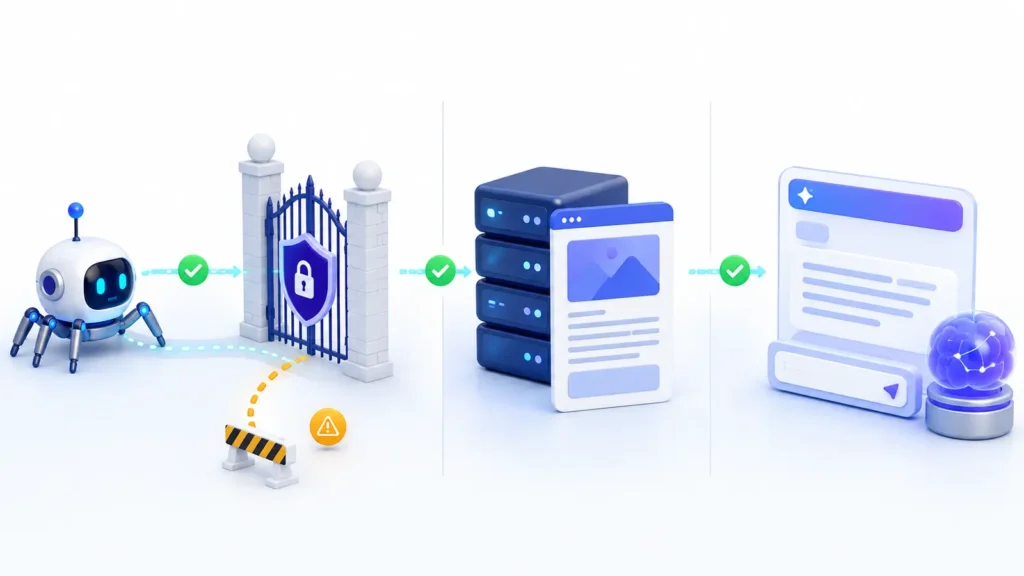
Treat readiness as a chain with five links: discovery → access → processing → retrieval → citation. WordPress helps with publishing, internal linking, feeds, and sitemaps, but themes, plugins, hosting rules, and editorial choices can weaken any link.
Google’s official guidance for AI features says there are no extra technical requirements for AI Overviews or AI Mode: a page must be indexed, eligible for Search, and eligible to appear with a snippet. OpenAI’s crawler documentation makes a different platform-specific distinction: OAI-SearchBot controls inclusion in ChatGPT search, while GPTBot controls potential training use. Those permissions are independent.
A useful audit therefore asks five separate questions: Can the platform discover the URL? Can its crawler fetch it? Does the response contain the main information? Is the page a strong match for a real question? Can you measure what happened after a change?
Step 1 — Establish a clean baseline and choose representative URLs
Do not test only the homepage. Choose a three-page sample that represents how WordPress supports your business:
- Homepage: confirms the business identity, primary offer, navigation, and preferred canonical domain.
- Commercial page: a service, product, pricing, location, or comparison page that answers a buying question.
- Knowledge page: a guide, case study, documentation page, or article with enough depth to support a factual answer.
Record each exact URL, current title, canonical URL, HTTP status, index status, last-modified date, sitemap inclusion, and the question the page should answer. Save the test date as well. Without a frozen baseline, you cannot tell whether a later result came from your change, a platform update, or a different prompt.
Check both the normal page and common variants: HTTP versus HTTPS, www versus non-www, trailing slash variants, pagination, and parameter URLs. Every variant should resolve predictably to one preferred URL. Redirect loops, inconsistent canonicals, or duplicate archive pages waste crawl attention and blur which page should represent the topic.
Step 2 — Audit pages that answer real buying questions
AI search readiness for WordPress websites depends more on the useful page inventory than on the CMS label. List the questions a prospect asks before buying, then map each question to a page. Typical gaps include pricing logic, service boundaries, implementation steps, eligibility, locations served, evidence, alternatives, and what happens after contact.
Open each mapped page as an anonymous visitor. In the first screenful, can a reader identify who the offer is for, what problem it solves, and the direct answer to the page’s main question? Replace vague introductions with an answer-first summary. Break long sections into descriptive headings, use specific examples, and support important claims with firsthand data, named sources, or clearly explained methods.
WordPress makes it easy to generate tag, author, date, search, and category archives. Those pages can help discovery, but thin or duplicate archives should not compete with your main service and knowledge pages. Review what your SEO plugin indexes, which archives appear in the sitemap, and whether internal links consistently point to the preferred page.
Step 3 — Inspect access, HTML delivery, and index controls
A normal browser view is not enough. Test what an anonymous client receives from the server, then compare it with the rendered page. Follow the detailed procedure in how to test HTML visible to AI crawlers. If the title, main answer, links, or product details appear only after client-side scripts run, some retrieval systems may receive a weaker version.
| Check | Healthy evidence | Likely WordPress cause when it fails |
|---|---|---|
| HTTP response | 200 for public canonical pages | Redirect chain, maintenance plugin, origin error, or WAF challenge |
| robots.txt | Intended crawler is not disallowed | SEO plugin rule, security plugin, CDN rule, or manual file |
| Robots meta | Indexable pages do not output noindex or restrictive snippet controls | WordPress visibility setting, SEO template, staging flag, or post-level setting |
| Canonical | Self-referencing canonical on the preferred URL | Domain migration, duplicate plugin output, HTTP/HTTPS mismatch, or archive template |
| Delivered HTML | Main answer and internal links appear in the response | Page builder rendering, JavaScript injection, consent layer, or optimization plugin |
| Sitemap | Preferred public pages are listed and return 200 | Excluded post type, stale cache, conflicting sitemap provider, or non-public site setting |
WordPress has included core XML sitemaps since version 5.5, generally at /wp-sitemap.xml; SEO plugins may replace that endpoint. The WordPress sitemap class documentation confirms that core registers sitemap routes and adds the sitemap index to robots.txt for public sites. Use one coherent sitemap system and confirm it lists the URLs you actually want discovered.
If you want ChatGPT search visibility, review the live robots.txt response—not only a plugin screen. A minimal intentional rule may look like this:
User-agent: OAI-SearchBot
Allow: /

User-agent: GPTBot
Disallow: /
This example allows ChatGPT search crawling while opting out of GPTBot training use. It is only an illustration; preserve restrictions needed for private areas, checkout flows, member dashboards, internal search results, and other sensitive or low-value paths. WordPress can generate a virtual robots.txt response, and the official robots_txt hook lets developers filter it. A physical file, plugin, host, or CDN may override what you expect, so test the public URL.
Step 4 — Apply the smallest safe fix
Fix the earliest broken link in the chain. If the crawler is blocked, editing copy will not solve access. If the server returns the full answer but the page is generic, changing robots.txt will not make it more useful. Prioritize work in this order:
- Availability: resolve 4xx/5xx responses, loops, authentication, and bot challenges on public pages.
- Control signals: correct robots.txt, robots meta, canonicals, redirects, and sitemap inclusion.
- HTML delivery: ensure the main title, answer, evidence, and links are available without fragile rendering.
- Information architecture: connect service, category, comparison, case-study, and guide pages with descriptive internal links.
- Content quality: add direct answers, scope, proof, authorship, update dates, and original examples.
- Structured data: add only supported markup that accurately matches visible content.
WordPress safety rule:
Change one control layer at a time. A theme, SEO plugin, cache plugin, security plugin, CDN, and host can all affect the same response. Clear relevant caches, document the exact setting changed, and retest before editing another layer. This reduces conflicts and gives you a clean rollback path.
Do not install several AI-SEO plugins just to create more machine-readable files. Duplicate canonical tags, competing sitemaps, conflicting robots directives, and injected schema are more damaging than the absence of a fashionable feature. If you experiment with llms.txt, use the llms.txt validation checklist and measure it as a proposed convention—not a guaranteed ranking factor.
Step 5 — Retest with the same inputs and define a pass condition
Repeat the baseline after every meaningful fix. Use the same three URLs, anonymous access, user agent, test location where possible, and the same inspection method. A technically healthy page should meet all of these pass conditions:
- The preferred URL returns 200 without a challenge or redirect loop.
- The intended crawler is permitted by the public robots.txt response.
- The page is not accidentally noindexed and permits the snippet behavior you want.
- The canonical points to the preferred accessible URL.
- The title, main answer, important evidence, and internal links appear in delivered HTML.
- The URL appears in the active sitemap and is linked from relevant pages.
- Structured data, if used, validates and matches visible content.
- A manual prompt test is logged separately as an observation, not treated as proof of crawling or indexing.
After the technical pass, measure outcomes with a fixed prompt set. Record mentions, linked citations, cited URLs, accuracy, competitors, model or product, and date. Generated answers vary, so a single successful response is a sample rather than a permanent result. The method in AI visibility audit vs GEO audit explains how to separate the baseline from the optimization backlog.
Worked example: a WordPress service page that AI tools overlook
Imagine a consultancy whose homepage is indexed, but its cloud migration service is rarely cited. The service URL returns 200 and appears in the sitemap. The server HTML, however, contains only a hero slogan and navigation; the detailed benefits arrive through a JavaScript widget. The page also lacks a clear scope, process, evidence, author or reviewer, and links to related case studies.
The team first moves the core service explanation and process into native server-rendered blocks. It adds an answer-first summary, qualification criteria, a five-step delivery process, two verifiable case-study links, and a named reviewer. Then it links the page from the relevant industry page and guide, confirms the canonical, clears page and CDN caches, and repeats the same HTML test.
The technical pass is now clear: the useful passage is present in the response, the URL is permitted, and the sitemap and internal links agree. The team then reruns its documented prompts over several dates. Any improvement in citations is recorded as an outcome; no improvement becomes evidence for the next hypothesis rather than a reason to add random schema.
Evidence and screenshots to keep
- Public robots.txt response showing the rule that applied at the test date.
- HTTP status and response headers for every representative URL.
- Raw HTML excerpt containing the title, answer, evidence, and internal links.
- Rendered screenshot of the same section for comparison.
- Robots meta and canonical values from page source.
- Active sitemap entry and last-modified value where available.
- SEO-plugin and CDN settings that influenced the final output.
- Before-and-after prompt results with dates and cited URLs.
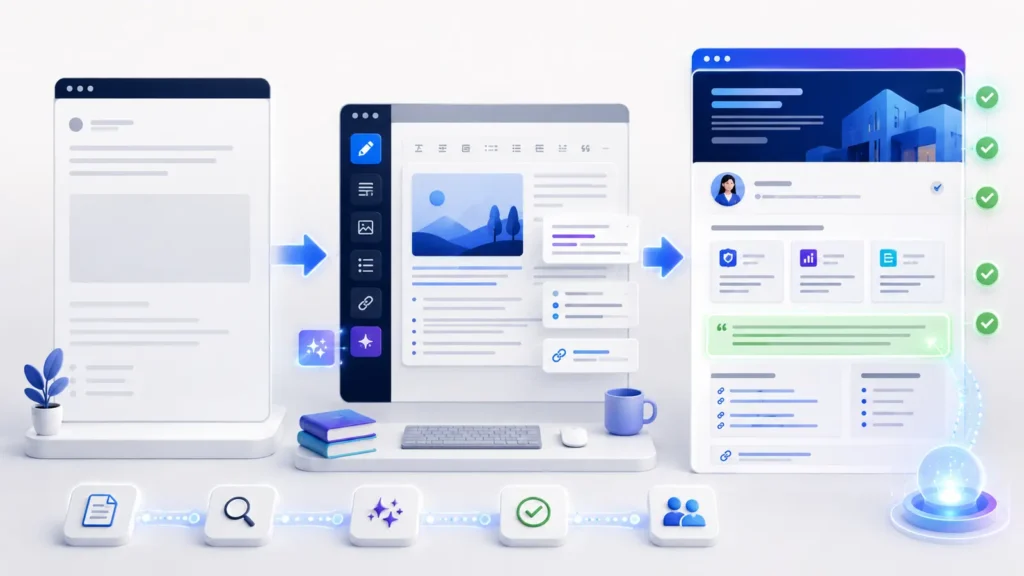
This evidence turns a vague readiness claim into a reproducible audit. It also helps a developer isolate whether WordPress, a plugin, the theme, the origin server, or the edge layer changed the response.
The common mistake: copying a generic checklist
Do not grade every WordPress site against the same page inventory.
A local business needs location, service-area, review, and contact evidence. A SaaS site needs use cases, integrations, documentation, comparisons, and security details. A membership site must deliberately separate public acquisition content from protected member content. Keep the access tests consistent, but adapt the content checks to the business model and customer journey.
Another mistake is treating schema as a substitute for a useful answer. Structured data can describe visible content, but it does not manufacture expertise or guarantee inclusion. See FAQ schema vs answer-first content for AI search before adding FAQ markup to thin pages.
Frequently asked questions
Does WordPress need a special AI SEO plugin?
No. WordPress can be made ready with sound crawling, indexing, delivery, architecture, and content practices. A specialized plugin may automate a narrow task, but it cannot guarantee retrieval or citations. Evaluate what it changes and avoid duplicating functions already handled by your SEO, cache, or security stack.
Should I allow GPTBot and OAI-SearchBot?
Decide separately. OpenAI documents OAI-SearchBot for ChatGPT search and GPTBot for potential training use. You may allow one and disallow the other. Whatever policy you choose, verify the live robots.txt response and consider firewall or CDN behavior as well.
Is the WordPress XML sitemap enough for AI visibility?
No. A sitemap supports discovery; it does not prove that a page can be fetched, processed, indexed, retrieved, or cited. Every sitemap URL still needs a healthy response, consistent controls, useful HTML, and relevant internal links.
Do AI Overviews require special schema?
Google says there are no additional technical requirements for its AI features beyond normal Search eligibility. Use supported structured data when it accurately represents visible content, but prioritize accessibility and useful, people-first information.
How often should I repeat the audit?
Retest after theme changes, plugin or CDN migrations, major template edits, indexing-control changes, and important content releases. For visibility measurement, choose a practical fixed cadence—often monthly—and keep the prompt panel and recording rules consistent.
Next step: run the three-URL WordPress readiness test
The fastest way to improve AI search readiness for WordPress websites is to stop treating it as one score. Test a homepage, a commercial page, and a knowledge article. Prove access, inspect delivered HTML, strengthen the page that answers the customer’s question, and rerun the same test.
Get the AI Search Readiness checklist:
Use Visible Pilot to review crawler access, machine-readable content, citation readiness, and verification evidence across your WordPress site.
Check your website with Visible Pilot and start with issues you can prove.