

CDN settings checklist for AI crawler access is a practical way to find the gap between “the page works in my browser” and “an approved crawler can retrieve useful content.” A CDN can speed up delivery and stop abuse, but a bot policy, WAF challenge, rate limit, cache rule or origin timeout can also return a different experience to search and AI systems. Use this checklist to test the complete request path, record evidence and fix the most damaging failures first.
Quick answer: Allow the specific search or user-agent crawlers you want, verify them with the provider’s published IP or trusted bot signal, keep public content free of interactive challenges, return stable 200 responses, serve meaningful HTML quickly, and review firewall plus cache logs after every test. Do not create a blanket allow rule for any request that merely claims a familiar user-agent.
Before you start: gather a clean baseline
Choose three representative URLs: the homepage, one important evergreen page and one recently updated page. Record the canonical URL, expected status, page title, index directives and the time of your test. You will need access to your CDN security events, cache analytics and origin logs. If possible, test from a second network or a controlled server so a local browser session, cookie or cached challenge clearance does not hide the problem.
Separate crawler purposes before changing policy. OpenAI documents OAI-SearchBot for search discovery, GPTBot for model-training controls and ChatGPT-User for user-initiated visits. Anthropic and Perplexity also document distinct search, training or user-action agents. Decide which purposes fit your policy, then configure access deliberately rather than grouping every “AI bot” together.
Check 1: discovery and access requirements in a CDN settings checklist for AI crawler access
- Confirm that
/robots.txtis public, returns HTTP 200 and contains no accidental globalDisallow: /rule. - Review rules for the exact crawlers you intend to permit. A general
User-agent: *section can still create conflicts or inherited restrictions. - Use a CDN-verified bot category, published IP ranges or provider-supported authentication where available. User-agent strings can be spoofed.
- Exclude approved crawlers from JavaScript challenges, CAPTCHA pages and browser-integrity checks on public editorial URLs.
- Check geographic, ASN and reputation rules. A crawler may originate outside the country where staff normally browse.
- Confirm that DNS, TLS and redirect chains work without cookies, login state or client-side navigation.
A passing robots.txt test does not prove that the page is reachable. Robots directives express crawl preferences; the CDN still decides whether the request reaches the origin. Compare the robots result with the firewall event for the same time and URL. A block, challenge, connection reset or endless redirect is a delivery failure even when the file itself says “allow.”
Security note: Prefer narrow, verified exceptions. An allow rule based only on a user-agent substring lets an attacker impersonate that crawler. Keep sensitive paths such as admin, account, checkout and private APIs protected even when public content is accessible.
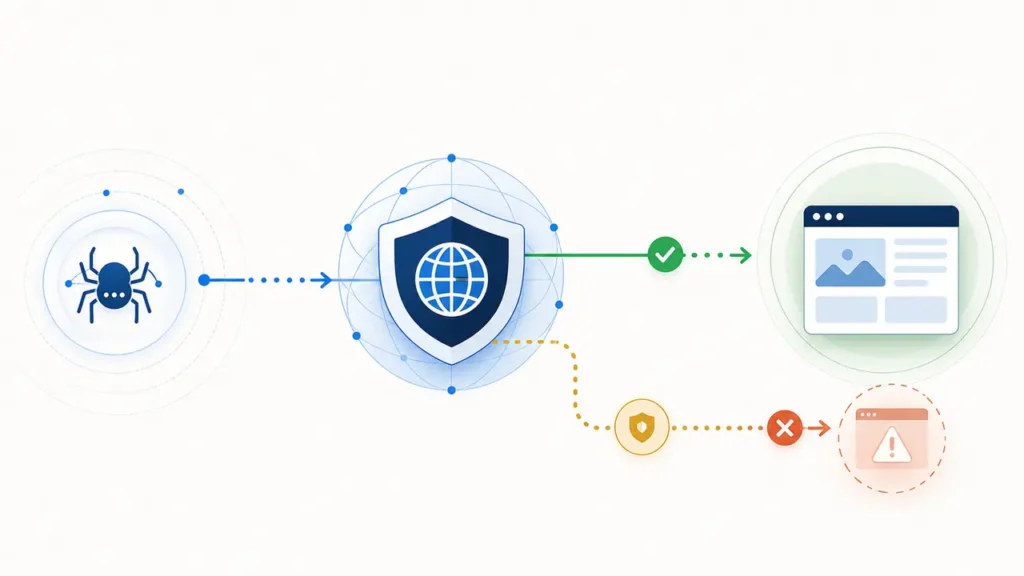
Check 2: technical delivery, rendering and index controls
Request each test URL without a logged-in cookie and capture the final status, redirect chain, response headers, response time and body. The final public page should normally return 200. Repeated 403 responses point to security rules; 429 indicates throttling; long-lived 5xx errors indicate origin or edge instability. A “soft error” is also possible: the server returns 200 but the body contains a block page, empty app shell or maintenance message.
- Compare the raw HTML with the rendered page. The title, main heading, core answer, internal links and canonical tag should appear in usable HTML.
- Check
robotsmeta tags andX-Robots-Tagheaders for unintendednoindex,nofollowor snippet restrictions. - Verify that CSS, JavaScript and image resources needed to understand the page are not blocked or challenged.
- Measure edge time to first byte and full response time from more than one location; investigate slow cache misses and origin fetches.
- Test desktop, mobile and simple command-line requests. A successful full browser session is only one data point.
- Confirm that redirects are finite, consistent across HTTP/HTTPS and hostnames, and end on the canonical public URL.
Google’s technical documentation is useful as a general delivery benchmark: crawlers interpret status codes, need access to important resources and may render JavaScript, but dependable server-rendered content reduces failure points. AI search systems are not identical to Googlebot, so record results per platform instead of assuming one successful test covers every crawler.
Check 3: cache behavior, freshness and content clarity
A cache hit is not automatically good and a miss is not automatically bad. The goal is a correct, current and complete response. Inspect Age, Cache-Control, ETag, Last-Modified, Vary and your CDN’s cache-status header. Purge or revalidate a test URL after a meaningful update, then confirm that anonymous users and approved crawlers receive the new version.
Watch for cache keys that vary by cookie, device, country or user-agent. They can create a clean human version and a stale or empty bot variant. Also confirm that HTML caching does not preserve a temporary 403, maintenance response or consent wall. When a crawler does reach the content, make the page easy to interpret: one descriptive H1, clear entity names, concise answers, supporting evidence, visible dates where freshness matters and links to primary sources.
Check 4: run a platform test and record pass or fail
Create one evidence row for every crawler and URL combination. Run the request, note the timestamp in UTC and immediately inspect CDN security events, cache analytics and origin access logs. The result is a pass only when the crawler is permitted by policy, receives the expected final URL and status, obtains meaningful content, and leaves a trace you can reconcile across the edge and origin.
| Evidence field | Pass condition | Common failure |
|---|---|---|
| Final status and URL | 200 on the intended canonical page | 403, 429, 5xx or redirect loop |
| Content received | Main answer and links appear in HTML | Challenge page, empty shell or truncated body |
| Firewall event | Allowed or skipped by a narrow rule | Managed challenge or broad bot block |
| Cache result | Correct and current representation | Stale, poisoned or variant-specific response |
| Timing | Stable edge and origin response | Slow miss, timeout or connection reset |
| Log trace | Timestamp, path and verified identity align | No request, spoofed agent or unmatched IP |
Repeat the test after any rule change and again 24 hours later. A single successful request may be a warm-cache exception. Conversely, one failed request from a homemade user-agent is not proof that the real provider crawler is blocked; verify identity and compare against authentic logs.
Prioritize critical, important and improvement items
| Priority | Fix now | Why |
|---|---|---|
| Critical | 403/429/5xx, CAPTCHA, TLS/DNS failure, blocked robots.txt, empty or wrong HTML | The crawler cannot reliably retrieve the public page |
| Important | Slow uncached responses, inconsistent redirects, stale bot cache, blocked essential resources, accidental noindex | Access exists but discovery or interpretation is fragile |
| Improvement | Cleaner headings, better source links, cache tuning, richer monitoring and dashboards | Improves clarity, freshness and diagnosis after access is stable |
Fix order: restore reliable access first, then correct the response, then improve speed and content clarity. Do not spend hours polishing structured data while approved crawlers are still receiving a challenge page.
Evidence and screenshots to keep

For every change, save the raw response headers and HTML, a rendered-page screenshot, the CDN event, cache status, response timing and the matching origin log line. Redact IP addresses, tokens and personal data before sharing. Name the evidence with the URL, crawler, UTC timestamp and test version. This turns a vague visibility complaint into a repeatable incident record and makes rollback safer.
A useful monthly review compares pass rate by crawler, percentage of 403 and 429 responses, median and slowest response time, cache hit ratio for public content, stale-content incidents and rule changes. Trends matter more than a one-off “all green” scan because bot classifications, provider IP ranges and CDN products evolve.
Common interpretation mistake: testing only in a full browser
A staff browser may carry cookies, pass JavaScript, reuse an earlier challenge clearance and receive a country-specific cache variant. A crawler may have none of those advantages. Browser success therefore proves that one human-shaped request worked, not that an approved automated request received the same page. Always compare anonymous raw HTML, rendered output, headers and logs.
Important limitation: passing this checklist makes your site technically reachable; it does not guarantee indexing, retrieval, ranking, a mention or an AI citation. Those are separate stages influenced by platform behavior, relevance, authority, freshness and the quality of your content.
FAQs about CDN settings for AI crawler access
Should I allow every AI crawler?
No. Choose by purpose and business policy. You may allow search-discovery and user-initiated agents while treating training crawlers differently. Document each decision and review it when provider definitions change.
Is a user-agent allowlist enough?
Usually not. User-agent strings are easy to copy. Prefer your CDN’s verified bot signal, provider-published IP validation or supported request authentication, combined with path-specific rules and log review.
Should verified crawlers bypass all security?
No. Bypass only the controls that wrongly block legitimate access to public content. Keep authentication, authorization and protections for sensitive paths. A verified crawler does not need access to private customer data or admin endpoints.
How often should I rerun the checklist?
Test after CDN, WAF, DNS, hosting, CMS or caching changes; after a provider updates crawler guidance; and on a regular monthly or quarterly schedule. Retest immediately when logs show a rise in 403, 429 or 5xx responses.
Next step
Turn the checklist into a repeatable audit: continue with the AI search readiness audit for a new website, then review common llms.txt mistakes so machine-readable guidance is not mistaken for actual crawler access.
Sources
- OpenAI: Overview of crawlers (accessed August 6, 2026).
- Anthropic crawler guidance (accessed August 6, 2026).
- Perplexity crawler guidance (accessed August 6, 2026).
- Cloudflare: Verified bots and allowing verified bot traffic (accessed August 6, 2026).
- Cloudflare: Cache-Control behavior (accessed August 6, 2026).
- Google Search Central: JavaScript SEO basics and robots.txt guidance (accessed August 6, 2026).