Category: Uncategorized

  • llms.txt Before and After Experiment: A Controlled Test

    llms.txt Before and After Experiment: A Controlled Test

    An llms.txt before and after experiment sounds simple: publish the file, repeat a few AI searches, and compare the answers. The hard part is separating a useful signal from ordinary variation. AI results can change because of the prompt, platform, retrieval index, content updates, crawler access, or time. This guide shows a controlled, evidence-first test that a SaaS team or website owner can reproduce without pretending that llms.txt is a confirmed ranking factor.

    Experiment rule: change one main variable, preserve the evidence, and report absolute counts. A better result after publication is a correlation worth investigating—not automatic proof that llms.txt caused it.

    Baseline: capture the site before publishing llms.txt

    Start with a website whose important pages are public, canonical, indexable, and accessible without JavaScript interaction or authentication. Record the test date, platform, product mode, location if relevant, and exact URLs. Then save the current robots.txt rules, XML sitemap, response headers, page HTML, canonical tags, and CDN or firewall status. These details matter because a blocked crawler or empty server-rendered response can explain poor discovery more directly than a missing llms.txt file.

    Create a fixed prompt set before making changes. Include brand prompts, problem-led prompts, and research questions that the selected pages genuinely answer. Run each prompt several times, record every mention, linked URL, citation, and incorrect statement, and keep screenshots or exports. Also capture AI referral sessions and crawler requests from server or CDN logs. OpenAI advises publishers who want content eligible for ChatGPT search summaries and links to allow OAI-SearchBot; that crawler-access control is separate from llms.txt.

    Diagnosis: test the hypothesis before accepting it

    The initial hypothesis may be, “AI systems cannot understand the site because it lacks llms.txt.” Test simpler explanations first. Can the relevant crawler fetch the page? Does the server return the same useful content to a non-browser client? Are directives contradictory? Is the answer stated clearly in the main content? Do authoritative sources support the claim? If one of these checks fails, repair it before the experiment or document it as a confounding factor.

    What llms.txt is: a proposed Markdown convention at /llms.txt that summarizes a site and points to selected resources. The proposal does not require every AI platform to fetch or use it, so the file should be evaluated as an optional machine-readable guide.

    Intervention plan: what changed and what stayed fixed

    Publish one concise file at the root of the domain. Follow the proposed format: an H1 naming the organization, a blockquote summary, brief context, and curated links grouped under clear H2 sections. Select canonical pages that explain the business, product, documentation, evidence, and policies. Avoid dumping the sitemap into the file; a focused resource map makes the experiment easier to interpret and maintain.

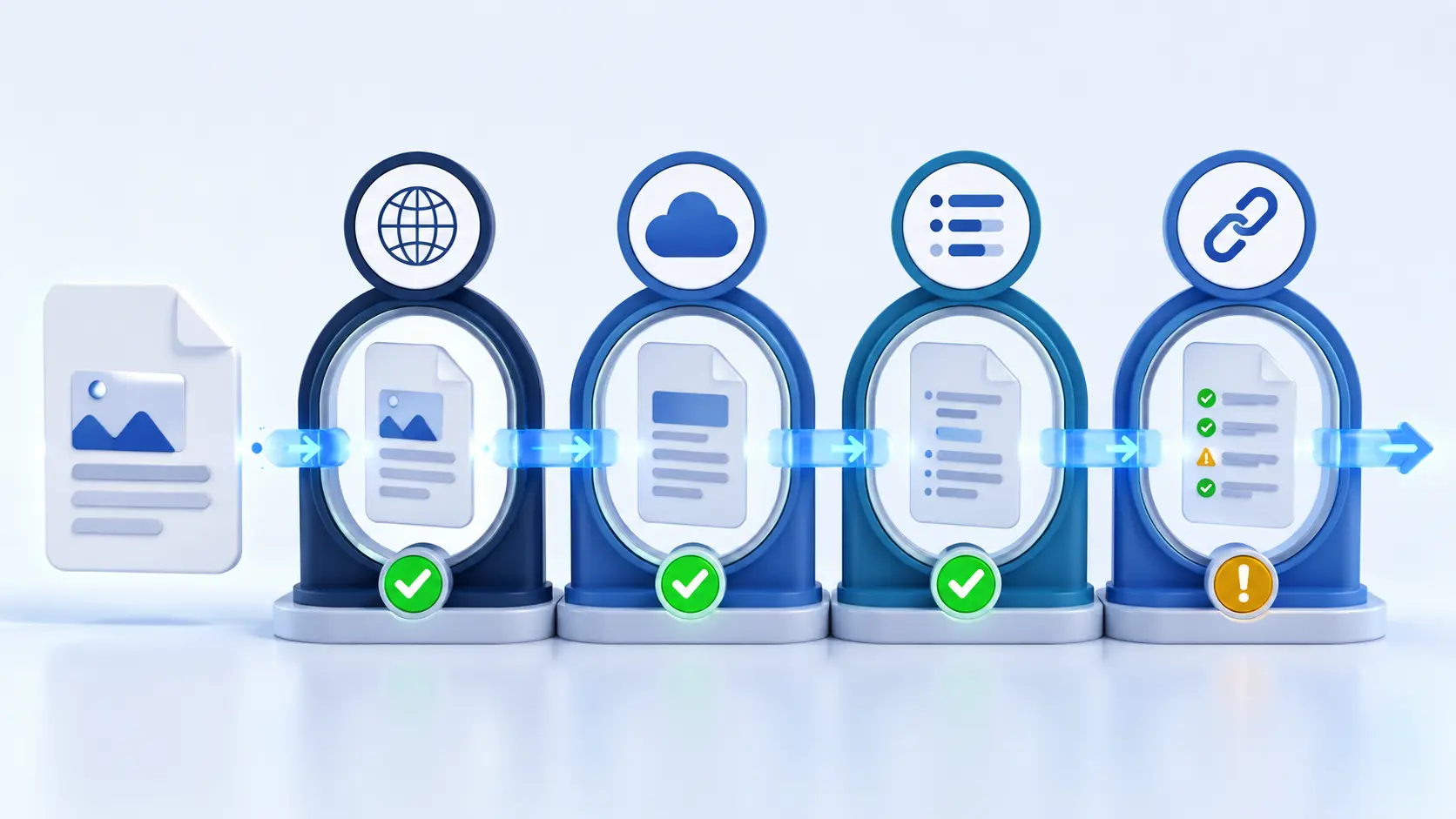
    1. Day 0: freeze the prompt list and archive the technical baseline.
    2. Day 1: publish llms.txt, confirm HTTP 200, and validate every linked URL.
    3. Days 2–28: monitor requests, citations, referrals, and unexpected errors without rewriting the test pages.
    4. Day 29: repeat the original prompt set under the same documented conditions.

    Deliberately avoid simultaneous redesigns, mass content updates, major digital PR campaigns, robots.txt changes, or CDN migrations. If another change is unavoidable, timestamp it and explain how it could affect the outcome.

    Measurement method for an llms.txt before and after experiment

    Use the same prompts, platforms, URLs, repetition count, and observation window. Score a mention only when the correct organization appears. Score a citation only when the answer links to the tested domain. Keep crawler requests, referral visits, and conversions as separate measures; one does not prove another. A crawler request confirms access to a resource, not indexing or future selection.

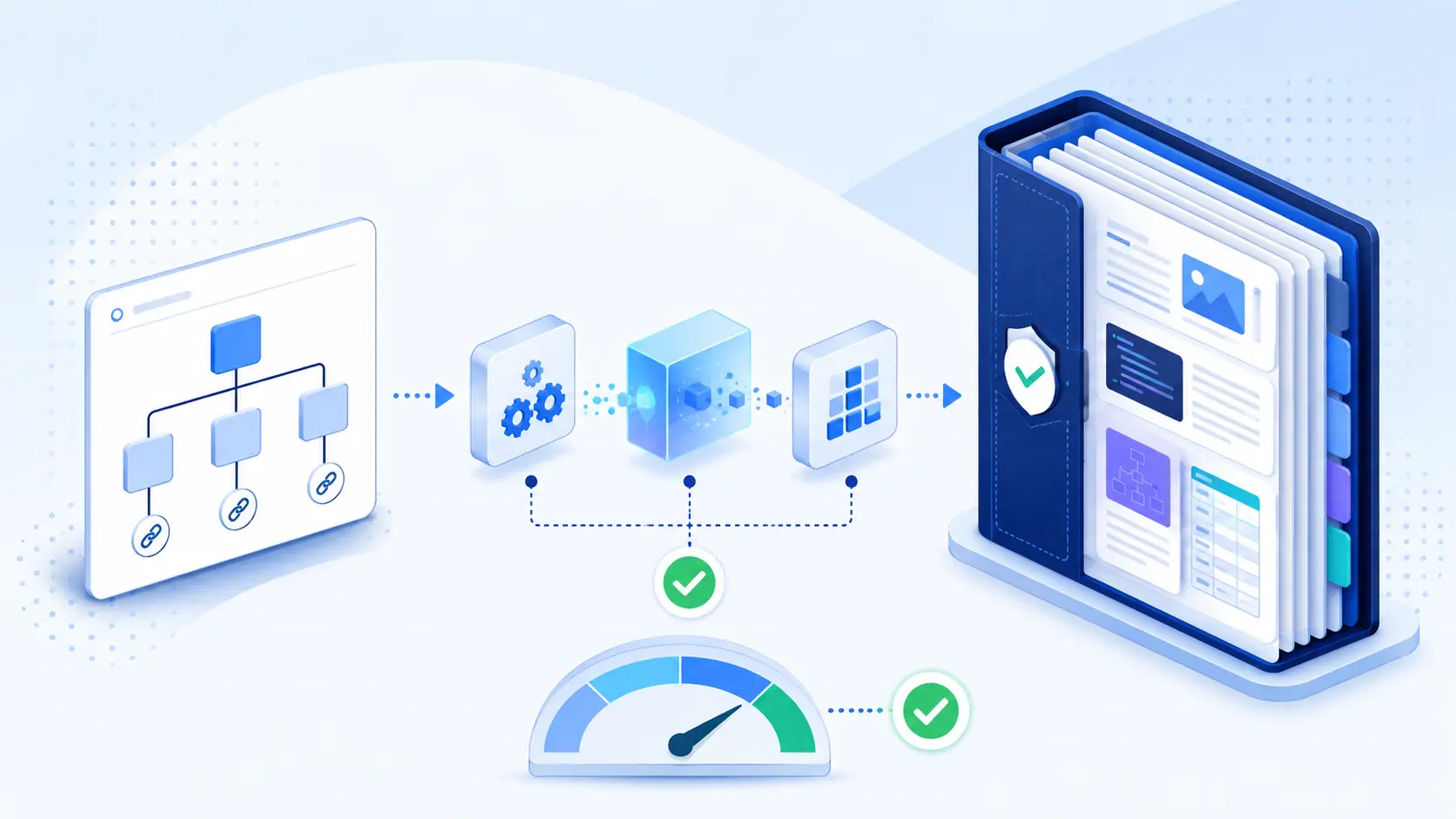
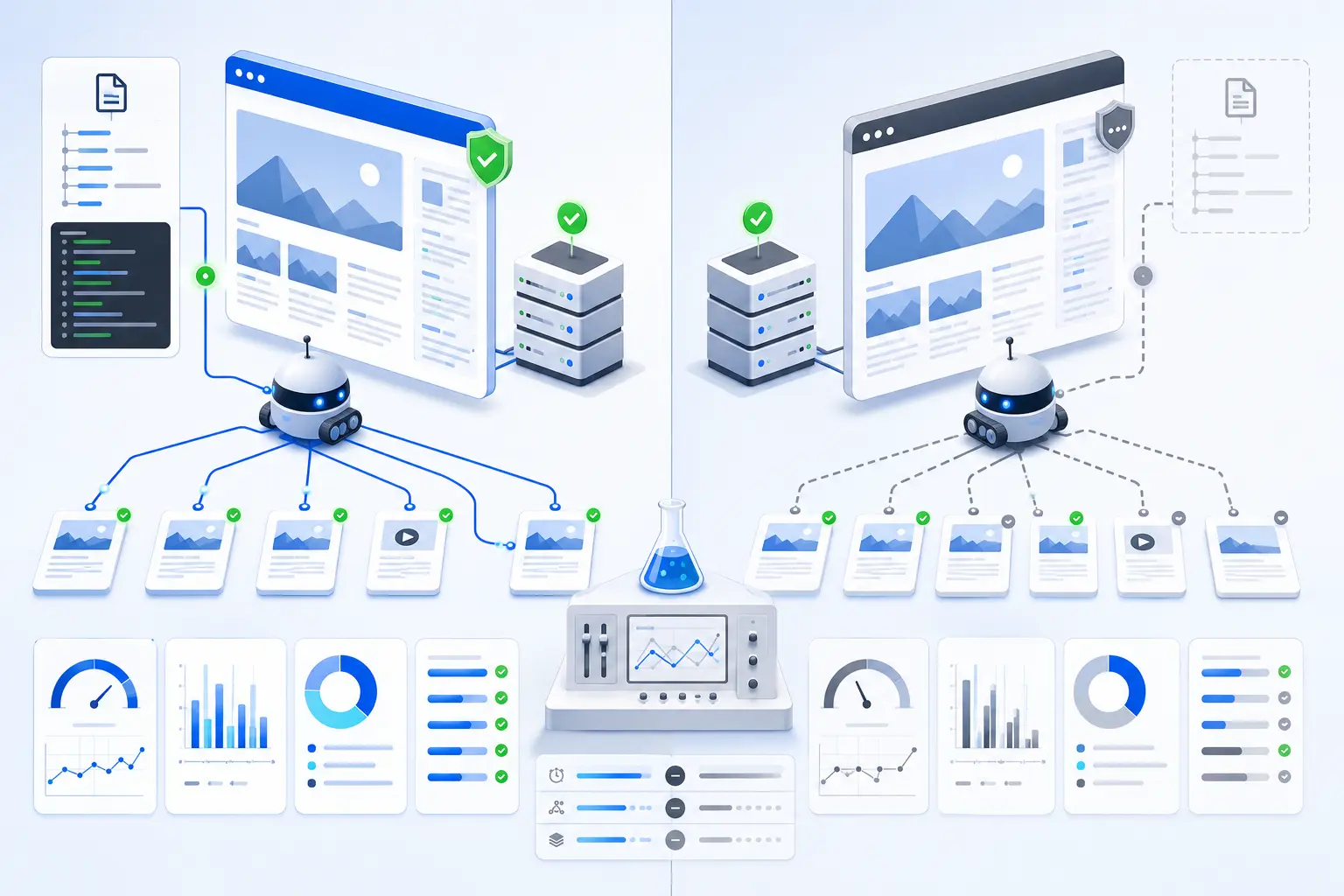
    llms.txt experiment measurement system with fixed prompts, website URLs, crawler logs, and before-after analytics
    A reliable test keeps prompts, URLs, logs, and comparison windows consistent.

    Results: how to report the before-and-after table

    The worked example below demonstrates the reporting format; the figures are illustrative and are not claimed as Visible Pilot customer results. Reporting the denominator prevents a small change from looking larger than it is.

    MeasurementBaselineAfterInterpretation
    Correct brand mentions3 of 256 of 25Positive correlation; repeat before concluding
    Links to tested domain1 of 252 of 25Too few events for a strong claim
    Requests for /llms.txt04Confirms retrieval attempts only
    AI referral sessions02Useful signal, not proof of causation
    Illustrative data showing transparent absolute counts and cautious interpretation.

    What likely caused improvement—and what cannot be proven

    If logs show a compatible system fetched llms.txt and then fetched linked pages, the file likely helped that retrieval path navigate the selected resources. If mentions or citations also increased, the timing supports a hypothesis worth retesting. It still cannot prove that llms.txt created a platform-wide ranking improvement. The answer may have changed because the retrieval index refreshed, a third-party source mentioned the brand, the model changed, or ordinary output variation favored the site.

    For a stronger design, compare similar pages or sites, stagger publication dates, and run several post-change rounds. Preserve failed and unfavorable observations. The goal is not to “win” the test; it is to learn whether the file adds measurable value beyond healthy crawling, strong content, clear entities, and independent authority.

    llms.txt results balanced against crawler access, content quality, internal links, and time to separate correlation from causation
    A result after publication should be weighed against other changes and normal platform variation.

    Transferable lesson: llms.txt is most useful as a clean, testable interface to pages that are already accurate and accessible. It cannot rescue blocked delivery, thin evidence, stale facts, or unclear ownership of an entity.

    Evidence and screenshots to preserve

    • The live llms.txt file, syntax, headers, HTTP status, and publication timestamp
    • The canonical status and readable main content of every linked page
    • Exact prompts, platform modes, answers, citations, and repetition counts
    • Crawler, CDN, and firewall logs with timestamps, user agents, URLs, and response codes
    • A dated change log for content, links, directives, and infrastructure

    Common interpretation mistake

    The most common mistake is presenting a proposed convention as a guaranteed ranking or citation mechanism. The llms.txt specification explains a way to offer LLM-friendly context; it does not dictate how every AI search product must behave. Do not treat the file as a replacement for robots.txt, XML sitemaps, structured data, technical SEO, or high-quality source pages.

    Frequently asked questions

    How long should an llms.txt experiment run?

    There is no universal window. Four weeks is a practical minimum for a small observational test, but low-volume sites may need longer. Technical access can be checked immediately; discovery, citations, referrals, and conversions require repeated observations.

    What is the best control for the experiment?

    Use comparable pages or sites that do not receive llms.txt during the same period, or stagger publication across groups. Keep prompts and measurements fixed, and document every unrelated change that could influence retrieval.

    Does a crawler request prove llms.txt improved AI visibility?

    No. It proves that a client requested the file. It does not prove indexing, answer selection, citation, ranking, or business impact. Track each stage separately.

    Should you publish llms.txt before fixing crawler access?

    No. A navigation file cannot override authentication, firewall challenges, disallow rules, noindex directives, broken canonicals, or missing server-rendered content. Fix access and delivery first.

    Next step: request a Visible Pilot audit

    Use the llms.txt and machine-readable website guide to build the file, then read whether llms.txt improves AI visibility for the evidence boundaries. If you want the full discovery path checked—from crawler access and rendering to content clarity and citations—request a Visible Pilot audit.

    Sources: the llms.txt proposal and OpenAI’s publisher guidance. Guidance reviewed 6 August 2026.
  • Llms-full.txt vs llms.txt

    Llms-full.txt vs llms.txt

    The llms-full.txt vs llms.txt decision is simpler than the filenames suggest. Use llms.txt as a concise, curated map of the most useful machine-readable resources on your site. Use llms-full.txt when you also want to offer a large, consolidated copy of the underlying content for tools that can ingest it. They are complementary publishing patterns—not proven ranking switches.

    Quick answer: Start with a high-quality llms.txt. Add llms-full.txt only when your content is suitable for bulk ingestion and you can keep the file accurate, reasonably sized, and publicly accessible.

    Short answer: the meaningful llms-full.txt vs llms.txt difference

    llms.txt answers, “What is this site, and which resources matter?” It is intentionally selective. A full-content file answers, “Can I obtain the selected material in one request?” That distinction affects file size, maintenance, processing cost, and the kinds of AI tools that can use each file effectively.

    Factorllms.txtllms-full.txt
    Primary purposeCurated map and orientationComplete content bundle
    Typical contentsSummary, sections, links, short descriptionsFull text from many or all selected pages
    Best useFinding the right source quicklyOffline indexing, retrieval, or large-context ingestion
    SizeSmall and easy to scanPotentially very large
    MaintenanceEditorial curation mattersReliable automatic generation matters
    Main limitationRequires follow-up fetches for detailCan exceed practical context limits and become stale

    Definitions and boundaries

    What is llms.txt?

    The original llms.txt proposal describes a Markdown file normally published at /llms.txt. Its only required element is an H1 title, but a useful implementation adds a short summary and H2 sections containing links with descriptions. A specially named “Optional” section can identify secondary resources that may be skipped when shorter context is needed.

    Think of it as an editorial index, not a replacement for robots.txt or sitemap.xml. It does not grant crawler access, remove a noindex directive, repair JavaScript rendering, or guarantee that an AI system will discover, trust, mention, or cite a page.

    What is llms-full.txt?

    llms-full.txt is a widely used ecosystem convention for combining extensive site or documentation content into one machine-readable file. For example, Mintlify defines its full file as a single bundle of the documentation site, while Cloudflare links product-specific full files for offline indexing, bulk vectorization, or large-context tools.

    There is a naming nuance worth preserving: the original proposal demonstrates generated context files named llms-ctx.txt and llms-ctx-full.txt. The shorter llms-full.txt path became common through documentation platforms and site generators. Therefore, describe the exact behavior of your file instead of assuming every consumer interprets every filename identically.

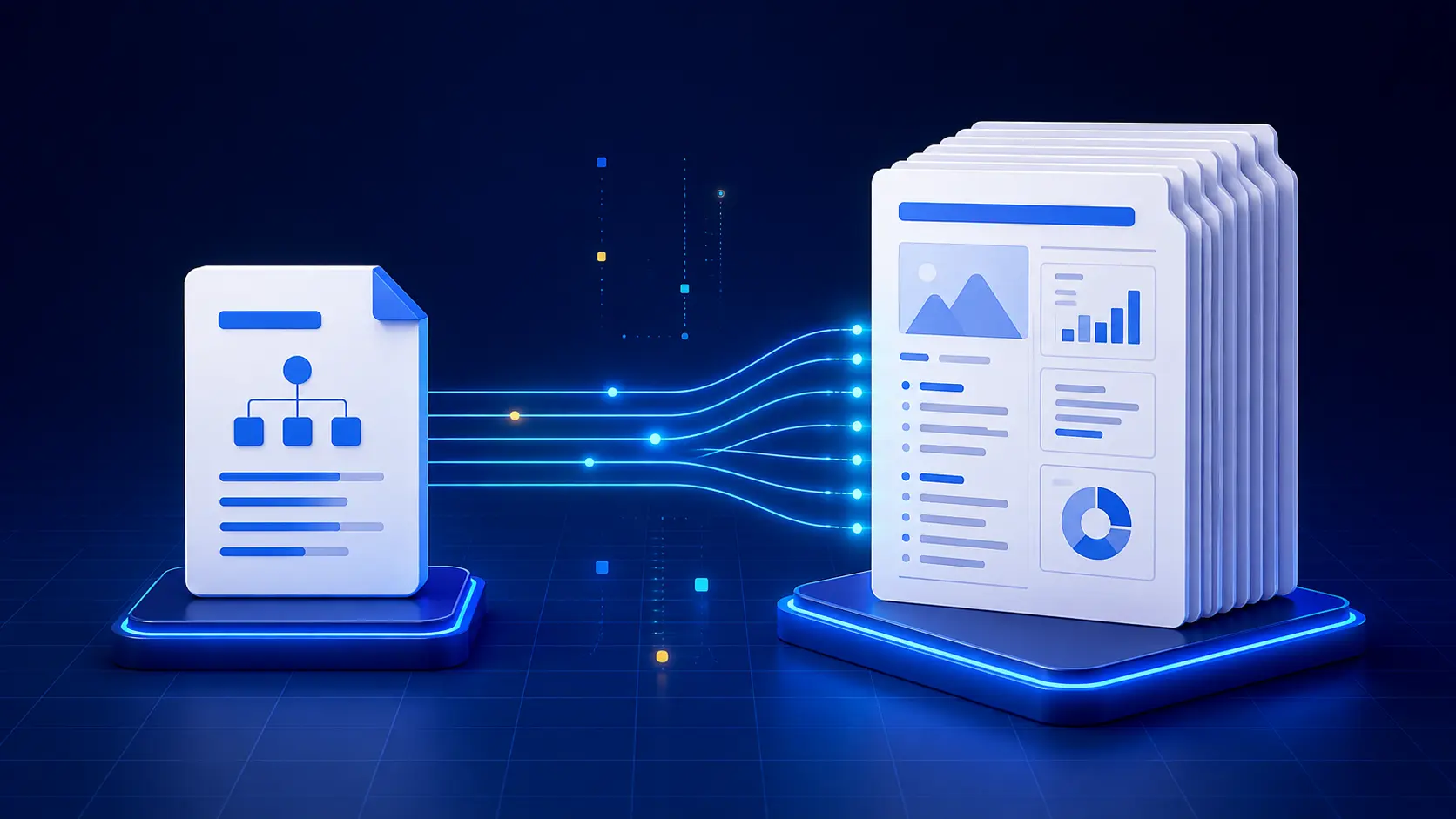
    Workflow from a curated llms.txt map through validation to a complete llms-full.txt documentation bundle
    A practical workflow: curate the map, validate the source set, then generate and monitor the full content bundle.

    Discovery and access implications

    A small map is easier for a human, agent, or retrieval process to inspect. It can point directly to canonical Markdown pages, APIs, policy documents, tutorials, and important external context. A full file reduces the number of requests needed to collect content, but it also creates a heavier download and a larger parsing job.

    Access comes first: Both files should return a stable HTTP 200 response without authentication or a browser challenge. If your CDN, firewall, or robots policy blocks the intended consumer, changing the file format will not solve the delivery problem.

    Measurement, evidence quality, and repeatability

    Neither filename proves AI-search performance. Measure observable outcomes separately: file availability, syntax, linked-page quality, crawler requests, referral traffic, mentions, and citations. Keep a dated baseline before publishing so that later changes can be compared with the same tests.

    • Validate the response code, content type, encoding, and final canonical URL.
    • Check every linked resource and remove redirects, errors, duplicates, or private pages.
    • Record file size, approximate token count, generation time, and last-updated date.
    • Run the same question set before and after publication across fresh sessions.
    • Review server logs to confirm which tools actually requested either file.

    Best choice by scenario

    New or small website

    Publish llms.txt first. A short site benefits most from clear positioning, selected canonical links, and useful descriptions. A full bundle may merely duplicate a small sitemap without adding meaningful utility.

    Large documentation website

    Use both when your platform can generate them reliably. The map helps a tool choose a narrow path; the full file supports workflows that deliberately ingest an entire documentation set. Split full files by product or version if one global bundle becomes impractical.

    Technical access failure

    Fix the access layer before adding either format. Confirm public URLs, HTTP responses, CDN/WAF rules, rendering, canonicals, and indexing directives. A new text file cannot compensate for blocked or unstable source pages.

    Content quality gap

    Improve the underlying pages first. A full file faithfully concentrates whatever is already published, including thin explanations, contradictions, obsolete facts, and duplicated boilerplate. Bulk availability amplifies quality; it does not create it.

    Ongoing monitoring

    Maintain a curated map as the stable entry point and regenerate the full bundle from approved canonical sources. Log changes so you can connect an outcome to a specific content or technical update rather than to several simultaneous edits.

    A combined workflow for both files

    1. Choose authoritative, public, canonical pages and provide clean Markdown versions where practical.
    2. Create /llms.txt with a site summary, logical sections, descriptive links, and a clearly separated optional section.
    3. Generate /llms-full.txt from the same approved source set, while preserving titles, page URLs, and update information.
    4. Validate both files, estimate their token sizes, and confirm that no private or licensed content was exposed.
    5. Publish one controlled version, monitor access and usage, then update on a documented schedule.

    Test it yourself before claiming an impact

    Record a baseline with a fixed prompt set and clear success definitions. After publishing, keep every other variable unchanged where possible. Test whether tools can locate the map, retrieve a linked page, interpret the full bundle, and answer narrow questions accurately. Repeat the test on different dates because AI answers and retrieval behavior can vary.

    Screenshots are useful, but server evidence is stronger. Save the exact file contents, HTTP headers, crawler logs, prompt wording, returned citations, and conversion data. This creates a reproducible record rather than an isolated success story.

    Common interpretation mistake

    Do not call llms.txt or llms-full.txt a guaranteed ranking factor. The specification is a proposed convention, and implementations differ. A technically perfect file may help some retrieval workflows while producing no measurable change in AI-search citations.

    Frequently asked questions

    Do I need both llms.txt and llms-full.txt?

    No. Most sites should begin with llms.txt. Add a full file when there is a real bulk-ingestion use case and the site can maintain it safely.

    Can llms-full.txt replace llms.txt?

    It can contain more information, but more is not always easier to use. The concise map provides orientation and prioritization that a very large content dump may lack.

    Can either file replace a sitemap or robots.txt?

    No. A sitemap supports search-engine URL discovery, while robots.txt communicates crawl rules. The llms files provide context or content for compatible tools and should coexist with established web controls.

    How often should the files be updated?

    Update the map whenever important canonical resources change. Regenerate the full file whenever included source content changes, and expose a reliable update timestamp or change history.

    Is a larger llms-full.txt always better?

    No. Oversized files can exceed context limits, waste processing resources, and bury the most useful material. Prefer scoped, current, well-structured content over maximum volume.

    Next step: check your website’s AI discoverability

    Use the llms.txt and machine-readable website guide to plan your file, then compare accessibility, source quality, crawler activity, and citation outcomes. Visible Pilot’s approach is to diagnose each layer separately so you can fix observable problems without relying on unsupported promises.

  • llms.txt vs robots.txt vs sitemap.xml

    llms.txt vs robots.txt vs sitemap.xml

    llms.txt vs robots.txt vs sitemap.xml is not a choice between three competing files. Each serves a different layer of website discovery. robots.txt expresses crawler-access preferences, sitemap.xml lists URLs you want discovery systems to know about, and llms.txt is a proposed Markdown convention for giving language-model tools a curated guide to your most useful content.

    A healthy website may use all three, but none can guarantee indexing, rankings, an AI mention, or a citation. The right decision is to match each file to the problem you are actually trying to solve.

    Quick answer: Keep robots.txt accurate for access, maintain sitemap.xml for canonical URL discovery, and treat llms.txt as an optional experiment. Never use llms.txt as a replacement for established crawl controls or a well-maintained sitemap.

    llms.txt vs robots.txt vs sitemap.xml: the short answer

    robots.txt answers, “May this crawler request this path?” An XML sitemap answers, “Which canonical URLs should a discovery system consider?” An llms.txt file answers, “Which pages best explain this website to a language-model tool?” These questions are related, but they are not interchangeable.

    Think of a website as a building. Robots.txt is the access policy at the entrance. The XML sitemap is the directory showing where important rooms are located. Llms.txt is a concise visitor guide recommending the most useful rooms and explaining what they contain. A guide cannot unlock a closed door, and a directory cannot decide which visitor will recommend the building.

    FileMain jobFormatPrimary audienceWhat it cannot do
    robots.txtAllow or disallow crawler requests to URL pathsPlain-text crawler directivesSearch and AI crawlers that honor the protocolSecure private data or guarantee deindexing
    sitemap.xmlList preferred URLs and discovery metadataStructured XMLSearch engines and compatible crawlersForce crawling, indexing, ranking, or citation
    llms.txtOffer a curated, machine-readable guide to useful contentMarkdownLLM tools and agents that choose to read itOverride access controls or guarantee AI visibility

    Definitions and boundaries

    What robots.txt does

    A robots.txt file normally lives at the domain root, such as https://example.com/robots.txt. It contains rules grouped by crawler user agent. Reputable crawlers may use those rules to decide which URLs they can request. OpenAI, for example, documents separate controls for OAI-SearchBot and GPTBot, allowing publishers to make different choices for search visibility and model training.

    Robots.txt is not an authentication system. A disallowed URL can still be known from links, and not every crawler obeys the protocol. Google also warns that robots.txt is not the correct method for reliably keeping a page out of search results. Sensitive information needs proper authentication, and pages that should not be indexed generally need an appropriate noindex control while remaining crawlable enough for the crawler to see it.

    What sitemap.xml does

    An XML sitemap lists URLs and may include metadata such as the last modification date. It helps search engines discover canonical pages, particularly on large, new, media-heavy, or weakly linked websites. Your CMS can usually generate and update it automatically. Google describes sitemap submission as a hint, not a promise that every listed URL will be crawled or indexed.

    A sitemap should contain clean, canonical, indexable URLs that return successful responses. Adding broken, redirected, duplicate, blocked, or noindexed pages creates mixed signals and wastes diagnostic time. Internal links still matter because a sitemap does not explain page relationships as well as a logical site structure does.

    What llms.txt does

    The llms.txt proposal places a structured Markdown file at /llms.txt. It can provide a short description of the site plus curated links to documentation or other high-value resources. The format is designed to be easy for language models and software agents to read, especially when a large website is difficult to navigate within a limited context window.

    Its boundary is important: llms.txt is a proposed convention, not a universal web standard or an official ranking directive. A platform may ignore it, use it selectively, or change its behavior. It cannot bypass robots.txt, authentication, firewall rules, noindex, server errors, weak content, or poor authority. Read the llms.txt and machine-readable website guide before implementation.

    Discovery and access implications

    The sequence matters. A crawler first needs a resolvable domain and a reachable server. Its access policy and security layer must allow the intended request. The returned page must then contain useful, understandable content. Discovery signals such as internal links and sitemaps help systems find the page. Only after those conditions are met can a platform evaluate whether the page is relevant and trustworthy enough to use.

    Llms.txt belongs near the guidance end of that sequence. It may make selected resources easier for compatible tools to locate and interpret, but it does not repair an earlier failure. If a WAF returns 403, a JavaScript shell contains no meaningful HTML, or the canonical page is absent from navigation, publishing llms.txt alone will not solve the root cause.

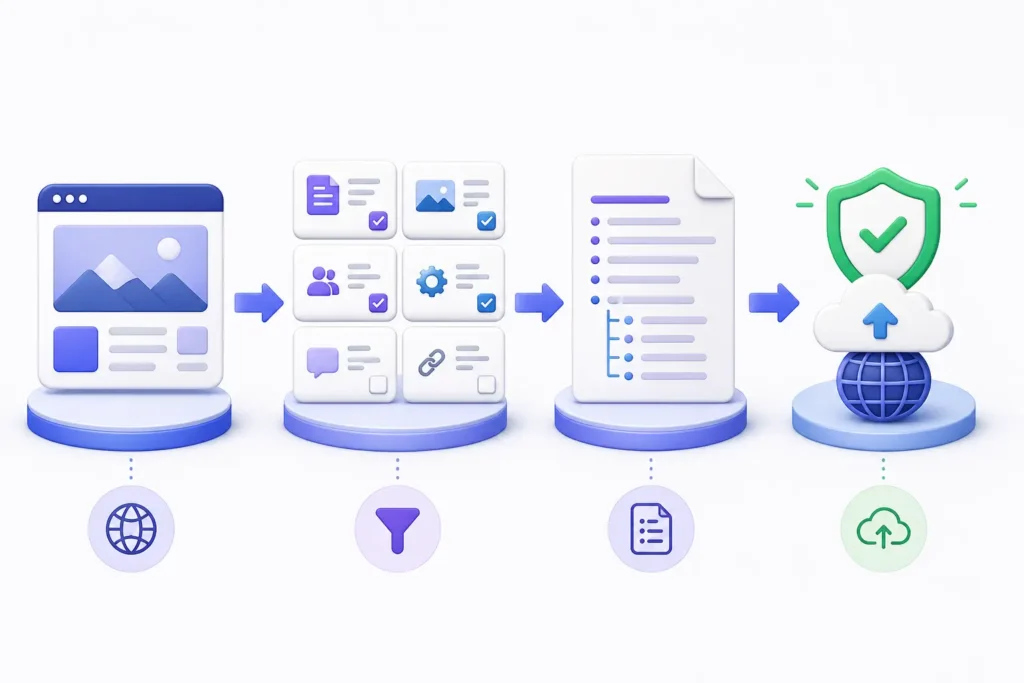
    Crawler access versus URL discovery through robots.txt and XML sitemaps
    Robots.txt governs crawler access preferences, while XML sitemaps support URL discovery.

    Measurement, evidence quality, and repeatability

    Robots.txt and sitemaps have mature validation methods. You can request each file, inspect its syntax, test representative URLs, review crawler logs, and use search-engine reporting. Llms.txt can also be checked for accessibility and format, but measuring its downstream effect is harder because adoption and platform behavior are not uniform.

    • Access evidence: response codes, final URLs, robots evaluation, WAF events, and verified crawler logs.
    • Discovery evidence: sitemap processing, internal-link paths, crawl activity, and indexed canonical URLs.
    • AI visibility evidence: fixed prompt sets, cited URLs, referral traffic, dates, and repeat tests across fresh sessions.
    • Change evidence: a baseline before implementation, one controlled change, and a defined observation window.

    Avoid false certainty: If citations improve after adding llms.txt, record the correlation but check what else changed—content, links, crawl access, freshness, or platform behavior. A single before-and-after result does not prove causation.

    Best choice by scenario

    • New website: prioritize crawlable navigation, a clean robots.txt file, and an automatically maintained XML sitemap. Add llms.txt only after core pages are useful and stable.
    • Technical access failure: inspect robots rules, HTTP responses, redirects, CDN challenges, rate limits, and authentication. Do not begin with llms.txt.
    • Content discovery gap: improve internal links and sitemap coverage, remove canonical conflicts, and make important pages easy to reach.
    • AI understanding gap: strengthen definitions, entity signals, evidence, headings, and source clarity; then test a concise llms.txt guide.
    • Ongoing monitoring: validate all three files after releases and compare logs, search coverage, AI referrals, and fixed-prompt observations.

    A combined workflow that uses all three

    1. Publish only public, useful, canonical pages and link them through a logical site structure.
    2. Configure robots.txt so intended crawlers can access public content while private or wasteful paths remain protected.
    3. Generate a sitemap containing the canonical URLs you want search systems to discover, and monitor processing errors.
    4. Create llms.txt as a short, curated map—not a dump of every URL—and link only to strong, maintained resources.
    5. Record a baseline, deploy one controlled version, and monitor technical evidence and visibility outcomes separately.

    This order keeps cause and effect clearer. It also prevents the common mistake of adding another machine-readable file while the website still returns conflicting status codes, thin pages, or inaccessible content.

    Website discovery workflow combining robots.txt, sitemap.xml and llms.txt
    Use robots.txt, sitemap.xml and llms.txt as complementary layers, then verify the outcome with evidence.

    Test it yourself

    Start with the three root files and a sample of important URLs. Confirm that each returns a stable 200 response over HTTPS. Validate robots rules against the user agents you care about, check that sitemap URLs are canonical and indexable, and review llms.txt for concise Markdown structure and working destination links.

    • Save the files, test URLs, timestamps, response headers, and screenshots.
    • Check server and CDN logs instead of trusting only a browser or a spoofed user-agent request.
    • Run the same small set of brand, topic, and source-seeking prompts before and after a change.
    • Track mentions, citations, linked URLs, AI referral sessions, and conversions without calling one answer a permanent ranking.

    Common interpretation mistakes

    The biggest mistake in the llms.txt vs robots.txt vs sitemap.xml comparison is assuming that every file sends a ranking signal. Robots.txt manages crawl permissions; a sitemap supports discovery; llms.txt offers optional guidance. None certifies quality. Another mistake is placing confidential URLs in any of these public files. They are discoverable resources, not privacy controls.

    Finally, do not block a page in robots.txt and expect a crawler to read a noindex directive on that same page. If the crawler cannot fetch it, it may never see the indexing instruction. Diagnose access, indexing, retrieval, mention, and citation as separate stages.

    Frequently asked questions

    Do I need all three files?

    Most indexable websites benefit from a correct robots.txt file and an XML sitemap. Llms.txt is optional. Add it when you can maintain a concise, accurate guide and when testing its usefulness is worth the effort.

    Can llms.txt replace robots.txt or sitemap.xml?

    No. It does not provide reliable crawler permissions and it is not a standard URL-discovery feed for search engines. Keep the established files in place.

    Will llms.txt improve AI visibility?

    It may help compatible tools find curated information, but there is no universal guarantee. Visibility still depends on access, content quality, topical relevance, authority, freshness, and platform behavior. See does llms.txt improve AI visibility? for a focused test framework.

    Should llms.txt be listed in robots.txt?

    You may link to a sitemap from robots.txt using the supported Sitemap: field. Llms.txt does not have an equivalent universally adopted robots.txt directive. Keep it at the conventional root path and link to it normally if useful.

    Where should these files live?

    Robots.txt and llms.txt are typically placed at the website root. A sitemap can use another valid URL, though common locations include /sitemap.xml or a CMS-generated sitemap index. Use absolute URLs and one consistent HTTPS hostname.

    Next step: Check your website’s AI discoverability, then review crawler access, sitemap health, machine readability, and content evidence as separate layers. Start with the AI Search Readiness guide.

    Primary sources

    Reference the Google robots.txt guide, the Sitemaps protocol, the llms.txt proposal, and OpenAI crawler documentation. Accessed August 6, 2026.

  • Llms.txt Adoption Statistics

    Llms.txt Adoption Statistics

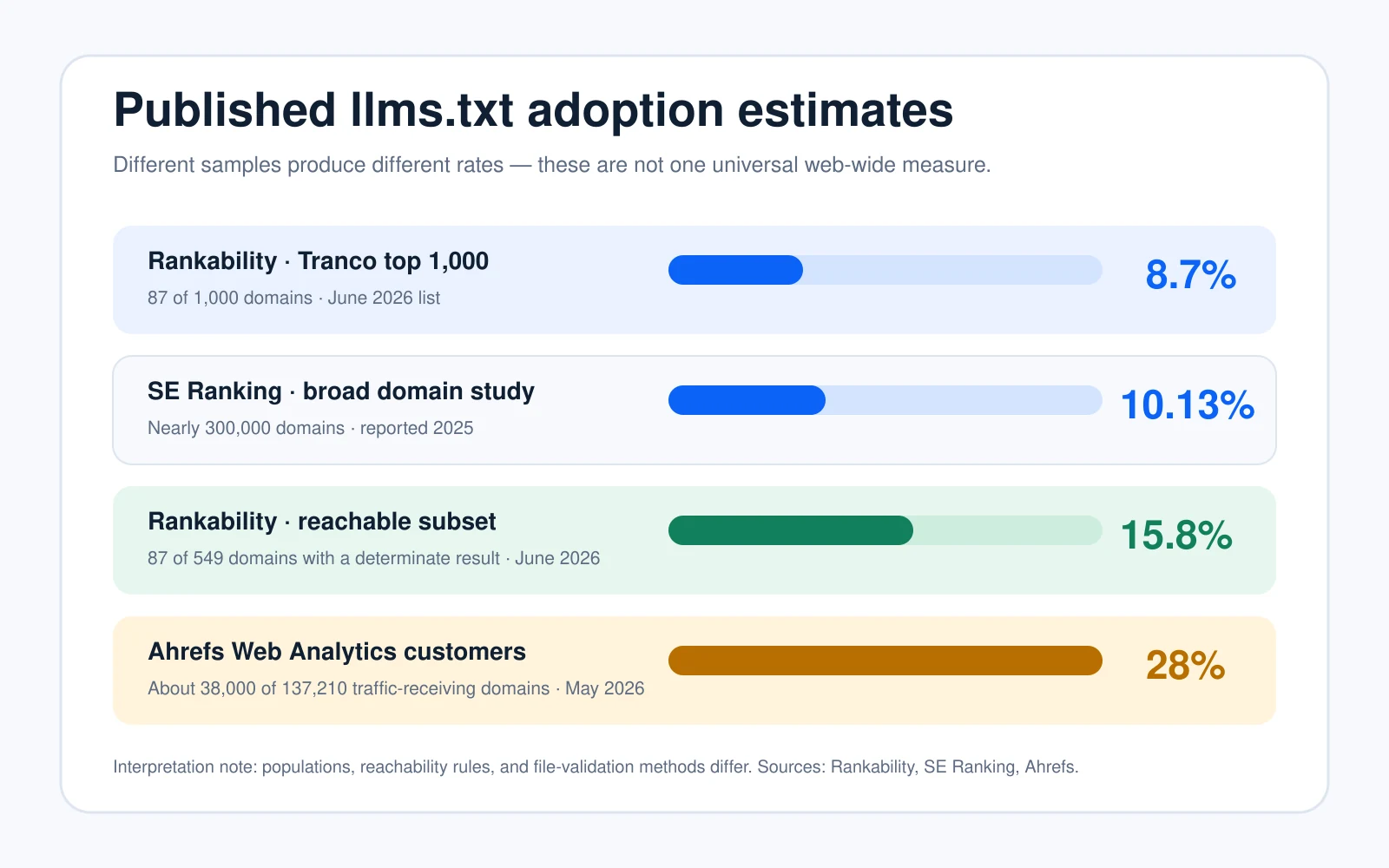
    Llms.txt adoption statistics are easy to quote and surprisingly hard to compare. As of 6 August 2026, published studies put adoption between 8.7% in a broad top-1,000 domain list and 28% in a technically engaged analytics-customer sample. That range does not mean the research is contradictory. It means each study measured a different population, used different inclusion rules, and handled unreachable domains differently.

    Quick answer: llms.txt remains a minority practice across broad website samples. The strongest current evidence suggests roughly one in ten domains in large general studies has a file, while adoption is higher among SEO-aware and technical website owners. File presence has not been shown to produce a reliable AI-citation lift.

    Key llms.txt adoption statistics

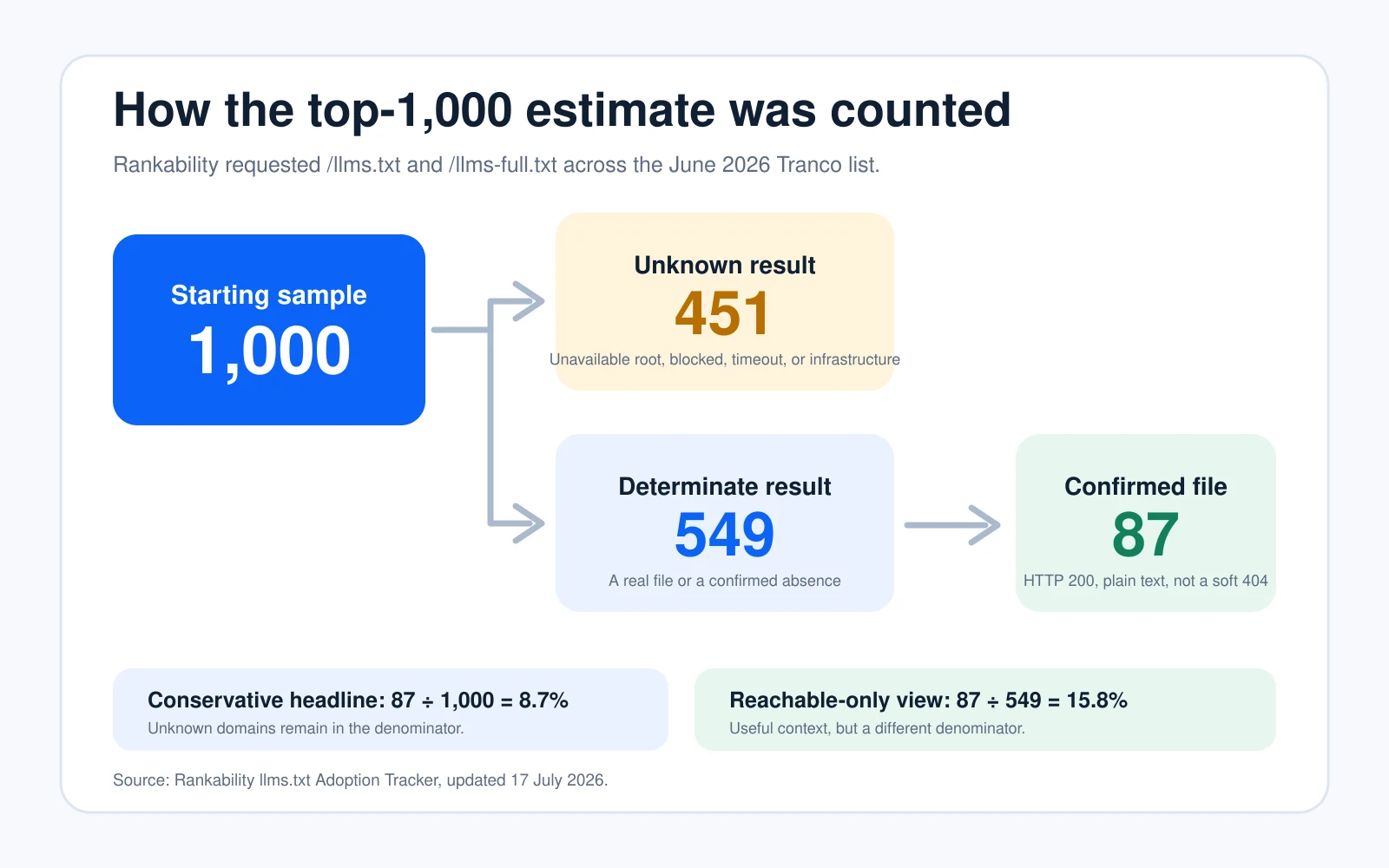
    • 8.7% of the Tranco top 1,000: Rankability confirmed 87 files across 1,000 domains in its June 2026 list. It deliberately kept 451 unknown results in the denominator.
    • 15.8% among reachable domains: the same Rankability crawl found 87 files among the 549 domains where it could make a definite decision.
    • 10.13% across nearly 300,000 domains: SE Ranking found approximately one in ten sites had an llms.txt file in its broader study.
    • 28% in an SEO-aware population: Ahrefs found about 38,000 valid files among 137,210 Ahrefs Web Analytics customers that received traffic in May 2026. Ahrefs describes this as an upper-bound estimate because its customers skew technical and SEO-aware.
    • 97% of files received no requests: among the Ahrefs population, almost all valid files recorded zero traffic during May 2026. Only about 1,100 domains received any request to the file.
    • Adoption is not proof of citation impact: ALLMO found llms.txt on only 1 of 50 highly cited domains and observed just 1 direct llms.txt-page citation among 94,614 cited URLs.

    Read the denominator first: “8.7% of all sampled domains” and “15.8% of domains with a determinate result” come from the same crawl. Both calculations are correct, but they answer different questions.

    Overall results: adoption is real but not yet mainstream

    Across the broadest samples, the practical centre of gravity is close to 10%, not 28%. Rankability’s conservative 8.7% and SE Ranking’s 10.13% are reasonably aligned despite different source lists and validation processes. Ahrefs’ 28% result is valuable, but its customer base is more likely than the general web to use analytics, SEO plugins, technical tooling, and emerging machine-readable formats.

    The format is also unevenly implemented. Rankability found 87 top-1,000 domains with /llms.txt, but only 15 with /llms-full.txt; all 15 published both files. That pattern supports the idea that the short index file is the primary experiment, while the full-content variant remains much less common.

    Llms.txt adoption statistics comparing four published samples from 8.7 percent to 28 percent
    Published estimates vary because the studies measure different website populations and use different denominators.

    Methodology: what this report measures

    This Visible Pilot report is a dated synthesis of published primary research, not a claim that we crawled the entire web. We reviewed the study population, research period, file-detection rule, denominator, and stated limitations for each source. The comparison includes Rankability’s Tranco crawl, SE Ranking’s domain-level study, Ahrefs’ live analytics population, and ALLMO’s cited-domain and cited-URL checks.

    Rankability used a clearly identified crawler to request both root-level files over HTTPS. A domain counted as an adopter only when it returned HTTP 200 with real plain-text content; HTML pages, empty responses, and soft 404s were rejected. Timeouts, DNS or TLS failures, blocks, and certain server errors were labelled unknown rather than silently counted as non-adoption.

    Methodology flow showing 1,000 domains, 451 unknown, 549 determinate and 87 confirmed llms.txt files
    The headline and reachable-only rates use different denominators from the same Rankability crawl.

    Breakdown by site type and traffic level

    Rankability’s category view suggests concentration in technical sectors, but several denominators are small. Technology reached 36.4% (4 of 11), video streaming 16.7% (1 of 6), publishing 14.3% (1 of 7), ecommerce 6.9% (2 of 29), and news and media 4.8% (1 of 21). Social media and government each recorded 0 of 10. These figures are directional signals, not stable industry benchmarks.

    SE Ranking’s traffic buckets were much closer together: 9.88% for sites with 0–100 visits, 10.54% for the reported 1,001–5,000 bucket, and 8.27% for sites above 100,001 visits. In that dataset, higher traffic did not correspond with higher adoption. The file therefore looks more like a distributed experiment than an established practice led only by major brands.

    Failure-pattern analysis

    • Unknown roots: infrastructure, CDN, DNS, and API domains may not serve a normal public website at the apex, which makes a root-file test inconclusive.
    • False positives: a 200 response can still be an HTML error page, empty file, redirect target, or soft 404. File validation must inspect the response body.
    • Published but unread: Ahrefs found that 97% of valid files in its population received no requests during the study month.
    • Bot-heavy traffic: 96% of the requests that did reach a file came from bots; named AI tools accounted for 19.5% of those fetches.
    • Presence without proven outcome: adoption studies count files. They do not, by themselves, prove improved retrieval, ranking, mentions, or citations.

    Important distinction: llms.txt is a proposed context and navigation convention. It is not an access-control file, cannot replace robots.txt, and should not be presented as a guaranteed Google or AI-search ranking mechanism.

    What the statistics mean for website owners

    Publishing a concise, accurate file can be a reasonable low-risk experiment, especially for developer documentation, API references, product knowledge bases, or content used by coding assistants and retrieval systems. Keep it current, link only to canonical public pages, and measure whether any crawler or user actually fetches it.

    Do not move llms.txt above fundamentals such as stable HTTP access, crawl permissions, indexability, useful HTML, clear entities, internal links, original evidence, and accurate source attribution. The available statistics do not support selling the file as a shortcut to AI visibility. Use the llms.txt and machine-readable website guide to place the experiment inside a complete readiness process.

    Reproducibility and calculation notes

    A reusable benchmark should store: domain, source-list rank or cohort, crawl timestamp, requested host, final URL, HTTP status, content type, response size, soft-404 result, validated file status, llms-full.txt status, retry outcome, platform or technology label, and whether the result was determinate. Adoption should be reported twice when unknowns are material: confirmed adopters divided by the full sample, and confirmed adopters divided by determinate results.

    Update policy

    Visible Pilot will treat this page as a dated benchmark. Future editions should retain the same definitions, publish absolute counts beside every percentage, separate new samples from trend lines, and record methodology changes before comparing periods. That is the only reliable way to tell genuine adoption growth from crawler or denominator changes.

    Get the full benchmark dataset: Visible Pilot is building a reproducible AI-search readiness dataset with transparent fields, validation rules, and update dates. Join Visible Pilot for the benchmark release.

    Frequently asked questions

    How many websites use llms.txt?

    There is no defensible single web-wide percentage yet. Broad published studies currently report 8.7% and 10.13%, while an SEO-aware analytics population reached 28%. Always quote the sample and denominator with the rate.

    Does llms.txt improve AI citations?

    No reliable causal lift has been demonstrated. SE Ranking found no useful citation signal in its modelling, and ALLMO found extremely limited direct use among highly cited domains and cited URLs. Treat the file as an optional machine-readable aid, not a ranking promise.

    Is llms.txt the same as robots.txt?

    No. Robots.txt expresses crawler permissions. The llms.txt proposal supplies a curated, human-readable map of important content. It does not override authentication, robots directives, noindex controls, firewall rules, or platform selection systems.

    Should every website publish one?

    Not necessarily. It is more compelling for documentation-heavy or agent-facing sites than for a small brochure site. If you publish it, keep the cost low, validate the file, log requests, and avoid expecting visibility gains without stronger supporting evidence.

    Sources

  • Common llms.txt Mistakes

    Common llms.txt Mistakes

    Common llms.txt mistakes usually come from treating a simple Markdown file as a magic AI-ranking switch. The real failures are more practical: the file is unreachable, returns the wrong response, breaks the proposed structure, points to poor or private URLs, or is published without a baseline that could reveal whether anything changed. This guide shows how to diagnose each layer, fix the highest-impact problems first, and verify the result without claiming more than the evidence supports.

    Quick answer: Put llms.txt at a predictable public URL, return a stable HTTP 200 response, follow the proposed Markdown structure, link only to useful canonical resources, and test one controlled version at a time. A valid file can help compatible tools use your site, but it does not guarantee crawling, ranking, an AI citation, or inclusion in Google’s AI features.

    Quick diagnosis: the most common llms.txt mistakes

    Start with the symptom, not the assumption. If the file cannot be fetched, investigate delivery. If a validator rejects it, inspect structure. If an AI tool ignores it, confirm that the tool actually supports the proposal. If the file is healthy but citations do not improve, evaluate discovery, page quality and platform behavior separately.

    MistakeLikely effectFirst check
    Wrong path or HTTP responseTools cannot retrieve a reliable fileFinal URL, status and content type
    Malformed Markdown structureParsers may miss context or linksH1, summary and H2 link lists
    Uncurated or broken linksThe file leads to weak or inaccessible sourcesCanonical URLs and live responses
    Confusing llms.txt with robots.txtAccess rules remain unchangedrobots.txt, WAF and authentication
    No controlled baselineAny claimed improvement is unreliableVersion, prompts, logs and dates
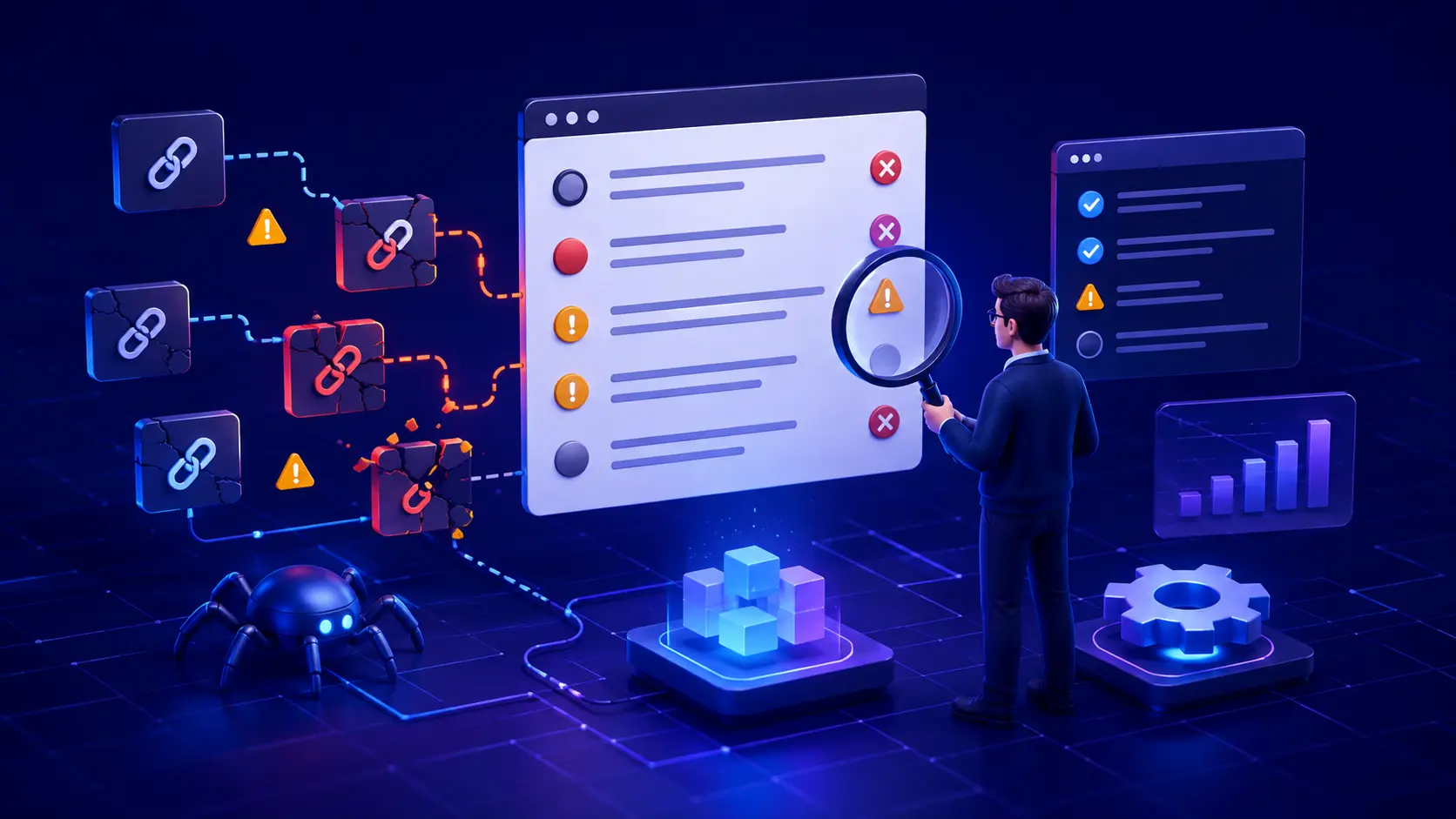
    llms.txt validation checkpoints for access, delivery, structure and linked-page quality
    Validate the complete path: public access, stable delivery, valid Markdown structure and useful linked pages.

    Mistake 1: publishing the file at the wrong URL or with the wrong response

    A file that looks correct in a CMS preview can fail in production. The request may redirect to a login page, return an HTML error document with a 200 status, trigger a security challenge, or vary between the www and non-www hostnames. The llms.txt proposal describes a root-level /llms.txt location while also allowing a subpath. Root placement remains the most predictable discovery point for testing.

    Check the public canonical hostname in a private session and through an HTTP client. Record the final URL, every redirect, the response status, the content type and the first lines of the body. A human-readable page is not enough; the response must consistently deliver the intended Markdown file.

    curl -I -L https://example.com/llms.txt
    curl -L https://example.com/llms.txt

    Mistake 2: treating llms.txt as a guaranteed visibility factor

    One of the most consequential common llms.txt mistakes is presenting the proposal as a universal ranking or citation mechanism. The specification is an open community proposal intended to provide concise, structured context and links that compatible tools can use at inference time. It does not define how every search engine, assistant or model must discover or process the file.

    Google’s current official guidance is especially clear: Google Search does not use llms.txt as a special signal, and creating the file neither helps nor harms visibility or rankings in Google Search. That does not make the format useless. It means the correct claim is narrower: llms.txt may be useful for services, agents or workflows that choose to support it.

    Important distinction: llms.txt supplies optional context; robots.txt expresses crawler-access preferences; authentication and firewall rules enforce access. None of these files can guarantee that a platform will select or cite a page.

    Mistake 3: ignoring the proposed Markdown structure

    The proposal is intentionally simple, but order still matters. The only required element is an H1 naming the project or site. A short blockquote summary can follow, then optional explanatory text without headings, followed by H2 sections containing Markdown link lists. A specially named “Optional” section can hold secondary resources that may be skipped when a shorter context is needed.

    1. Use one clear H1 for the site, product or project name.
    2. Write a concise blockquote that explains what the site is and what a reader must know.
    3. Group important resources beneath descriptive H2 headings.
    4. Format each resource as a Markdown link, with a short note only when it adds useful context.
    5. Reserve the Optional section for genuinely secondary material.

    Avoid inventing complex directives that a parser is not designed to understand. Also avoid turning the file into a second homepage filled with marketing slogans. Its value comes from concise orientation and carefully chosen resources.

    Mistake 4: linking everything instead of curating the best pages

    A long list is not automatically more useful. Linking every tag archive, parameter URL, thin location page and old announcement creates noise and can waste a tool’s limited context. Choose stable canonical pages that answer important questions with clear evidence. For a software product, that might include the main documentation, quick start, API reference, security policy and a small set of worked examples.

    Descriptions should explain why each destination matters. Replace vague labels such as “Learn more” with specific names. Remove duplicate URLs, redirected URLs and pages whose important content appears only after authentication or interaction.

    Mistake 5: linking to pages that crawlers or users cannot access

    A valid llms.txt file cannot repair a broken destination. Test every linked URL for a stable 200 response, a sensible canonical, readable primary content and the absence of accidental noindex controls. Check geographic restrictions, cookie walls, WAF challenges and rate limits. If the resource is private by design, do not expose it simply to make the file look complete.

    This is where a broader website access diagnosis becomes useful. Access, rendering, discovery and citation are different layers; passing one layer does not prove the others.

    Mistake 6: assuming llms.txt overrides robots.txt, security or poor content

    The file is not an allow rule. A crawler blocked by robots.txt, denied by a CDN, challenged by JavaScript or rejected by authentication still cannot reach protected content merely because that content appears in llms.txt. Likewise, a link to a vague, duplicated or unsupported page does not make that page citation-worthy.

    Preserve normal security boundaries. Use the narrowest safe crawler and firewall changes, keep private data behind real authorization, and make public pages useful in their own right. The file should summarize a healthy information architecture, not hide its weaknesses.

    Test 1: reproduce the issue on representative URLs

    Test the file itself plus three destinations: the homepage, one commercial page and one detailed knowledge page. For each URL, save the timestamp, final response code, canonical, robots result and whether the main content appears in the returned document. Compare a normal request with the path used by your monitoring or supported tool, but do not assume that changing a user-agent string proves access by a real crawler.

    1. File test: can a fresh request retrieve the correct Markdown at the expected URL?
    2. Parser test: can a validator identify the H1, summary, sections and links?
    3. Destination test: do selected links resolve to accessible canonical pages?
    4. Content test: do those pages directly answer the question promised by the link label?

    Test 2: validate, record a baseline and publish one controlled version

    Before editing, save the exact llms.txt file, the date, the linked URLs, server or CDN observations and a fixed set of prompts for any supported platform you are evaluating. Then change one variable: correct the path, repair the structure or replace broken links. Re-run the same tests under comparable conditions.

    Do not rewrite the file, change site content, modify robots rules and adjust the firewall at the same time if you want to learn what mattered. A controlled version makes the result explainable and reversible.

    Controlled llms.txt testing with baseline, one documented change and verification
    Record a baseline, publish one controlled change, then verify the same URLs and prompts.

    Pass condition: The technical issue is resolved when the expected public URL consistently returns the intended, valid file and every priority link reaches a useful public page. Any improvement in AI discovery or citation is a separate observation to monitor over time.

    Root-cause checks beyond the file

    • Directives: review robots.txt, meta robots and X-Robots-Tag controls for the linked pages.
    • Delivery: look for redirects, 4xx or 5xx responses, bot challenges, content negotiation errors and inconsistent hostnames.
    • Security: inspect CDN and WAF events without weakening protection for private areas.
    • Content: confirm that titles, headings, entity names, claims and supporting evidence are available in readable text.
    • Architecture: align internal links, canonicals and sitemaps around the same preferred resources.
    • Freshness: remove retired links and keep change history so updates remain auditable.

    Fix common llms.txt mistakes in impact order

    • Critical: fix an unreachable file, wrong content, authentication leak, server error or security misconfiguration.
    • High impact: repair malformed structure, broken priority links, redirects and conflicting canonical URLs.
    • Medium impact: improve summaries, link labels, section names and the quality of linked content.
    • Ongoing: monitor file changes, response logs, supported-tool behavior and content freshness.

    After the file passes, run an AI search readiness audit across the linked pages. This prevents a narrow llms.txt check from overlooking indexing, rendering, entity clarity and evidence problems elsewhere on the site.

    Verification: evidence that proves the technical issue is resolved

    Keep a small evidence bundle: a copy of the published file, HTTP headers, validator output, the final canonical URLs, screenshots or logs showing successful delivery, and the before-and-after test record. Recheck the file after deployments, CDN changes, domain migrations and documentation reorganizations. Automated link checks are useful, but manually review the most important destinations because a 200 response can still contain an error template or irrelevant content.

    When the file is healthy but an AI platform still does not cite the site

    Do not keep adding keywords to llms.txt. The platform may not support the proposal, may not have discovered the file, may prefer another source, or may judge the linked page less relevant or authoritative for the question. Improve the public page: answer a narrow question early, show firsthand evidence, identify the publisher, cite primary sources, state limitations and maintain clear internal links. Then repeat the same prompt set and watch referral, crawler and conversion data rather than a single answer.

    The interpretation mistake to avoid

    The most common interpretation error is confusing correlation with causation. If visibility changes after publishing llms.txt, other factors may also have changed: the linked content, the crawl path, the platform’s data or the query itself. A before-and-after screenshot is not enough. Preserve the file version, control the test and describe the result as an observation unless repeatable evidence supports a stronger conclusion.

    Frequently asked questions

    Is llms.txt required for AI search visibility?

    No universal requirement exists. The format is a proposal that compatible systems may use. Google Search explicitly says it does not use llms.txt as a special visibility or ranking signal.

    Where should llms.txt be placed?

    The proposal describes /llms.txt at the site root and also allows a subpath. Use the root for the most predictable discovery point unless your supported workflow documents another location.

    What is the minimum valid llms.txt file?

    An H1 naming the project or site is the only required section in the proposal. In practice, add a concise blockquote summary and curated H2 link sections so the file provides useful context.

    Can llms.txt override robots.txt or noindex?

    No. It does not grant crawler access, remove a noindex directive, bypass a WAF or expose authenticated pages. Diagnose those controls separately.

    How often should the file be updated?

    Update it when priority resources, URLs or product boundaries change. Check it after migrations and major documentation releases, and keep a version history so link and outcome changes can be traced.

    Next step

    Get a broader diagnosis: Use the llms.txt and machine-readable website guide, then check the linked pages with the AI search readiness audit. Treat the file as one measurable layer of website health—not the whole visibility strategy.

    Sources

  • Llms.txt Examples for SaaS Websites

    Llms.txt Examples for SaaS Websites

    Llms.txt examples for SaaS websites are most useful when they act as a curated map—not a second sitemap and not a promise of higher AI rankings. A good file introduces the SaaS product clearly, groups the pages an agent may need, and links to accurate product, documentation, security, integration, pricing, and support resources. This guide gives you three practical templates and a repeatable way to test them.

    Quick answer: Publish a concise Markdown file at /llms.txt, include one H1, a short blockquote description, and grouped link lists with useful descriptions. Keep the selection focused. Then verify the file returns HTTP 200, every linked page is public and useful, and any observed outcome is measured before and after publication.

    What llms.txt examples for SaaS websites mean in practice

    The llms.txt proposal describes a human- and machine-readable Markdown file, normally available from the root of a site. Its only required element is an H1 containing the site or project name. The proposed format can also contain a short blockquote summary, explanatory notes, and H2 sections with lists of links.

    For a SaaS company, the file should help a reader answer basic questions quickly: What does the product do? Who is it for? Where are the authoritative feature and pricing pages? Where can a developer find API documentation? What pages explain security, privacy, integrations, and support?

    This is different from robots.txt, which communicates crawl permissions, and from sitemap.xml, which generally lists a much broader set of indexable URLs. Llms.txt is a proposed convention for providing selected context. It does not override authentication, noindex directives, crawler blocks, firewall rules, or weak content.

    Step 1: establish a clean baseline

    Before publishing anything, choose representative questions that a prospect, customer, or agent might ask. Include a product-definition question, a use-case question, a pricing question, a security question, and—if relevant—an API implementation question.

    Record the current answers, cited URLs, date, test environment, and whether the correct page was found. Also save a simple technical baseline for the URLs you expect to include: HTTP status, canonical URL, robots directives, returned page title, and whether the main answer appears in accessible HTML.

    Do not change several systems at once. If you rewrite navigation, alter crawler rules, migrate the CDN, and publish llms.txt on the same day, you will not know which change affected the result.

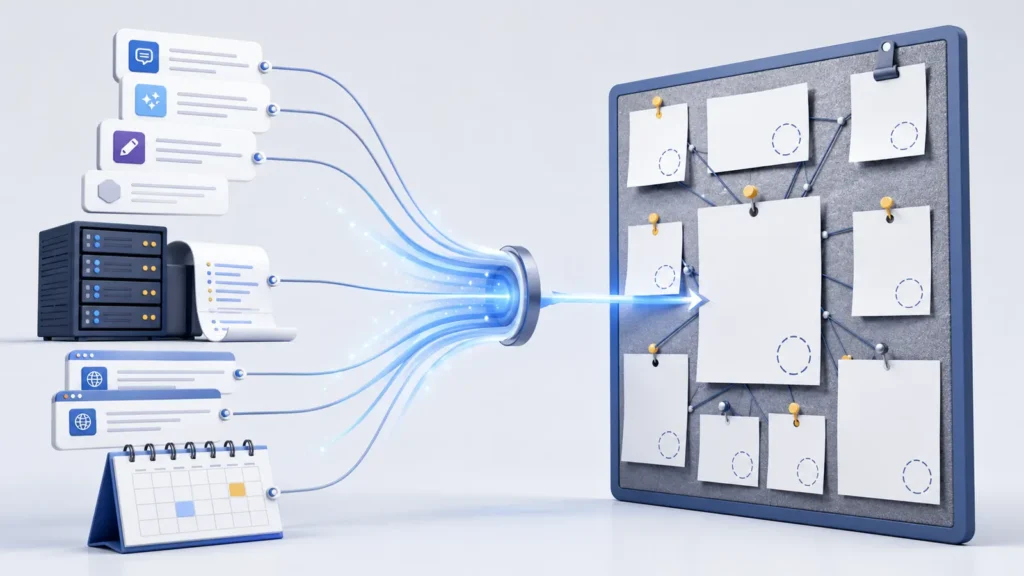
    SaaS website content filtered into a focused llms.txt resource list
    A useful SaaS llms.txt file selects authoritative product, documentation, pricing, integration, security and support resources.

    Three llms.txt examples for SaaS websites

    Use these templates as starting points. Replace every placeholder with a real canonical URL and an accurate one-line description.

    Example 1: early-stage B2B SaaS

    # ExampleFlow
    
    > ExampleFlow helps small operations teams manage requests, approvals, and recurring work in one workspace.
    
    Important notes:
    - The product is intended for business teams, not personal task management.
    - Pricing is per workspace and current terms are listed on the pricing page.
    
    ## Product
    
    - [Product overview](https://example.com/product): Core workflow, approval, and reporting capabilities.
    - [Use cases](https://example.com/use-cases): Common workflows for operations, finance, and client-service teams.
    - [Pricing](https://example.com/pricing): Plans, limits, billing terms, and trial information.
    
    ## Trust and support
    
    - [Security](https://example.com/security): Security practices, hosting, access controls, and compliance status.
    - [Help centre](https://example.com/help): Setup and troubleshooting documentation.

    This version stays small because an early-stage SaaS business may only have a few authoritative pages. Do not fill it with thin campaign pages simply to make the file look comprehensive.

    Example 2: developer or API SaaS

    # ExampleAPI
    
    > ExampleAPI provides a hosted document-processing API for software teams.
    
    ## Start here
    
    - [API overview](https://example.com/docs): Supported workflows and documentation index.
    - [Quickstart](https://example.com/docs/quickstart): First authenticated request and response.
    - [Authentication](https://example.com/docs/authentication): API keys, token handling, and security requirements.
    
    ## Reference
    
    - [API reference](https://example.com/docs/api): Endpoints, parameters, responses, and errors.
    - [SDKs](https://example.com/docs/sdks): Maintained client libraries and installation guidance.
    - [Changelog](https://example.com/changelog): Dated product and API changes.
    
    ## Optional
    
    - [Engineering blog](https://example.com/blog): Design notes and implementation articles.

    The special Optional heading in the proposal identifies lower-priority resources that may be skipped when shorter context is needed. For developer SaaS, versioned documentation, error references, and changelogs are often more valuable than broad marketing content.

    Example 3: multi-product SaaS platform

    # ExampleCloud
    
    > ExampleCloud provides analytics, automation, and customer-data products for mid-market teams.
    
    ## Platform
    
    - [Platform overview](https://example.com/platform): Shared capabilities, administration, and product relationships.
    - [Analytics](https://example.com/products/analytics): Reporting, dashboards, and data requirements.
    - [Automation](https://example.com/products/automation): Triggers, actions, limits, and workflow examples.
    - [Customer data](https://example.com/products/data): Profiles, sources, identity rules, and destinations.
    
    ## Evaluation
    
    - [Pricing](https://example.com/pricing): Plan structure and product-specific limits.
    - [Integrations](https://example.com/integrations): Supported connectors and configuration guides.
    - [Customer stories](https://example.com/customers): Documented outcomes and implementation context.
    
    ## Governance
    
    - [Security](https://example.com/security): Controls, certifications, and security contacts.
    - [Privacy](https://example.com/privacy): Data processing and privacy terms.

    For a platform, start with a page that explains how the products relate. A flat list of dozens of feature URLs makes interpretation harder and increases maintenance work.

    Step 2: validate, publish, and observe

    Check that the file follows the proposed order: H1, optional summary, optional explanatory content, and H2 link sections. Serve it as readable plain text or Markdown at https://yourdomain.com/llms.txt. The URL should return a stable 200 response without login, cookie dependency, redirect loop, or security challenge.

    Open every link. Remove redirects where practical, correct broken URLs, and ensure each destination contains the information described beside it. A technically valid file that points to outdated, duplicated, or vague pages is not useful.

    Evidence rule: A successful HTTP check proves accessibility. It does not prove an AI system uses the file, improves a ranking, or selects your site as a citation.

    Step 3: separate access, rendering, and content failures

    When a test fails, identify the layer. An access failure means the file or a linked page cannot be fetched reliably. A rendering failure means the response succeeds but the important information is missing from the delivered document. A content failure means the page is readable but does not answer the expected question clearly.

    Llms.txt cannot repair these underlying problems. Fix accidental blocks, unstable responses, incorrect canonicalization, missing server-rendered content, or poor page quality at the source.

    Step 4: make the smallest safe fix

    If the file is too long, remove low-value URLs or move secondary resources under Optional. If descriptions are vague, rewrite them to state what the reader will find. If important product facts conflict across marketing pages and documentation, correct the source pages before changing the file.

    Avoid automatically publishing every CMS URL. Exclude tag archives, search pages, legal duplicates, expired campaigns, thin localization variants, and private or customer-only resources. Never expose confidential documentation just to make a site appear more machine-readable.

    Step 5: retest with the same inputs

    Repeat the original question set without changing its wording. Compare results over a defined observation window and keep crawler or server logs when available. Record successes and null results. Your technical pass condition should be specific: the file returns 200, its syntax is readable, its links resolve, and the linked pages contain the promised information.

    Treat discovery, mentions, links, and citations as separate observed outcomes. A single favorable answer is not proof of a durable change because AI results can vary by platform, mode, freshness, location, and prompt wording.

    Worked example

    Five-step llms.txt validation workflow for SaaS websites
    Validate access, linked-page quality and before-and-after evidence instead of assuming the file improves visibility.

    Imagine a SaaS company whose pricing answer repeatedly cites an old launch article. Its baseline shows that the canonical pricing page is public and current, while the launch article remains prominent in navigation. The team publishes a focused llms.txt file linking the pricing page with a clear description, updates internal links to the canonical pricing URL, and removes outdated claims from the article.

    On retest, the file and pages pass all technical checks. If the correct pricing page later appears, the team can report the observed change—but cannot assign causation to llms.txt alone because internal linking and source content also changed. A stronger future experiment would change one variable at a time.

    Common interpretation mistake

    The biggest mistake is presenting llms.txt as a guaranteed AI-search ranking control. The original specification calls it a proposal and does not prescribe how an application must process it. Use it as a low-risk, curated context file and testing surface. Continue investing in public access, useful pages, clear entities, accurate claims, original evidence, internal links, and conventional technical SEO.

    Frequently asked questions

    How many URLs should a SaaS llms.txt file contain?

    There is no universal number in the proposal. Include the smallest set that clearly explains the product and supports important evaluation, implementation, trust, and support questions.

    Should llms.txt replace sitemap.xml or robots.txt?

    No. They serve different purposes. Keep a correct sitemap for discoverable pages and use robots.txt for crawl controls. Llms.txt can coexist as a curated context file.

    Should every SaaS page have a Markdown version?

    The proposal encourages clean Markdown versions of useful pages, but implementation depends on your stack and audience. Prioritize accurate, accessible source content before generating additional formats.

    Can llms.txt guarantee citations in ChatGPT or other AI systems?

    No. Accessibility and useful structure can be tested; citation remains platform-dependent and cannot be guaranteed.

    Next step

    Use the llms.txt validation checklist to confirm syntax, accessibility, linked-page quality, and evidence. Then review common llms.txt mistakes before publishing or automating updates.

    Sources

  • Llms.txt Validation Checklist

    Llms.txt Validation Checklist

    An llms.txt validation checklist helps you confirm that a proposed machine-readable site guide is accessible, correctly structured, useful, and maintainable. Use it before publishing a new file, after a website migration, or whenever linked resources change. A valid file can make important content easier for compatible tools to interpret, but it cannot force an AI platform to crawl, rank, recommend, or cite your website.

    Quick answer: A reliable llms.txt check covers four layers: public access, Markdown structure, linked-page quality, and repeatable testing. Treat a clean result as evidence that the file is usable—not as proof of improved AI visibility.

    Before you start: gather a clean baseline

    Open the proposed file at https://example.com/llms.txt in a private browser window. Save the current response headers, final URL, file contents, and test date. Also collect the canonical URLs of the pages you plan to list. This baseline lets you separate an old problem from a change introduced during validation.

    • Access tools: a browser, an HTTP header checker, and server or CDN logs.
    • Content tools: a plain-text editor with UTF-8 support and a Markdown previewer.
    • Link evidence: status code, redirect destination, canonical URL, and page title for every listed resource.
    • Testing record: the exact prompt, tool or model, date, answer, and cited URLs used before and after a change.

    Check 1: confirm discovery and crawler access

    Request the exact root URL and verify that it returns a stable HTTP 200 response without authentication, a cookie wall, geographic restriction, rate-limit page, or JavaScript challenge. The proposed format normally lives at /llms.txt, although the proposal also permits a subpath. Root placement remains the clearest default because it is predictable.

    curl -I -L https://example.com/llms.txt
    curl -L https://example.com/llms.txt

    Review the full redirect chain. A single permanent redirect to a canonical HTTPS URL may be acceptable, but a loop, temporary chain, cross-domain jump, 403 response, or 5xx error is a failure. Check your firewall logs as well: a browser success does not prove that automated requests receive the same file.

    Critical distinction: llms.txt is not an access-control file. It does not replace robots.txt, authentication, or page-level indexing controls. Never list private dashboards, customer records, staging sites, or restricted documents.

    Check 2: validate technical delivery and Markdown structure

    The llms.txt proposal uses Markdown in a specific order. Its only required section is one H1 containing the site or project name. A short blockquote summary should follow, then optional explanatory text and H2 sections containing lists of resources. Each resource entry should include a Markdown link; a short description after the link is optional but useful.

    • Filename and location: use llms.txt at a stable, public URL, preferably the domain root.
    • Encoding: serve clean UTF-8 text without smart-quote substitutions or hidden editor markup.
    • Opening heading: include one clear H1 that names the website, product, or documentation set.
    • Summary: explain what the site provides and what a reader needs to understand it.
    • Sections: group related resources under descriptive H2 headings.
    • Links: use complete, valid URLs and concise labels; add a note when the destination is not obvious.
    • Optional resources: place secondary material under an ## Optional section so shorter contexts can omit it.

    Do not confuse “the Markdown renders” with “the file follows the proposal.” A file containing random headings or a pasted sitemap may look readable while providing poor hierarchy. Validate the order, the link-list pattern, and the purpose of every section.

    Four-step llms.txt validation process from root access to Markdown, links and final pass
    Validate the file in sequence: public access, Markdown structure, linked resources, and a documented pass condition.

    Check 3: assess content clarity and citation readiness

    A technically correct file can still be unhelpful. Every listed page should answer a clear question, identify the organization or product consistently, and contain enough evidence to stand on its own. Remove duplicate URLs, obsolete campaigns, tag archives, thin pages, and links that only make sense after a user session.

    • Use precise link labels such as “Pricing and plan limits,” not “Learn more.”
    • Prefer primary documentation, original research, policies, and detailed guides over promotional summaries.
    • Confirm the page title, H1, canonical URL, and visible subject agree.
    • Add dates, authorship, methodology, and limitations where freshness or evidence matters.
    • Keep descriptions factual; do not promise that a platform will cite the page.

    Check 4: run a repeatable platform test

    First test the file independently of any AI answer. Parse it, open every link, and record pass, warning, or fail. Then use a small fixed set of factual questions whose answers exist on the linked pages. Repeat the same questions in fresh sessions and record whether the relevant page is found, linked, cited, or ignored.

    1. Ask one brand-definition question.
    2. Ask one product, service, or documentation question.
    3. Ask one question that requires evidence from a listed guide.
    4. Repeat the baseline after publishing, without changing the wording.
    5. Compare results over time; do not report a single favorable answer as causation.

    Pass condition: The file is publicly fetchable, follows the proposed structure, contains working and useful links, and produces consistent parser results. AI visibility remains a separate outcome to monitor.

    Prioritize findings by impact

    PriorityTypical findingRequired action
    Critical404/403/5xx, private file, HTML challenge, broken core linksFix before judging content quality
    ImportantMissing H1, unclear summary, weak grouping, stale or redirected linksCorrect in the next publishing cycle
    ImprovementDescriptions are vague, optional resources are mixed with essential pagesRefine after access and syntax pass

    Fix critical delivery problems first. There is little value polishing descriptions while the file returns an error or important links are blocked. After access and syntax pass, improve information architecture and descriptions. Keep a change log so future teams can see what was added, removed, and retested.

    Llms.txt validation issues prioritized as critical errors, warnings and improvements
    Resolve access and delivery failures first, then syntax warnings, and finally editorial improvements.

    Evidence and screenshots to save

    Keep the final file, HTTP headers, redirect trace, parser output, and a link-check report. Capture representative screenshots of the public file and any error state you corrected. For ongoing measurement, store test prompts, platform responses, cited sources, crawler-log entries, referral traffic, and conversions. This evidence prevents assumptions from turning into unsupported SEO claims.

    Common interpretation mistake

    The biggest mistake is presenting llms.txt as a guaranteed ranking or citation mechanism. The project describes it as a proposal intended to help language models use website information at inference time, and its own guidance recommends testing with multiple models. A valid file proves that you implemented the convention coherently. It does not prove that every AI system discovers the file, processes it, or gives the listed pages more visibility.

    Frequently asked questions

    What is required in a valid llms.txt file?

    Under the published proposal, the only required section is an H1 naming the project or site. A useful implementation normally adds a blockquote summary and H2 resource sections with Markdown links.

    Should llms.txt replace robots.txt or sitemap.xml?

    No. Robots.txt communicates crawler access preferences, while a sitemap helps search engines discover important URLs. Llms.txt is a curated Markdown guide with a different purpose. The three files can coexist.

    Does the file need to be at the domain root?

    Root placement at /llms.txt is the clearest default described by the proposal. Subpaths are allowed, but discovery expectations for them may be less obvious, so document and test the location carefully.

    How often should I validate llms.txt?

    Validate it whenever URLs, navigation, documentation, products, redirects, or access rules change. A monthly automated link check plus a quarterly editorial review is a sensible starting point for an active site.

    Can a valid llms.txt guarantee AI citations?

    No. Citation depends on platform behavior, query fit, available sources, freshness, authority, and other factors outside the file. Measure citations as an outcome, not as a validation rule.

    Next step

    Use the llms.txt and machine-readable website guide for broader implementation context. Then review common llms.txt mistakes and get the AI Search Readiness checklist to document access, content quality, and repeatable platform tests.

    Sources

    See the official llms.txt proposal for the current format and implementation guidance. For related standards, consult Google Search Central’s explanations of robots.txt and sitemaps.

  • LLMs.txt Generator for Small Business

    LLMs.txt Generator for Small Business

    A llms.txt generator for small business turns your most useful public pages into a short, machine-readable Markdown guide. Instead of asking an AI system to interpret every menu, archive, script, and duplicate URL on your site, the file provides a curated map of who you are, what you offer, and where your best information lives.

    That convenience needs context. The llms.txt proposal describes a file placed at /llms.txt, usually containing a site title, a concise summary, explanatory notes, and grouped links. It is a proposed convention—not a universal web standard or a guaranteed ranking factor. Google explicitly says it does not use llms.txt for Search or its generative search features, so treat the file as a practical aid for compatible tools, agents, and workflows rather than an SEO shortcut.

    Quick answer: Generate a small, accurate file from public canonical URLs, review every link, publish it at https://yourdomain.com/llms.txt, and test the live response. Keep robots.txt, sitemap.xml, structured data, and normal technical SEO working; llms.txt does not replace them.

    What an llms.txt generator for small business should check

    A good generator does more than copy your navigation. It should help you select pages that explain the business clearly and exclude thin, private, temporary, or repetitive URLs. For a typical local company, consultancy, ecommerce shop, or SaaS business, the useful source set is usually small.

    • Business identity: homepage, about page, location or service-area details, and a trustworthy contact page.
    • Commercial information: core service or product pages, pricing information when public, and important eligibility or delivery details.
    • Supporting evidence: original guides, research, case studies, policies, documentation, and frequently asked questions.
    • Technical validity: absolute HTTPS URLs, successful responses, consistent canonical destinations, and no accidental links to staging or account areas.
    • Readable structure: a single H1-style title, a short blockquote summary, optional notes, and clearly named sections with Markdown links.

    The generator should also warn when the proposed file is too long, repeats near-identical URLs, links to redirects, or includes pages blocked from normal public access. A smaller curated file is usually easier to maintain than an automated dump of every URL.

    How the llms.txt generator process works

    1. Enter the canonical website URL. The process normalizes the domain, checks HTTPS, and confirms the root location where the file should be published.
    2. Select meaningful public pages. Choose the pages that best define the business, services, products, documentation, and evidence. Exclude checkout, login, search results, filtered archives, and customer data.
    3. Build and review the Markdown. The generator arranges the site name, summary, notes, and grouped links. A person should still verify descriptions, priorities, spelling, and factual accuracy.
    4. Publish and validate. Upload the plain-text file to the domain root, request /llms.txt, confirm an HTTP 200 response, and retest every linked URL.
    Four-step llms.txt generator process from website selection to validated file upload
    A practical workflow: select useful public pages, generate the Markdown, review it, then publish and validate the live file.

    Known limit: A valid file proves only that the file is reachable and follows the selected format. It does not prove that any particular AI crawler fetched it, used it, or will cite the website.

    Results explained: pass, warning, fail, and evidence

    Pass means the tested condition worked—for example, the file returned 200 and contained a recognizable title. Warning means the file can work but deserves review, such as an unusually large link list or a redirecting URL. Fail means a required condition is missing, malformed, or unreachable. Inconclusive is the honest result when bot protection, timeouts, or network differences prevent a reliable test.

    Every result should include evidence: the tested URL, timestamp, response status, detected content, and the exact recommended fix. Evidence makes the report repeatable and helps a developer solve the real problem instead of guessing.

    Example: a healthy result and a blocked result

    Healthy small-business file

    A healthy result loads from the root URL, returns plain text with a successful status, includes one clear site title and summary, and links only to public canonical pages. The links open without authentication, and their descriptions tell a reader why each page matters.

    Blocked or problematic file

    A problematic result may return 404 because the file was uploaded to the wrong directory, 403 because a firewall challenges automated requests, or 200 with an HTML error page instead of Markdown. Other common problems include redirect loops, relative links, outdated product URLs, and accidental references to staging or private pages.

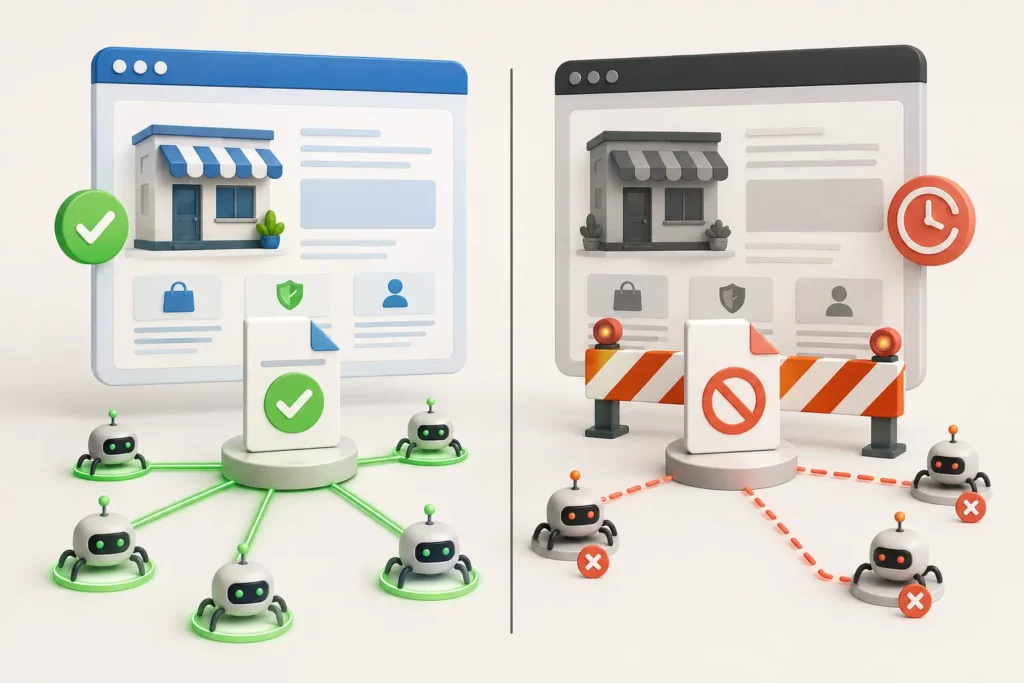
    Healthy small business website accessible to AI crawlers compared with a blocked website
    A successful validator result needs evidence; 404, 403, timeouts and HTML fallbacks point to different fixes.

    Do not weaken security to get a pass. Never publish confidential information or disable a firewall globally. Fix the specific route, deployment rule, or public-page selection while keeping authentication and protection in place.

    Privacy and data handling

    A privacy-conscious generator should request only what it needs: a public URL and the public pages you choose to include. It should not require WordPress administrator credentials, customer records, analytics exports, or private documents merely to create Markdown.

    Before using any hosted generator, check whether submitted URLs, generated files, IP addresses, or diagnostic logs are stored; how long they are retained; and whether they are shared with another service. Review the generated text before publishing because anything in /llms.txt is intentionally public.

    Troubleshooting invalid URLs, bot protection, and timeouts

    • Invalid URL: enter the complete canonical HTTPS address and remove tracking parameters, fragments, or copied dashboard links.
    • 404 Not Found: confirm the filename is exactly llms.txt, check capitalization, and deploy it to the public document root.
    • 403 Forbidden: inspect CDN and WAF events. Create the narrowest safe rule for the public file rather than turning off bot protection for the whole site.
    • Timeout: test from another network, review origin health, and check whether the CDN is waiting on a slow application route.
    • HTML instead of text: check rewrites, custom 404 templates, SPA fallbacks, and the Content-Type returned by the server.
    • Inconclusive test: repeat the request, preserve the response headers, and verify the result from the server or CDN logs.

    If your hosting platform does not expose the web root, use its documented static-file method or ask support how to serve a fixed file at a root URL. WordPress users may use a carefully reviewed plugin or a server-level file, but the public URL should still resolve predictably.

    Manual checks after generating the file

    Open https://yourdomain.com/llms.txt in a private browser window. Then check the status and headers from a terminal or an HTTP inspection tool. Confirm that the response body is the intended Markdown—not a login page, security challenge, or branded 404 page.

    curl -I https://example.com/llms.txt
    curl -L https://example.com/llms.txt

    Next, click every listed URL and compare it with the canonical shown in the page source. Review the file whenever services, pricing, documentation, or important URLs change. Also keep your llms.txt and machine-readable website guide practices aligned with normal site maintenance, and understand the separate roles described in llms.txt vs robots.txt vs sitemap.xml.

    A simple llms.txt example

    # Example Business
    
    > A concise description of the business, audience, location, and primary value.
    
    Important notes about public information and how to use the linked resources.
    
    ## Services
    
    - [Primary Service](https://example.com/service/): What the service covers and who it is for
    
    ## Guides
    
    - [Helpful Guide](https://example.com/guide/): Original information that answers a common customer question

    Keep descriptions factual and specific. Do not add marketing claims you cannot support, stuff keywords into every line, or list hundreds of low-value pages.

    Frequently asked questions

    Is llms.txt required for Google or AI search?

    No. Google says llms.txt does not help or harm visibility or rankings in Google Search. Other tools or agents may choose to use the convention, but support is not universal. Your crawlability, indexable content, internal linking, page quality, and technical health remain more fundamental.

    Where should the file be published?

    The proposal uses the predictable root location https://example.com/llms.txt. A subpath can be used for a specific documentation area, but the root file is the clearest discovery point for a small business.

    How often should I regenerate it?

    Update it when important URLs, services, documentation, policies, or brand information change. A monthly check is reasonable for an active site; a stable brochure site may only need review after meaningful edits.

    Can the generator include every page automatically?

    It can, but it usually should not. llms.txt is most useful as a curated overview. Include pages that explain the business or provide strong supporting information, then keep sitemaps for broad URL discovery.

    Does llms.txt replace robots.txt or sitemap.xml?

    No. Robots.txt manages crawler access rules, a sitemap lists discoverable URLs, and llms.txt offers a curated Markdown overview for systems that choose to read it. Each has a different job.

    Generate, review, and verify your file

    Use an llms.txt generator for small business to create a clean first draft, then apply human judgment. Verify the live file, protect private data, retain evidence for warnings and failures, and measure outcomes separately. The best result is not merely a green validator—it is an accurate, maintainable guide that complements a technically healthy website.

  • Does llms.txt improve AI visibility?

    Does llms.txt improve AI visibility?

    If you are asking “does llms.txt improve AI visibility?”, the honest answer is: possibly in limited machine-reading workflows, but not as a proven ranking switch. An /llms.txt file can give systems a concise map of your most useful pages. It cannot force an AI platform to crawl, index, trust, quote, or cite them. Treat it as an optional discoverability aid to test after access, content quality, and authority are already in good shape.

    Quick answer: llms.txt may help a compatible tool understand a site faster, especially when the file links to clean, useful resources. No major search platform currently documents it as a guaranteed AI visibility or citation factor. Measure the result instead of assuming it.

    The short answer to “does llms.txt improve AI visibility?”

    The llms.txt proposal describes a Markdown file placed at the root of a website. It contains a site or project name, a short explanation, and selected links to important material. That structure can reduce navigation noise and make key resources easier for an LLM-enabled tool to locate when the tool deliberately reads the file.

    That is a plausible usability benefit, not evidence of a universal ranking benefit. The proposal does not define how every AI product must process the file, and adoption varies. Google says its AI search features use established Search fundamentals and require no special AI-only optimization. OpenAI publicly documents crawler controls through robots.txt, not llms.txt as a visibility requirement. Therefore, a missing llms.txt file is not proof of an AI visibility problem, and adding one is not proof of a fix.

    What can be measured reliably—and what remains platform-dependent

    You can reliably measure whether https://example.com/llms.txt returns HTTP 200, uses valid Markdown, stays accessible without login or script execution, and links to canonical pages that also return healthy responses. You can review server logs to see whether a crawler or user-triggered agent requested the file. You can also repeat a fixed set of AI-search prompts and record mentions, links, citations, and referral traffic.

    What you cannot reliably infer from one result is causation. AI answers change with the prompt, date, product mode, available sources, and the platform’s own retrieval system. A crawler visit does not prove indexing. Indexing does not guarantee selection. Selection for one answer does not create a permanent ranking.

    Important distinction: robots.txt controls crawler access for agents that honor it. llms.txt is a proposed content guide. It cannot override authentication, a firewall block, a noindex directive, a broken canonical, or a weak source page.

    Factors that change the answer

    • Access: the llms.txt file and every linked page must be publicly reachable and consistently return the intended content.
    • Freshness: outdated product details, prices, policies, or removed links make the file less useful.
    • Authority: a tidy index does not create expertise, reputation, references, or firsthand evidence.
    • Content fit: linked pages still need to answer the user’s exact question clearly and completely.
    • Model behavior: each platform chooses its own crawling, retrieval, and citation methods, which can change over time.

    These factors explain why two sites can publish equally valid files and see different outcomes. The file is only one surface in a much larger discovery and selection system.

    Practical examples with contrasting site conditions

    Site A publishes a technically perfect llms.txt file, but its linked pages are blocked by a web application firewall, rely on client-side rendering, and repeat generic claims without evidence. AI visibility is unlikely to improve because the file points toward inaccessible or uncompetitive material.

    Site B has no llms.txt file, but its pages load reliably, contain direct answers, cite primary evidence, use clear internal links, and earn independent references. It may already be surfaced and cited. Adding llms.txt could make navigation easier for compatible systems, but the underlying pages—not the file alone—carry most of the value.

    Site C already has strong accessible documentation, then adds a concise llms.txt index. If repeatable testing later shows more successful fetches or discovery for the indexed resources, the team has a useful correlation worth monitoring. It still should not claim a guaranteed causal ranking gain.

    Controlled test of whether llms.txt improves AI visibility
    Compare similar site conditions and change one variable at a time before attributing an AI visibility result to llms.txt.

    A simple diagnostic you can run today

    1. Open /llms.txt in a private browser window and confirm a clean HTTP 200 response.
    2. Check that the first heading identifies the site and the summary explains what the organization offers.
    3. Test every linked URL for status, final destination, canonical consistency, indexability, and readable main content.
    4. Review robots.txt and CDN or firewall rules separately. For ChatGPT search eligibility, consult OpenAI’s current crawler documentation.
    5. Save the file version and publication date, then run the same narrow prompt set before and after the change.
    6. Record citations, linked URLs, crawler requests, AI referral sessions, and conversions for several weeks.

    Use at least one brand prompt, one problem prompt, and one research prompt that genuinely matches a linked page. Keep the wording constant. Do not retry until you receive a favorable answer and count only that result; doing so creates selection bias.

    llms.txt AI visibility diagnostic for access syntax links logs and outcomes
    A useful llms.txt test records accessibility, linked-page quality, crawler logs, change history, and repeated outcomes.

    How to interpret the result without overclaiming causation

    A stronger result after publication is encouraging, but ask what else changed. Was a blocked crawler allowed? Did the linked article receive new backlinks? Was the content updated? Did the platform alter its search product? A useful test changes one major variable at a time, keeps dated evidence, and compares multiple observations.

    Best interpretation: “After adding llms.txt, compatible systems can access a clearer index of our selected resources, and we are monitoring whether discovery changes.” Avoid claiming, “llms.txt made us rank in AI,” unless a controlled experiment supports that conclusion.

    Evidence and screenshots to include

    • The live file, HTTP status, headers, and last-modified date
    • Syntax and a list of every linked canonical page
    • Raw HTML or Markdown showing the answer is actually present
    • Crawler and CDN logs with timestamps and response codes
    • Before-and-after prompts, answers, citations, and referral data

    This evidence turns an opinion into a reproducible diagnostic. It also reveals broken links, stale summaries, accidental blocks, and content gaps that can be fixed even if llms.txt itself has no measurable platform effect.

    Common interpretation mistake

    The common mistake is presenting a proposed convention as a guaranteed ranking or citation mechanism. llms.txt is not robots.txt, an XML sitemap, structured data, or an instruction that an AI system must obey. It is a lightweight navigation document. Its value depends on whether a system reads it and whether the linked resources deserve to be used.

    Prioritize fundamentals first: stable delivery, crawl permissions, indexable canonical pages, descriptive headings, verifiable facts, original experience, and useful internal linking. Then treat llms.txt as a low-risk experiment, not a replacement for technical SEO or editorial quality.

    Frequently asked questions

    Is llms.txt a confirmed AI ranking factor?

    No major platform publicly confirms llms.txt as a direct ranking factor. The specification is a proposal for organizing LLM-friendly resources. Its presence may help compatible tools navigate content, but it does not guarantee visibility.

    Does Google require llms.txt for AI Overviews or AI Mode?

    No. Google’s official guidance says there are no additional technical requirements or special optimizations for appearing in its AI features beyond established Search practices.

    Can llms.txt replace robots.txt or an XML sitemap?

    No. These files have different purposes. robots.txt communicates crawler access preferences, an XML sitemap lists URLs for search engines, and llms.txt offers a curated Markdown guide. One does not replace the others.

    What should an llms.txt file link to?

    Link only to canonical, accurate, current resources that explain the organization, products, documentation, policies, or core expertise. A short curated file is more useful than a dump of every URL on the site.

    How soon should AI visibility improve?

    There is no universal timeline and no guaranteed improvement. Verify technical access immediately, then monitor crawler activity, citations, referrals, and conversions over a meaningful period using consistent tests.

    Next step: check your website’s AI discoverability

    Start with the llms.txt and machine-readable website guide, then use the llms.txt validation checklist to test access, syntax, linked-page quality, and change history. Visible Pilot helps you separate a useful experiment from the technical and content issues that actually block discovery.

  • From Zero AI Citations to First Citation: A Transparent Case Study Method

    From Zero AI Citations to First Citation: A Transparent Case Study Method

    A credible from zero AI citations to first citation case study needs more than a celebratory screenshot. It must show what was tested, which page was cited, what changed, how often the result repeated, and what remains uncertain. This guide presents the evidence standard Visible Pilot will use for future client studies. Because no verified client dataset was supplied for this article, the numerical example below is explicitly illustrative—not a claimed customer result.

    Transparency note: This is a case-study methodology with a labelled example dataset. It does not claim that Visible Pilot has already moved an unnamed client from zero citations to a first citation. Publishing invented results would undermine the very evidence standard this page recommends.

    What “zero citations” should mean

    “Zero” must refer to a defined test, not a universal condition. An AI answer can vary by platform, model, location, account state, date, wording, and whether web search is used. A site that is absent from ten tracked prompts today may still appear for another prompt tomorrow. Therefore, the baseline should be written as a bounded observation: zero cited appearances across a fixed prompt set, platform set, and measurement window.

    Record four outcomes separately: successful page retrieval, discovery in an answer, an unlinked brand mention, and a linked citation. Combining them into one visibility score hides where the failure occurs. A crawler may retrieve a page that is never selected as a source; an answer may mention a brand without citing its website.

    Baseline evidence to capture

    • Study dates, platforms, model or product surface, location, and account conditions.
    • The exact prompt list, including spelling, punctuation, and whether follow-up questions were used.
    • Full answer screenshots or exports, the cited URLs, timestamps, and source ordering.
    • Representative page status codes, robots directives, canonical tags, index signals, and rendered content.
    • Server, CDN, or WAF evidence showing whether relevant crawlers could reach the tested URLs.
    • Brand and entity facts available on the site, including organization, author, service, and contact information.

    The baseline should cover informational, problem-aware, comparison, and brand-plus-category queries. Brand-only prompts are useful controls, but they are too easy to treat as proof of broader discovery.

    AI citation baseline evidence from prompts logs URLs and dates
    A credible baseline preserves fixed prompts, logs, URLs, dates and every failed observation.

    Diagnosis: find the broken stage

    The initial hypothesis is often “AI does not understand our content.” That may be true, but it is incomplete until access and indexability are tested. Diagnose the pipeline in order: retrieval, parsing, discovery, relevance, evidence quality, and citation selection. A failure early in the pipeline makes downstream content polishing irrelevant.

    StageQuestionUseful evidence
    AccessCan the intended crawler retrieve the page?HTTP response, robots rules, edge and origin logs
    DiscoveryCan the platform find the URL or entity?Indexed URL checks, fixed prompts, cited-source exports
    RelevanceDoes the page directly answer the tracked query?Query-to-section mapping and competitor source comparison
    EvidenceDoes the page provide verifiable, attributable value?Original data, named methodology, dates, authors and sources
    CitationIs the site linked in the answer?Dated answer capture and exact destination URL

    Important: A user-agent-only request is a behaviour test, not proof that genuine crawler traffic reached the site. Authenticate real bot activity using trusted server or edge logs and the operator’s current published IP information where available.

    Intervention plan: prioritize changes, not activity

    A defensible intervention plan fixes the highest-impact verified constraint first. If a security rule returns 403 to a legitimate crawler, resolve that narrow access problem before rewriting dozens of pages. If access is healthy but the page gives generic advice, strengthen the page with a direct answer, original evidence, clear definitions, and sources. Changes should be recorded individually so the team can connect outcomes to a plausible mechanism.

    • Repair confirmed HTTP, redirect, robots, canonical, or rendering failures.
    • Align one representative page with one tightly defined prompt group.
    • Add original evidence: a test, benchmark, worked example, screenshot, or downloadable method.
    • Clarify organization, author, date, and subject entities in visible page content.
    • Improve internal links from the relevant pillar and supporting diagnostic pages.
    • Avoid unrelated redesigns, mass schema changes, and simultaneous site-wide rewrites during the test.

    Implementation timeline

    WeekActionReason
    0Freeze prompt set and capture baselineCreates a comparison point before changes
    1Fix verified access or delivery failuresRemoves hard retrieval barriers
    2Improve one target page and supporting internal linksLimits variables and strengthens relevance
    3–4Allow discovery time; continue scheduled testsPrevents constant edits from contaminating the window
    5Compare results and inspect cited destination URLsSeparates a real citation from a brand mention
    6Retest variants and document limitationsChecks whether the observation repeats

    Measurement method for a first AI citation

    Run the same prompt matrix on a fixed schedule. Do not repeatedly regenerate answers until a desired result appears. Store every observation, including failures. For each response, mark retrieved, found, mentioned, cited, and correct-destination as separate Boolean fields. A first citation is the first dated answer that links to a URL controlled by the studied site.

    prompt_id | date | platform | retrieved | mentioned | cited | destination_url | screenshot_id

    The primary outcome can be reported as cited responses divided by all scheduled responses. Also report the number of unique prompts producing a citation and the number of unique destination URLs. These denominators prevent one repeated success from looking like broad visibility.

    Illustrative before-and-after results

    Illustrative data only: The following numbers demonstrate honest reporting format. They are not Visible Pilot client results and must not be reused as a testimonial.

    MetricIllustrative baselineIllustrative comparison window
    Scheduled prompt observations4040
    Successful target-page retrieval checks8 of 1010 of 10
    Answers mentioning the example brand2 of 406 of 40
    Answers citing the example site0 of 403 of 40
    Unique prompts with a citation02
    Unique cited destination URLs01
    Before and after AI citation verification with documented change timeline
    Before-and-after evidence should connect the intervention timeline to the exact cited destination URL.

    In this example, the defensible claim would be narrow: the site moved from zero cited answers in the 40-observation baseline to three cited answers in the 40-observation comparison window. It would not prove a permanent ranking, platform-wide inclusion, or a 7.5% universal citation rate.

    What likely caused improvement—and what cannot be proven

    If the only documented changes were an access fix, a focused evidence page, and stronger internal links, those changes are plausible contributors. The access fix has the clearest mechanism when logs show a previous block and later successful retrieval. Content improvements are harder to isolate because platform indexes, answer systems, competing sources, and model behaviour also change.

    The study cannot prove that one heading, schema field, file, or phrase caused the citation. Nor can it show that every AI platform discovers sources in the same way. Correlation becomes more persuasive when the outcome repeats across scheduled tests, the cited page matches the intervention, and control pages remain unchanged.

    Evidence and screenshots a publishable case study needs

    • Unedited baseline and comparison answer captures with dates.
    • The exact cited URL, not merely the brand name visible in an answer.
    • Before-and-after retrieval evidence for the same representative URLs.
    • A change log showing the page, deployment date, owner, and reason.
    • Search or index evidence relevant to the tested platform, without claiming it guarantees citation.
    • A public methodology readers can reproduce, plus disclosed exclusions and failed tests.

    Privacy can be protected by redacting personal data, authentication tokens, query parameters, and unrelated log entries. Redaction should not remove the evidence needed to verify the conclusion.

    Lessons readers can transfer

    Start with one problem, one page group, and one measurement protocol. Preserve the baseline before editing. Repair observable access failures before chasing speculative optimization tactics. Give an answer system something worth citing: original data, a reproducible test, a precise definition, or a uniquely useful comparison. Finally, report denominators and failures alongside wins.

    Practical rule: If a reader cannot distinguish access, mention, and citation—or cannot see how many attempts were made—the case study is not yet strong enough to guide a business decision.

    Common interpretation mistake

    The most common error is treating a single generated answer as a stable index position. AI answers are probabilistic and may change between runs. Another mistake is assuming a homepage opening in a user-triggered session proves automatic search discovery. Platform crawlers, user-triggered agents, traditional search eligibility, and citation selection can have different controls and evidence.

    Frequently asked questions

    How many prompts should a case study track?

    Use enough prompts to represent the real customer questions being studied, then keep that set fixed. Ten carefully chosen prompts tested on a schedule are more interpretable than hundreds of changing prompts.

    Does crawler access guarantee an AI citation?

    No. Access removes one possible barrier. The page must still be discovered, understood as relevant, judged useful, and selected as a source for a particular answer.

    Is one citation enough to claim success?

    It is enough to record a first observed citation, but not enough to claim stable visibility. Continue the scheduled test and report repetition, unique prompts, unique URLs, and failed observations.

    Should a case study compare different AI platforms?

    Yes, but results should remain platform-specific. Different systems use different discovery, retrieval, and answer processes, so combine them only in a clearly labelled portfolio summary.

    Can structured data create citations?

    Structured data can clarify entities and page meaning when it accurately matches visible content, but it is not a citation switch. Treat it as supporting machine readability, not guaranteed placement.

    Next step: request a Visible Pilot audit

    If your website has no observed AI citations, begin with evidence rather than assumptions. Review why AI search engines cannot find a website and the guide to why ChatGPT cannot read a website, then request a Visible Pilot audit to document access, discovery, content evidence, and a repeatable measurement baseline.

    A trustworthy from zero AI citations to first citation case study does not promise a permanent ranking. It shows the exact observation, the denominator, the cited URL, the changes made, and the limits of causal certainty.