Category: Uncategorized

  • From Zero AI Citations to First Citation: A Transparent Case Study Method

    From Zero AI Citations to First Citation: A Transparent Case Study Method

    A credible from zero AI citations to first citation case study needs more than a celebratory screenshot. It must show what was tested, which page was cited, what changed, how often the result repeated, and what remains uncertain. This guide presents the evidence standard Visible Pilot will use for future client studies. Because no verified client dataset was supplied for this article, the numerical example below is explicitly illustrative—not a claimed customer result.

    Transparency note: This is a case-study methodology with a labelled example dataset. It does not claim that Visible Pilot has already moved an unnamed client from zero citations to a first citation. Publishing invented results would undermine the very evidence standard this page recommends.

    What “zero citations” should mean

    “Zero” must refer to a defined test, not a universal condition. An AI answer can vary by platform, model, location, account state, date, wording, and whether web search is used. A site that is absent from ten tracked prompts today may still appear for another prompt tomorrow. Therefore, the baseline should be written as a bounded observation: zero cited appearances across a fixed prompt set, platform set, and measurement window.

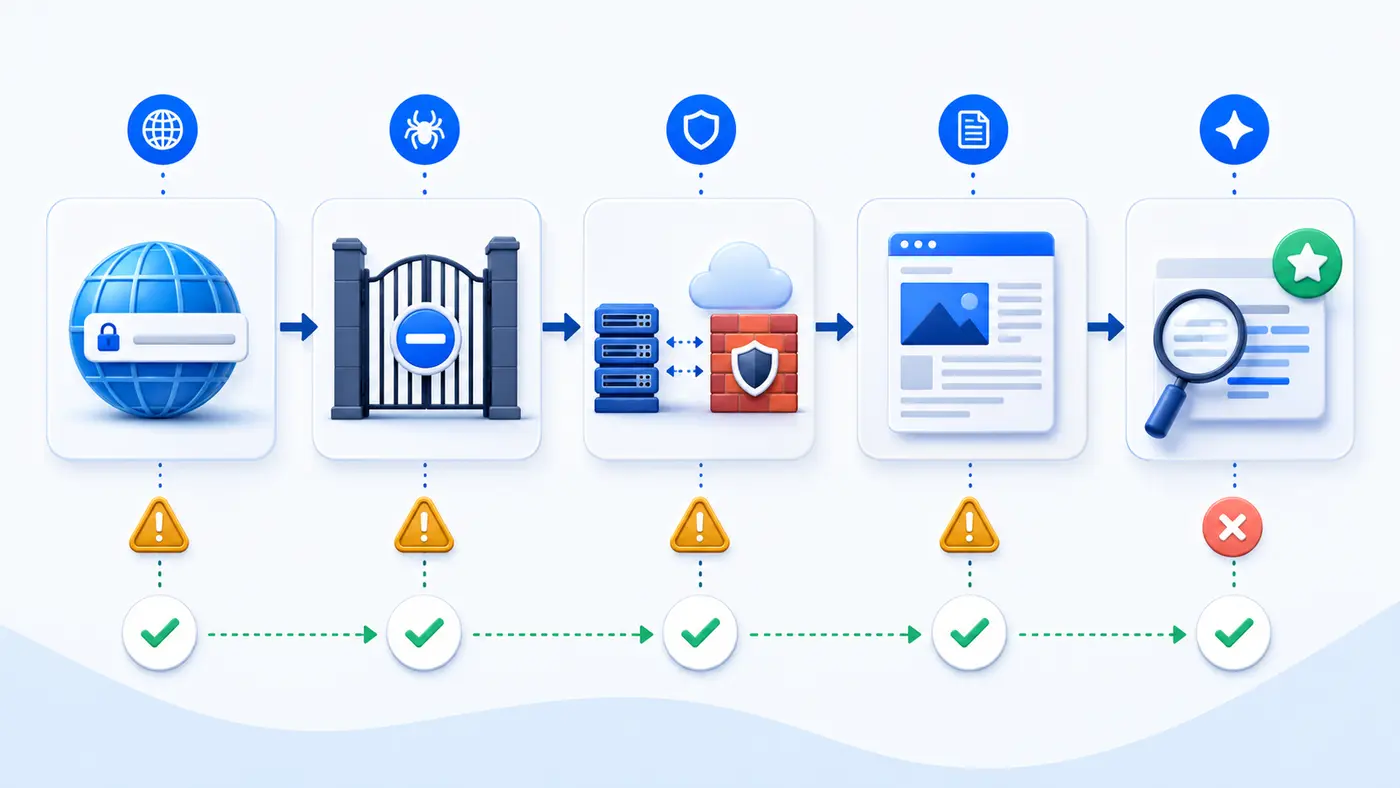
    Record four outcomes separately: successful page retrieval, discovery in an answer, an unlinked brand mention, and a linked citation. Combining them into one visibility score hides where the failure occurs. A crawler may retrieve a page that is never selected as a source; an answer may mention a brand without citing its website.

    Baseline evidence to capture

    • Study dates, platforms, model or product surface, location, and account conditions.
    • The exact prompt list, including spelling, punctuation, and whether follow-up questions were used.
    • Full answer screenshots or exports, the cited URLs, timestamps, and source ordering.
    • Representative page status codes, robots directives, canonical tags, index signals, and rendered content.
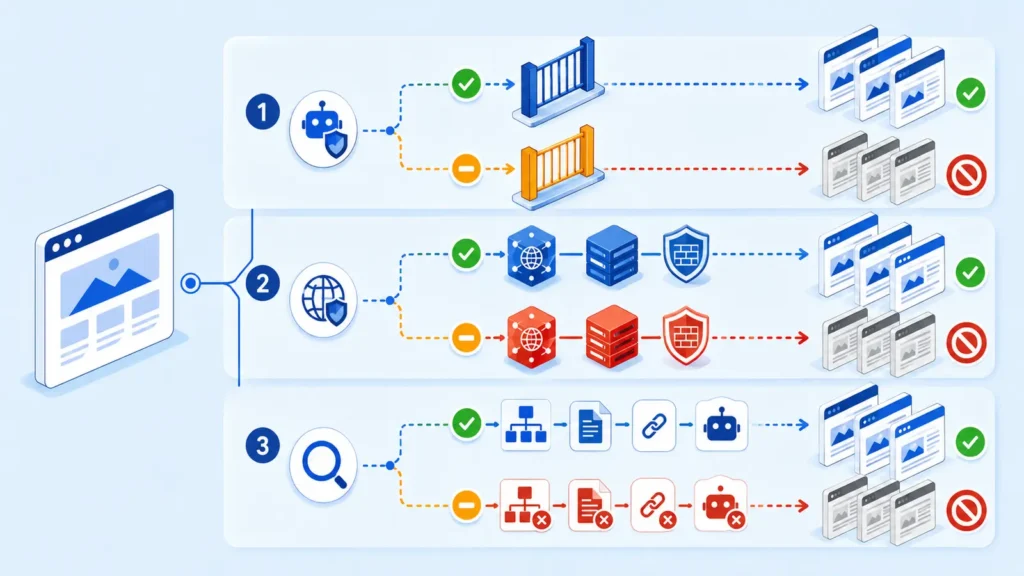
    • Server, CDN, or WAF evidence showing whether relevant crawlers could reach the tested URLs.
    • Brand and entity facts available on the site, including organization, author, service, and contact information.

    The baseline should cover informational, problem-aware, comparison, and brand-plus-category queries. Brand-only prompts are useful controls, but they are too easy to treat as proof of broader discovery.
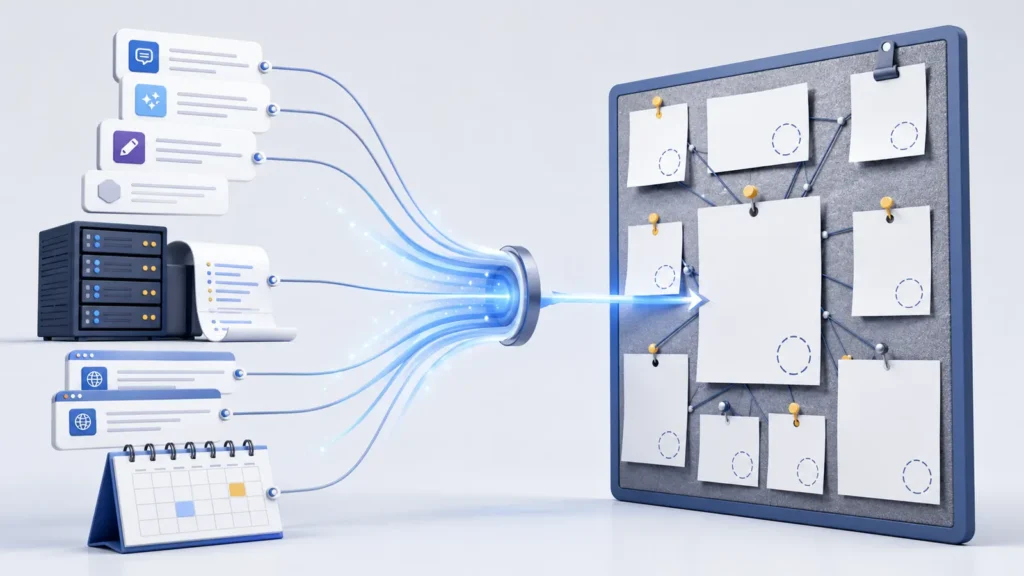
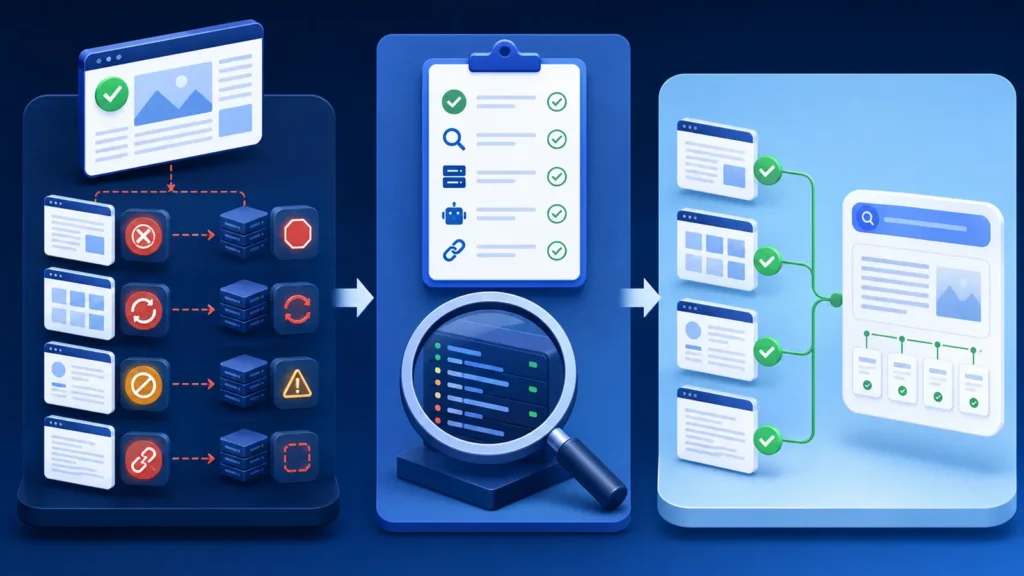
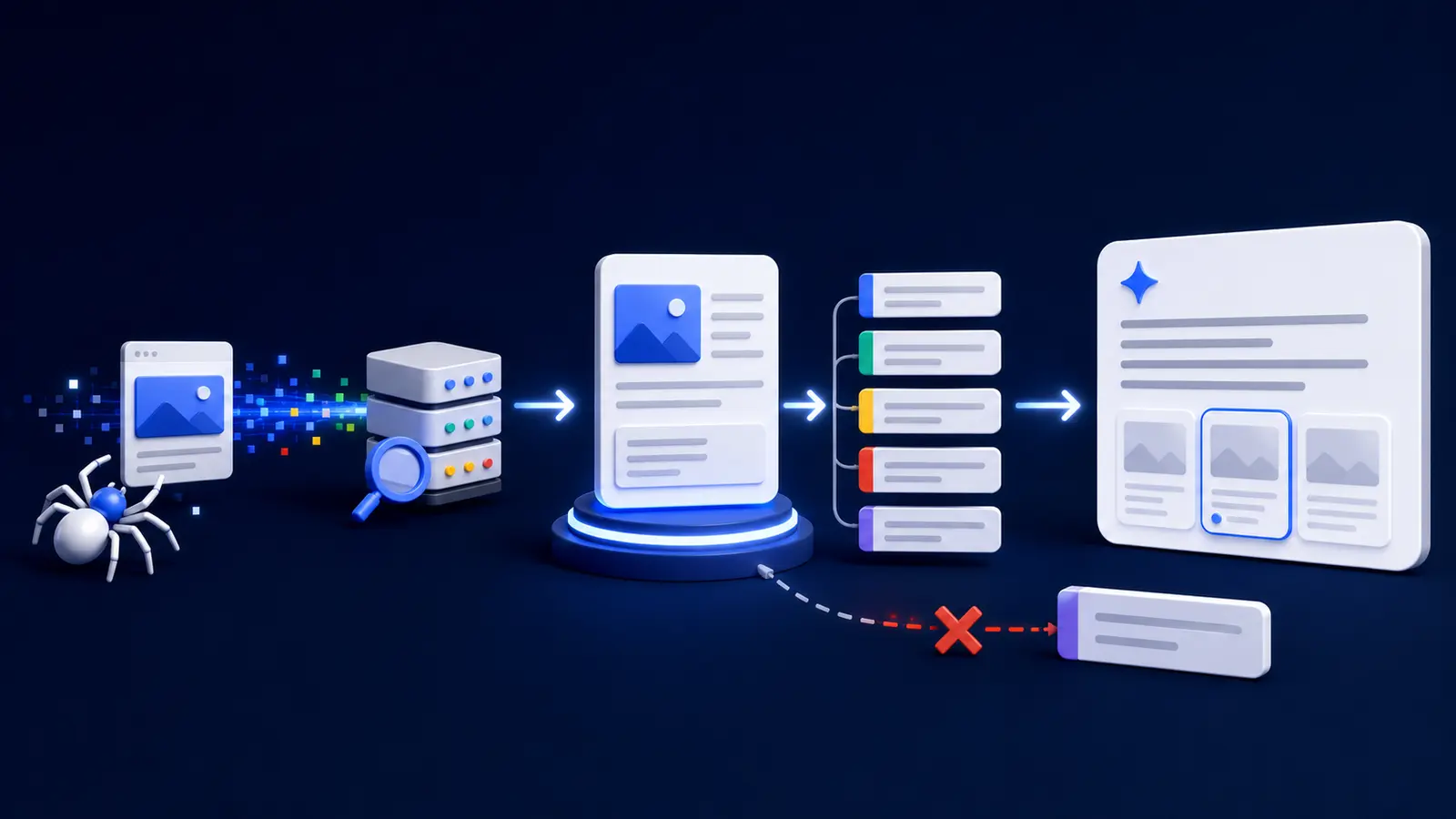
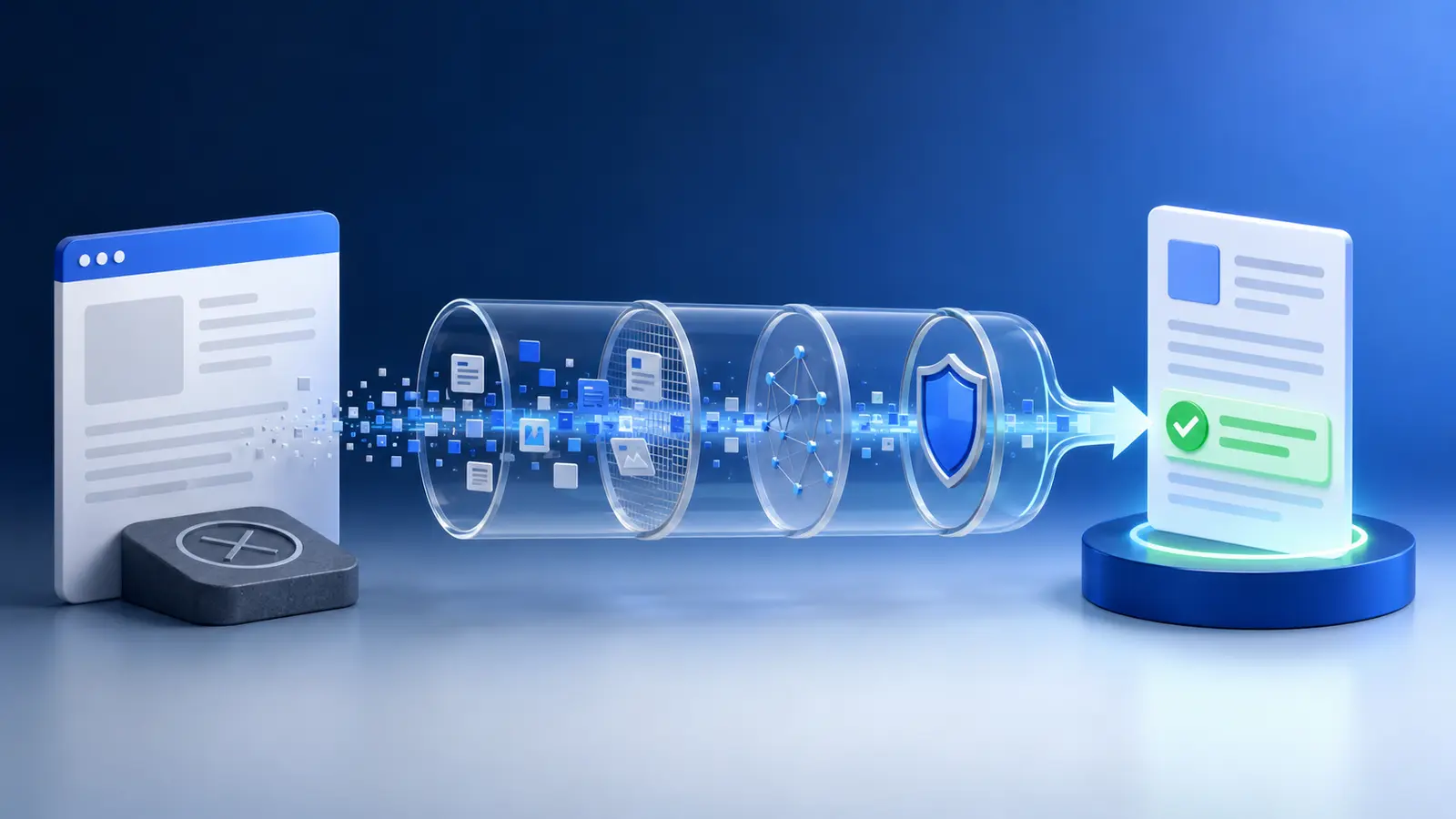
    AI citation baseline evidence from prompts logs URLs and dates
    A credible baseline preserves fixed prompts, logs, URLs, dates and every failed observation.

    Diagnosis: find the broken stage

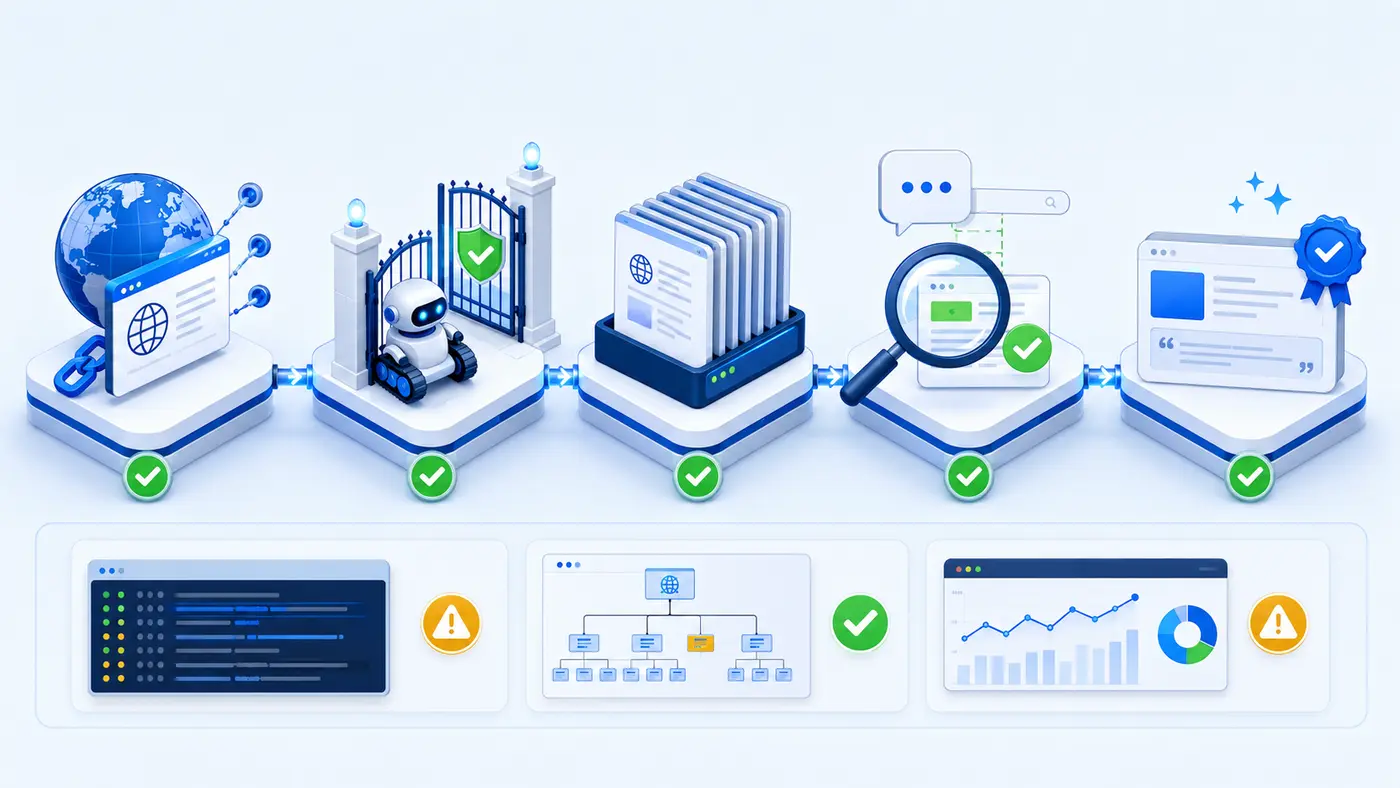
    The initial hypothesis is often “AI does not understand our content.” That may be true, but it is incomplete until access and indexability are tested. Diagnose the pipeline in order: retrieval, parsing, discovery, relevance, evidence quality, and citation selection. A failure early in the pipeline makes downstream content polishing irrelevant.

    StageQuestionUseful evidence
    AccessCan the intended crawler retrieve the page?HTTP response, robots rules, edge and origin logs
    DiscoveryCan the platform find the URL or entity?Indexed URL checks, fixed prompts, cited-source exports
    RelevanceDoes the page directly answer the tracked query?Query-to-section mapping and competitor source comparison
    EvidenceDoes the page provide verifiable, attributable value?Original data, named methodology, dates, authors and sources
    CitationIs the site linked in the answer?Dated answer capture and exact destination URL

    Important: A user-agent-only request is a behaviour test, not proof that genuine crawler traffic reached the site. Authenticate real bot activity using trusted server or edge logs and the operator’s current published IP information where available.

    Intervention plan: prioritize changes, not activity

    A defensible intervention plan fixes the highest-impact verified constraint first. If a security rule returns 403 to a legitimate crawler, resolve that narrow access problem before rewriting dozens of pages. If access is healthy but the page gives generic advice, strengthen the page with a direct answer, original evidence, clear definitions, and sources. Changes should be recorded individually so the team can connect outcomes to a plausible mechanism.

    • Repair confirmed HTTP, redirect, robots, canonical, or rendering failures.
    • Align one representative page with one tightly defined prompt group.
    • Add original evidence: a test, benchmark, worked example, screenshot, or downloadable method.
    • Clarify organization, author, date, and subject entities in visible page content.
    • Improve internal links from the relevant pillar and supporting diagnostic pages.
    • Avoid unrelated redesigns, mass schema changes, and simultaneous site-wide rewrites during the test.

    Implementation timeline

    WeekActionReason
    0Freeze prompt set and capture baselineCreates a comparison point before changes
    1Fix verified access or delivery failuresRemoves hard retrieval barriers
    2Improve one target page and supporting internal linksLimits variables and strengthens relevance
    3–4Allow discovery time; continue scheduled testsPrevents constant edits from contaminating the window
    5Compare results and inspect cited destination URLsSeparates a real citation from a brand mention
    6Retest variants and document limitationsChecks whether the observation repeats

    Measurement method for a first AI citation

    Run the same prompt matrix on a fixed schedule. Do not repeatedly regenerate answers until a desired result appears. Store every observation, including failures. For each response, mark retrieved, found, mentioned, cited, and correct-destination as separate Boolean fields. A first citation is the first dated answer that links to a URL controlled by the studied site.

    prompt_id | date | platform | retrieved | mentioned | cited | destination_url | screenshot_id

    The primary outcome can be reported as cited responses divided by all scheduled responses. Also report the number of unique prompts producing a citation and the number of unique destination URLs. These denominators prevent one repeated success from looking like broad visibility.

    Illustrative before-and-after results

    Illustrative data only: The following numbers demonstrate honest reporting format. They are not Visible Pilot client results and must not be reused as a testimonial.

    MetricIllustrative baselineIllustrative comparison window
    Scheduled prompt observations4040
    Successful target-page retrieval checks8 of 1010 of 10
    Answers mentioning the example brand2 of 406 of 40
    Answers citing the example site0 of 403 of 40
    Unique prompts with a citation02
    Unique cited destination URLs01
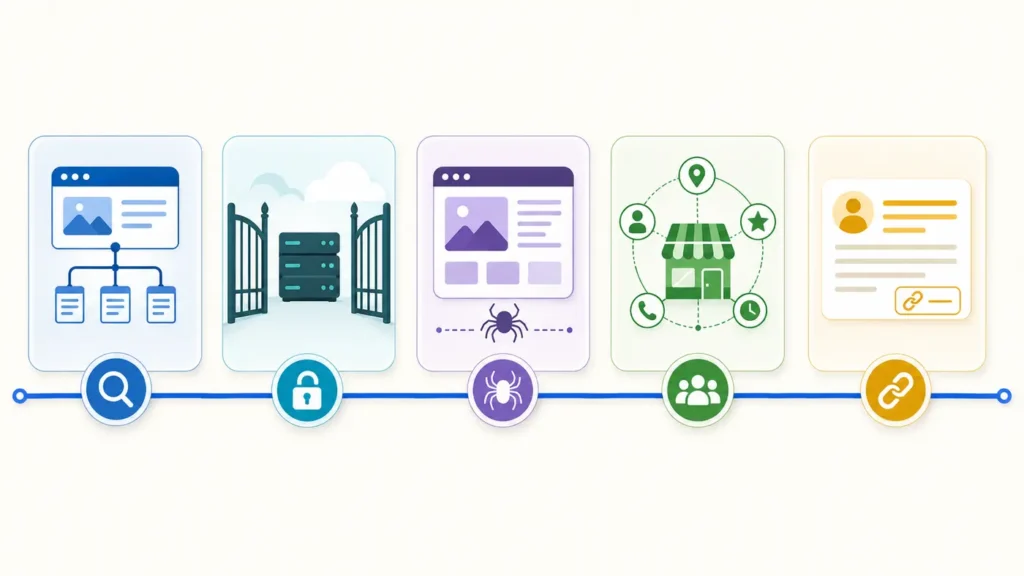
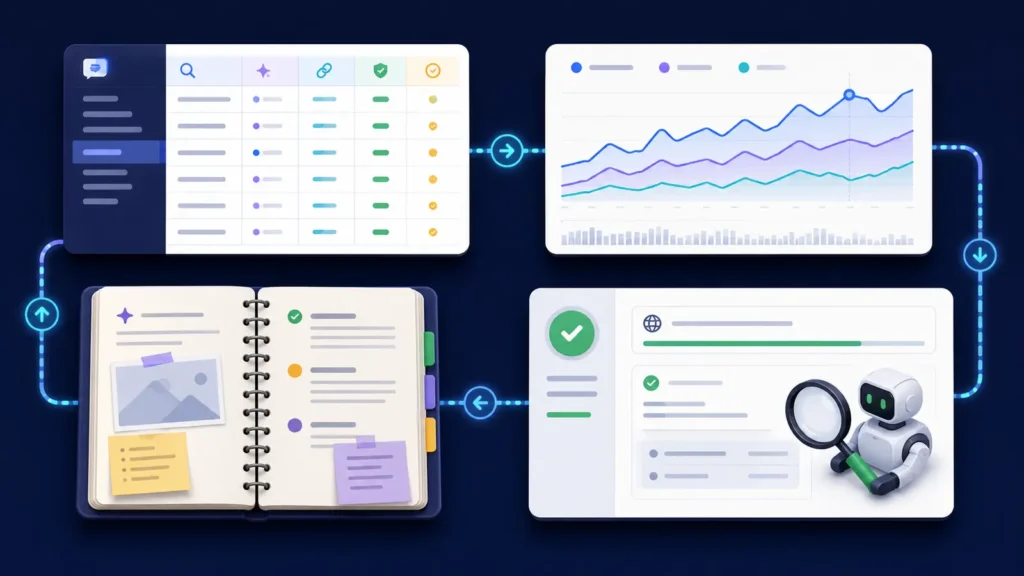
    Before and after AI citation verification with documented change timeline
    Before-and-after evidence should connect the intervention timeline to the exact cited destination URL.

    In this example, the defensible claim would be narrow: the site moved from zero cited answers in the 40-observation baseline to three cited answers in the 40-observation comparison window. It would not prove a permanent ranking, platform-wide inclusion, or a 7.5% universal citation rate.

    What likely caused improvement—and what cannot be proven

    If the only documented changes were an access fix, a focused evidence page, and stronger internal links, those changes are plausible contributors. The access fix has the clearest mechanism when logs show a previous block and later successful retrieval. Content improvements are harder to isolate because platform indexes, answer systems, competing sources, and model behaviour also change.

    The study cannot prove that one heading, schema field, file, or phrase caused the citation. Nor can it show that every AI platform discovers sources in the same way. Correlation becomes more persuasive when the outcome repeats across scheduled tests, the cited page matches the intervention, and control pages remain unchanged.

    Evidence and screenshots a publishable case study needs

    • Unedited baseline and comparison answer captures with dates.
    • The exact cited URL, not merely the brand name visible in an answer.
    • Before-and-after retrieval evidence for the same representative URLs.
    • A change log showing the page, deployment date, owner, and reason.
    • Search or index evidence relevant to the tested platform, without claiming it guarantees citation.
    • A public methodology readers can reproduce, plus disclosed exclusions and failed tests.

    Privacy can be protected by redacting personal data, authentication tokens, query parameters, and unrelated log entries. Redaction should not remove the evidence needed to verify the conclusion.

    Lessons readers can transfer

    Start with one problem, one page group, and one measurement protocol. Preserve the baseline before editing. Repair observable access failures before chasing speculative optimization tactics. Give an answer system something worth citing: original data, a reproducible test, a precise definition, or a uniquely useful comparison. Finally, report denominators and failures alongside wins.

    Practical rule: If a reader cannot distinguish access, mention, and citation—or cannot see how many attempts were made—the case study is not yet strong enough to guide a business decision.

    Common interpretation mistake

    The most common error is treating a single generated answer as a stable index position. AI answers are probabilistic and may change between runs. Another mistake is assuming a homepage opening in a user-triggered session proves automatic search discovery. Platform crawlers, user-triggered agents, traditional search eligibility, and citation selection can have different controls and evidence.

    Frequently asked questions

    How many prompts should a case study track?

    Use enough prompts to represent the real customer questions being studied, then keep that set fixed. Ten carefully chosen prompts tested on a schedule are more interpretable than hundreds of changing prompts.

    Does crawler access guarantee an AI citation?

    No. Access removes one possible barrier. The page must still be discovered, understood as relevant, judged useful, and selected as a source for a particular answer.

    Is one citation enough to claim success?

    It is enough to record a first observed citation, but not enough to claim stable visibility. Continue the scheduled test and report repetition, unique prompts, unique URLs, and failed observations.

    Should a case study compare different AI platforms?

    Yes, but results should remain platform-specific. Different systems use different discovery, retrieval, and answer processes, so combine them only in a clearly labelled portfolio summary.

    Can structured data create citations?

    Structured data can clarify entities and page meaning when it accurately matches visible content, but it is not a citation switch. Treat it as supporting machine readability, not guaranteed placement.

    Next step: request a Visible Pilot audit

    If your website has no observed AI citations, begin with evidence rather than assumptions. Review why AI search engines cannot find a website and the guide to why ChatGPT cannot read a website, then request a Visible Pilot audit to document access, discovery, content evidence, and a repeatable measurement baseline.

    A trustworthy from zero AI citations to first citation case study does not promise a permanent ranking. It shows the exact observation, the denominator, the cited URL, the changes made, and the limits of causal certainty.
  • AI Indexing Problems Troubleshooting Checklist

    AI Indexing Problems Troubleshooting Checklist

    An AI indexing problems troubleshooting checklist should answer one question at a time: can a platform discover, fetch, interpret and retrieve this page? If your website is missing from ChatGPT, Perplexity, Gemini or another AI-assisted search experience, do not jump straight to rewriting content. Start with access and delivery, preserve evidence, and move forward only after each layer passes.

    This checklist is for site owners, marketers and technical SEO teams who need a repeatable diagnosis. It prevents the most expensive mistake in AI visibility work: changing many things at once and then guessing which change mattered. Use one representative commercial page, one article and the homepage. Record the same evidence for all three.

    Quick answer: an AI platform not mentioning your site does not prove that your site is absent from a single shared “AI index.” Platforms use different crawlers, retrieval systems, conventional search signals and answer-generation rules. A page may be crawlable yet not selected for a prompt; it may also be indexed by Google but blocked from an AI search crawler.

    Before you start: pages, access, tools and baseline evidence

    Choose three stable URLs rather than testing the whole site. For each URL, record the canonical URL, HTTP status, robots.txt result, robots meta directives, X-Robots-Tag headers, rendered main text, internal links, sitemap presence and the date of your platform tests. Save screenshots or response headers so another person can reproduce the check.

    • Representative URLs: homepage, high-value service or product page, and one useful knowledge article.
    • Access tools: a browser, command-line HTTP client or header checker, robots.txt tester, server/CDN logs and Google Search Console where available.
    • Platform evidence: fixed prompts tested in fresh sessions, exact answer text, cited URLs, location or language settings and test time.
    • Change log: what changed, when it went live and the earliest reasonable retest date.

    Do not use private or sensitive pages as test URLs. If content should not be public, protect it with authentication. Robots.txt is crawler guidance, not an access-control system.

    Check 1: discovery and crawler access

    Open /robots.txt on the domain and inspect the rules for the crawler you care about. OpenAI states that OAI-SearchBot is used to surface websites in ChatGPT search results and recommends allowing both the user agent and its published IP ranges. Perplexity similarly documents PerplexityBot for surfacing and linking websites in its results. These are purpose-specific controls; training crawlers and user-triggered fetchers may use different names and policies.

    A clean-looking robots.txt file is not enough. Confirm that the file returns a normal HTTP response, that the tested URL is not covered by a broader disallow rule, and that CDN or web application firewall rules do not challenge the crawler. Verify genuine crawler traffic against each provider’s published IP information where available; a user-agent string can be spoofed.

    1. Fetch the exact URL with a normal browser user agent and the relevant documented crawler user agent.
    2. Check status, redirects, response time and final destination.
    3. Review CDN/WAF security events for blocks, challenges, rate limits or bot-score rules.
    4. Confirm the URL is linked internally and included in the intended XML sitemap.
    5. Record pass, warning or fail; do not rewrite the page until access failures are resolved.

    Check 2: technical delivery, rendering and index controls

    The target page should normally return 200 OK. Repeated 403, 429 or 5xx responses create an access problem; redirect chains and soft 404s create ambiguity. Inspect the final HTML for noindex, conflicting canonical tags and an X-Robots-Tag header. Google’s documentation makes an important distinction: robots.txt controls crawling, while noindex controls indexing when the crawler can access and see that directive.

    Render the page as a crawler would receive it. If the meaningful answer, product facts or entity details appear only after a click, login, consent interaction or failed JavaScript request, retrieval systems may receive an incomplete page. Primary content should be present in stable HTML or reliably rendered without user interaction.

    TestPassWarning / fail
    HTTP delivery200 response; stable final URL403, 429, 5xx, loop, soft 404
    Index controlsIntended canonical; no accidental noindexConflicting canonical, meta robots or X-Robots-Tag
    RenderingMain answer and facts visibleEmpty shell, interaction-only content, JS error
    ResourcesRequired CSS/JS accessibleBlocked assets make content hard to interpret

    Fix priority: access and HTTP failures are critical; accidental index controls are critical; rendering gaps are important. Cosmetic structured-data improvements come later because they cannot compensate for a page that cannot be fetched.

    Check 3: content clarity, entities and source signals

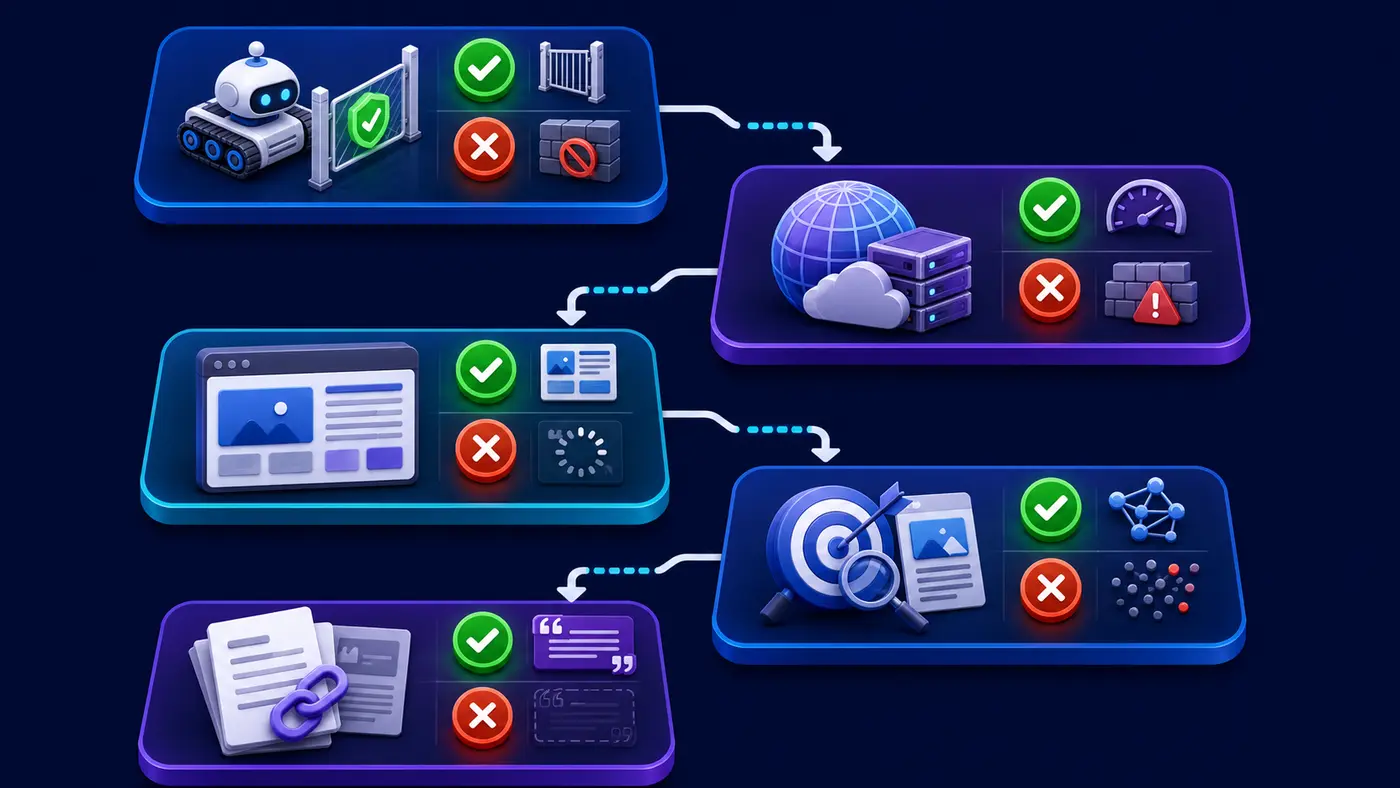
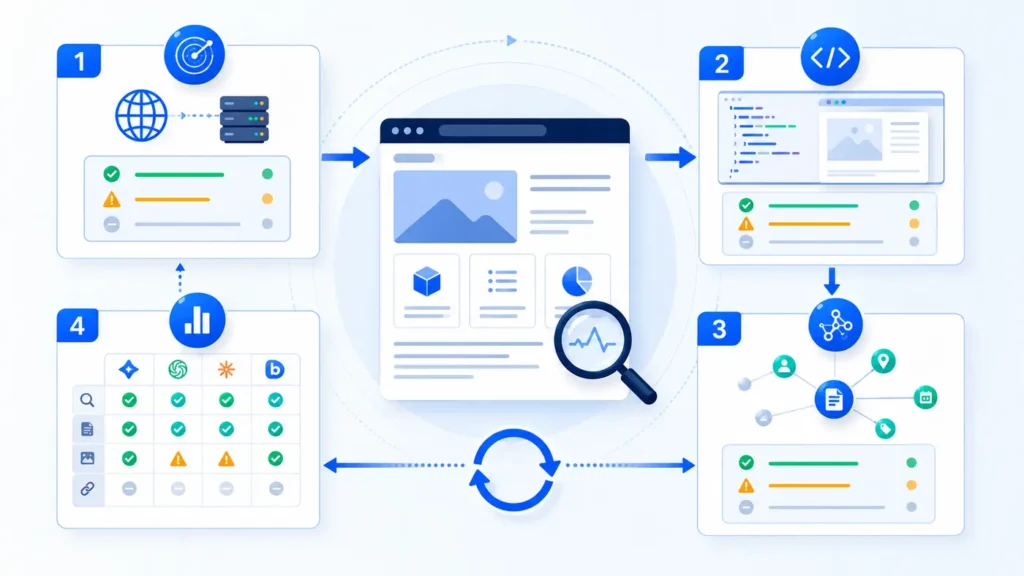
    Four-step AI indexing troubleshooting workflow for fetch, render, entity clarity and repeatable platform testing
    A repeatable AI indexing diagnostic moves from access and rendering to content clarity and platform retesting.

    Once delivery passes, inspect whether the page can be understood without surrounding brand knowledge. The title, main heading and opening paragraph should agree on the page’s purpose. Name the organization, product, location or subject consistently. Explain claims with dates, methods and sources where appropriate. Link to the relevant author, about, policy, contact and supporting pages so the entity is not isolated.

    Useful content is not the same as keyword repetition. A strong page resolves a distinct question, states boundaries, includes verifiable facts and is easy to quote accurately. Add original examples, comparisons, screenshots or measurements when they genuinely help. Do not manufacture statistics, reviews or “AI citation” results.

    • Topic clarity: one primary question is answered early and supported in depth.
    • Entity clarity: names, relationships, locations and ownership are explicit and consistent.
    • Evidence: important claims identify a source, method, date or limitation.
    • Page relationships: descriptive internal links connect the page to its pillar and adjacent troubleshooting content.
    • Freshness: dated facts are reviewed and materially changed pages show an updated date.

    Structured data is supporting evidence, not a visibility switch. Use schema that matches visible content and the actual page type. Do not add misleading markup or expect it to force an AI platform to cite the page.

    Check 4: platform test and pass/fail recording method

    Test retrieval only after the technical checks pass. Use a fixed prompt set that represents brand, category and problem intent. Repeat each prompt in fresh sessions, note whether the site is found, mentioned or cited, and save every cited URL. Run the same prompts on multiple dates because answers and source selection can vary.

    OutcomeMeaningNext action
    Found and citedThe tested answer includes a link to your pageVerify accuracy; monitor repeatability
    Mentioned, not citedBrand appears but your URL is absentImprove source clarity and test narrower prompts
    Another page citedDomain is discoverable; URL selection differsStrengthen internal linking and page-topic fit
    Not foundNo evidence in this testReturn to access, indexing and entity checks
    InconsistentResults change across sessionsIncrease sample size; avoid a binary conclusion

    A practical pass condition is not “one prompt cited us once.” Define it before testing—for example, all three URLs are fetchable, contain no accidental index block, render their primary content, and a fixed prompt set is repeated across three dates with results recorded. Platform citation remains an observed outcome, not a guarantee.

    Prioritization table: critical, important and improvement items

    PriorityExamplesAction
    CriticalBlocked crawler, 403/429/5xx, accidental noindex, broken canonicalFix first and retest the exact URL
    ImportantThin rendered HTML, weak discovery links, unclear ownership or entity factsRepair after access passes
    ImprovementBetter summaries, evidence tables, schema, update notesApply selectively and measure
    MonitorAnswer volatility, delayed recrawl, prompt-dependent source choiceRepeat tests on a defined schedule

    Evidence and screenshots to include

    A defensible diagnosis should include the robots.txt rules in effect, response headers, redirect destination, rendered page view, canonical and robots directives, sitemap or internal-link evidence, relevant crawler-log rows, and platform answers with cited URLs. Remove personal data and security-sensitive information before sharing logs.

    Keep raw evidence separate from interpretation. “The server returned 403 to a verified crawler request at 10:42 UTC” is evidence. “The platform ignored our brand” is an interpretation. This separation helps developers reproduce failures and prevents marketing teams from overclaiming causation.

    Common interpretation mistake

    The most common mistake is treating a single AI answer as a stable index. A missing citation may reflect prompt wording, location, freshness, retrieval ranking, answer composition or platform policy—not only crawling. Likewise, a conventional Google ranking does not prove that every AI search crawler can access the page. Diagnose the pipeline in order and compare like-for-like tests.

    AI indexing problems troubleshooting checklist: quick recap

    1. Select representative URLs and save a baseline.
    2. Verify documented crawler access, IP authenticity and CDN/WAF behavior.
    3. Confirm 200 delivery, intended redirects, canonical and index directives.
    4. Ensure primary content renders without user interaction.
    5. Strengthen topic, entity, source and internal-link clarity.
    6. Retest fixed prompts in fresh sessions and record found, mentioned and cited separately.
    7. Change one layer at a time, then preserve the before-and-after evidence.

    Frequently asked questions

    Does Google indexing guarantee visibility in ChatGPT or Perplexity?

    No. Google indexing is useful evidence that a page can participate in Google Search, but ChatGPT and Perplexity publish their own search crawler guidance and may use different retrieval and answer-selection processes. Test each target platform independently.

    Should I allow every AI crawler in robots.txt?

    Not automatically. Decide by crawler purpose, your publishing policy and risk requirements. Allow only the access that supports your goals, and use each provider’s current documentation. Never expose private information simply to improve visibility.

    How quickly should I retest after a fix?

    Retest HTTP delivery immediately, because the server response should change at once. Recheck logs as new crawler visits occur. Platform discovery or citations may take longer and have no guaranteed schedule, so use dated repeat tests rather than promising a fixed number of days.

    Can schema markup fix an AI indexing problem?

    Schema can clarify facts when it accurately matches visible content, but it cannot repair blocked crawling, server errors, accidental noindex directives or missing main content. Treat it as an improvement after critical delivery issues pass.

    What is the best proof that the problem is fixed?

    Use layered proof: the target crawler is allowed, the URL returns the intended content, the rendered page exposes the main facts, logs show successful access where available, and repeated platform tests are recorded. A single citation is encouraging, but it is not a permanent guarantee.

    Next step

    Use this checklist on the homepage, one commercial page and one article, then compare failures by layer. For the broader context, read Why AI Search Engines Cannot Find Your Website. To see a platform comparison, continue with ChatGPT vs Perplexity website discovery.

    Want a cleaner baseline? Get the Visible Pilot AI Search Readiness checklist and record crawler access, rendered content, entity clarity and platform evidence in one place.

    Official references

  • ChatGPT vs Perplexity Website Discovery

    ChatGPT vs Perplexity Website Discovery

    ChatGPT vs Perplexity website discovery is not a contest with one universal winner. Both can surface and cite public web pages, but they use different search systems, crawler identities and answer-selection processes. For a website owner, the practical decision is not which platform is “better.” It is how to make important pages technically accessible, test each platform consistently and measure discovery without confusing one favorable answer with permanent visibility.

    Short answer: optimize and test both. Allow the relevant search crawlers, deliver useful HTML without security challenges, connect important pages through internal links and sitemaps, and publish clear evidence that matches real questions. Then track four separate outcomes—found, mentioned, cited and successfully retrieved—because each proves something different.

    ChatGPT vs Perplexity website discovery: the meaningful difference

    ChatGPT search can search the web and return linked sources. OpenAI identifies OAI-SearchBot as the crawler associated with search discovery, while ChatGPT-User supports certain user-triggered visits. Perplexity identifies PerplexityBot as the crawler intended to surface and link sites in its search results, while Perplexity-User supports user actions that may fetch a page for an answer.

    That distinction matters because a direct URL can open during a user request even when automatic discovery is weak or blocked. Conversely, a crawler may fetch a page successfully without that page being selected as a citation for your test question. Technical access is an eligibility layer, not a promise of visibility.

    Decision rule: use ChatGPT and Perplexity as separate measurement channels. Do not infer one platform’s access, index state or citation behavior from the other platform’s result.

    Definitions and boundaries

    ChatGPT website discovery

    For publishers, the relevant search control is OAI-SearchBot. OpenAI’s publisher guidance says sites that allow it can appear in ChatGPT search answers and can track referrals that include utm_source=chatgpt.com. GPTBot is a separate control for potential model training; allowing or blocking GPTBot does not substitute for an OAI-SearchBot decision.

    ChatGPT-User is different again. It may visit a page because a user asked ChatGPT to open or work with that URL. A successful visit is useful evidence that the page can be retrieved in that situation, but it does not establish automatic search discovery.

    Perplexity website discovery

    Perplexity’s official crawler documentation says PerplexityBot is designed to surface and link websites in Perplexity search results and is not used to crawl content for foundation-model training. Perplexity-User supports user-triggered requests and is not the automatic web crawler. The company publishes separate IP ranges for each identity.

    Neither system exposes a publisher-facing, complete index report comparable to a list of every eligible URL. That means testing should combine infrastructure evidence, analytics and repeatable prompt observations rather than relying on a single answer screen.

    Side-by-side comparison

    DimensionChatGPTPerplexity
    Search crawlerOAI-SearchBotPerplexityBot
    User-triggered retrievalChatGPT-UserPerplexity-User
    Training controlGPTBot is controlled separatelyPerplexity says PerplexityBot and Perplexity-User are not training crawlers
    Publisher evidenceServer/CDN logs, ChatGPT referral URLs, cited pages, repeat prompt testsServer/CDN logs, cited pages, published crawler IP ranges, repeat prompt tests
    Best interpretationAccess enables consideration; it does not guarantee a citationAccess enables consideration; it does not guarantee a citation
    Cost to be crawlableNo platform fee; implementation and monitoring effort may applyNo platform fee; implementation and monitoring effort may apply
    Main limitationResults vary with query, source mix and session contextResults vary with query, source mix and session context

    Discovery and access implications

    Start at the delivery layer. For each representative page, confirm the relevant crawler is not disallowed in robots.txt, the final response is a useful 200 HTML page, and the request is not replaced by a CAPTCHA, cookie wall, login form or JavaScript challenge. Inspect CDN, WAF and origin logs because the robots file cannot reveal downstream blocking.

    Keep crawler controls explicit when your policy requires different treatment. A simple example might allow search discovery while independently restricting training:

    User-agent: OAI-SearchBot
    Allow: /
    
    User-agent: PerplexityBot
    Allow: /
    
    User-agent: GPTBot
    Disallow: /

    Security note: a crawler name in a user-agent header is not authentication. Anyone can copy it. Use a controlled user-agent request to reveal how your infrastructure behaves, but verify genuine traffic with the source IP captured in trusted logs and the platform’s current official IP ranges.

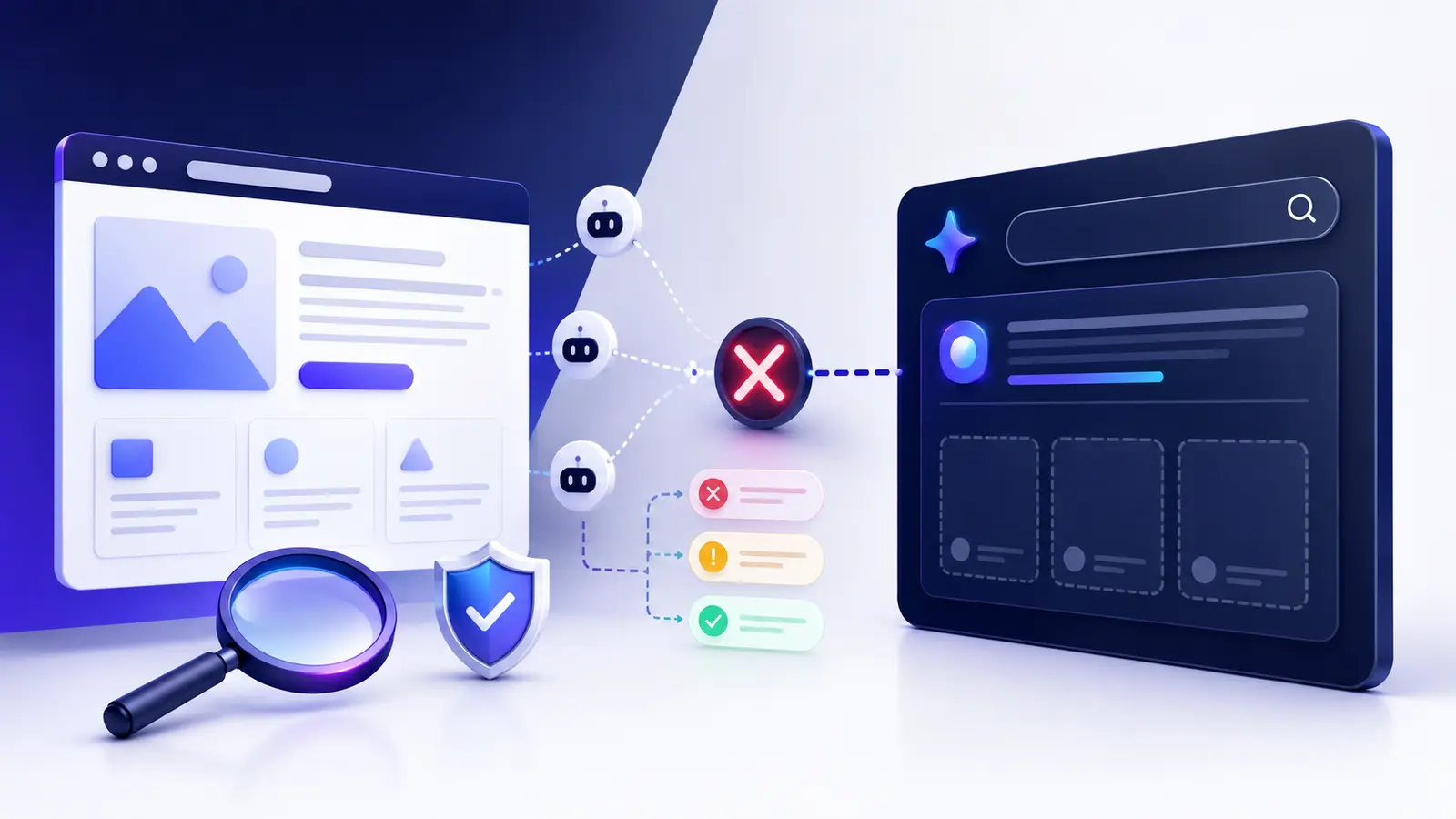
    Crawler access verification for ChatGPT and Perplexity
    Verify robots rules, HTTP delivery, security events and crawler identity before interpreting citations.

    Measurement, evidence quality and repeatability

    A reliable comparison needs stable inputs. Select a small group of URLs: the homepage, a commercial page, a recent knowledge article and an older deep page. For each platform, run the same prompt set in fresh sessions at the same interval. Record the date, exact prompt, whether web search was active, answer text, cited URLs and whether a direct URL request succeeded.

    OutcomeWhat it provesWhat it does not prove
    FoundThe platform identified the site or page for that testThat every important URL is discoverable
    MentionedThe brand or source influenced the answer or was namedThat the tested page was fetched or cited
    CitedA URL was selected as a source for that answerPermanent ranking or repeat selection
    RetrievedA user-triggered request opened the pageAutomatic search-crawler access or citation eligibility
    Crawler 200 in logsThe verified crawler received the page successfullyThat the content was understood or chosen

    Run enough repetitions to spot a pattern. Five fixed prompts repeated weekly for four weeks create a more useful baseline than fifty improvised prompts on one afternoon. Keep the prompt wording and target URL list unchanged, then annotate technical or content changes so an improvement is not assigned to the wrong cause.

    Best choice by scenario

    ScenarioPrioritize firstWhy
    New websiteBoth platforms plus conventional indexing hygieneEarly evidence is sparse; broad accessibility prevents avoidable blind spots
    Suspected technical blockVerified crawler access and logsPrompt testing cannot diagnose a WAF or robots failure by itself
    Strong rankings but few AI citationsQuery fit, original evidence and answer clarityThe site may be accessible but not selected as the best source
    Brand monitoringBoth with a fixed prompt matrixTheir answers and source selection can differ
    Incident responseThe platform showing the symptom, then cross-check the otherThis isolates platform-specific behavior from a site-wide failure
    Ongoing reportingSeparate dashboards, shared definitionsCombining results hides which system actually changed

    Combined workflow: when both should work together

    • Choose representative URLs. Include the homepage, one revenue page and at least two useful articles.
    • Verify delivery. Check robots rules, redirects, final status, rendered main content, canonical and index controls.
    • Authenticate crawler evidence. Match logged source IPs against each operator’s current published ranges.
    • Run fixed prompts. Use brand, category, problem and exact-page questions in fresh sessions.
    • Classify the result. Mark found, mentioned, cited and retrieved separately.
    • Make one controlled change. Fix the highest-confidence access or content gap without changing everything at once.
    • Retest on schedule. Compare the same pages and prompts, preserving screenshots and logs.

    Healthy pass condition: each important URL returns useful HTML to verified search-crawler traffic, shows no conflicting index controls, is internally discoverable, and can be retrieved directly. Citation frequency should be reported as an observed rate across a defined prompt sample—not as a guaranteed ranking.

    Test ChatGPT vs Perplexity website discovery yourself

    Create a matrix with four prompt types. Use a navigational query for your brand, a category query describing the service, a narrow problem solved by a specific article and an exact-URL request. Repeat every test in a fresh session and avoid follow-up wording that supplies the answer or domain name unless that is the test’s stated purpose.

    Prompt typeExample structureRecord
    NavigationalWhat is [brand] and what does it offer?Found, mentioned, cited domains
    CategoryWhich tools help with [specific task]?Rank/order is less important than source selection
    ProblemWhy does [narrow symptom] happen?Whether the most relevant article is cited
    Exact URLOpen and summarize [URL]Retrieval success, final URL and content accuracy

    If the direct URL opens but category and problem prompts never surface the site, focus on discovery, topical relevance and source quality. If neither platform can retrieve the page and trusted logs show 403 or challenge responses, fix access first. If one platform works and the other fails on the same URL, compare crawler-specific rules, IP verification and security events before rewriting content.

    Evidence to capture

    Save dated screenshots of answers and citations, but pair them with stronger machine evidence: the requested URL, final response code, redirect chain, response headers, robots rule evaluated, CDN/WAF event, source IP, verified IP-range match and analytics referral. Also record publication and update dates, canonical URLs, sitemap membership and the internal page linking to the target.

    ChatGPT vs Perplexity website discovery test matrix
    Measure found, mentioned, cited and retrieved outcomes with a fixed prompt matrix.

    This evidence separates a platform observation from a root cause. A missing citation could be ordinary source selection; a verified crawler receiving a 403 is a technical fact. Treat those with different confidence levels.

    Common mistakes

    • Treating a single answer as a stable index. AI answers vary; use a defined sample and schedule.
    • Testing only the homepage. Directory rules and templates often behave differently on deep pages.
    • Confusing user retrieval with automatic discovery. The user-triggered agents and search crawlers have different roles.
    • Trusting a copied user-agent. Authenticate genuine traffic using trusted logs and official IP data.
    • Assuming access guarantees citation. Relevance, originality, freshness and answer fit still affect selection.
    • Changing technical and content variables together. Make the smallest safe change so the result remains interpretable.

    Frequently asked questions

    Is ChatGPT better than Perplexity for website discovery?

    Not universally. Both can discover and cite web pages, but their search systems and source selection differ. Measure the prompts and audiences that matter to your business on both platforms.

    Should I allow OAI-SearchBot and PerplexityBot?

    If you want eligible public pages to be available for their search experiences, their official publisher guidance recommends allowing the relevant search crawler. Apply the decision only to content you intend to expose, and keep security controls narrow and verified.

    Does blocking GPTBot remove my site from ChatGPT search?

    GPTBot is the training crawler, while OAI-SearchBot is the search-discovery crawler. OpenAI documents them as separate controls, so define each policy independently.

    Why does Perplexity cite my page while ChatGPT does not?

    The difference may come from access rules, source availability, query interpretation, freshness or answer composition. Compare verified crawler access and repeat the same prompt sample before concluding that one platform has permanently indexed or excluded the page.

    How often should I retest?

    Weekly testing is usually enough for a new baseline or active fix; monthly testing is more practical for steady monitoring. Use the same URLs, prompts and evidence fields each time.

    Official references

    Next step: check your website’s AI discoverability

    Use the same evidence-led process across both platforms, then work through the AI search readiness checklist for business websites and the AI search indexing problems guide. The goal is not to manufacture a one-off citation; it is to remove access barriers, publish useful source material and build a repeatable record of how each platform discovers your site.

    Final takeaway: ChatGPT vs Perplexity website discovery should be measured independently with shared definitions. Make important pages accessible, verify real crawler traffic, test fixed prompts and distinguish being found from being cited. That produces evidence you can improve—without pretending either platform offers guaranteed placement.

  • How Long Does It Take to Appear in AI Search?

    How Long Does It Take to Appear in AI Search?

    How long does it take to appear in AI search? For a technically healthy page, discovery may begin within days or weeks, but there is no guaranteed deadline for an AI platform to mention or cite it. A page must first be discoverable and accessible, then indexed or available to the platform’s retrieval systems, relevant to a specific prompt, and finally selected as a useful source. Each stage can finish at a different time.

    Quick answer: Use days to weeks as a practical monitoring window for crawling and conventional indexing—not as a promise of an AI citation. Google says recrawling can take a few days to a few weeks, while OpenAI explains the access controls needed for ChatGPT Search but publishes no fixed inclusion timetable. If a new page remains undiscovered after several weeks, diagnose the pipeline instead of simply waiting.

    The short answer to “how long does it take to appear in AI search”

    There are two honest answers. The first is that a crawl or recrawl can happen relatively quickly when a site is established, internally linked, technically accessible and frequently updated. The second is that appearing in an AI-generated answer is not a scheduled consequence of that crawl. The system must decide that the page is relevant, trustworthy and useful for a particular question.

    For Google’s AI Overviews and AI Mode, a supporting page must be indexed and eligible to appear in Google Search with a snippet. Google states that there are no extra technical requirements beyond normal Search eligibility. Its documentation also warns that crawling, indexing and serving are never guaranteed. ChatGPT Search has a different control path: publishers should allow OAI-SearchBot if they want their content included in summaries and snippets. Access enables consideration; it does not reserve a place in an answer.

    A realistic timing framework

    StageWhat you can observePractical interpretation
    DiscoveryURL appears in a sitemap, internal links or crawler logsMay happen quickly on active sites; new or isolated sites can take longer
    Crawl and renderingSuccessful 200 response, usable HTML and required resourcesOften days to weeks, but blocks, timeouts and queues can delay it
    Index or retrieval eligibilitySearch Console indexing evidence or platform-specific access evidenceNecessary for some systems, but not proof of AI visibility
    Mention or citationA controlled prompt returns the brand, page or linked sourceVariable by query, location, freshness, model and competing sources
    Stable visibilityRepeated tests show similar results over timeRequires monitoring; one answer is not a permanent listing

    Do not turn this table into a countdown. The ranges describe what to monitor, not a service-level guarantee. A page can be crawled today yet remain absent from answers because the query does not need it, stronger sources exist, or the platform is using a different retrieval route.

    What can be measured reliably—and what remains platform-dependent

    Reliable evidence lives on your side of the connection. You can confirm that the URL returns a 200 status, is not blocked by robots.txt, does not carry a noindex directive, renders its main information in the delivered HTML, appears in an XML sitemap, receives internal links and is requested by verified crawlers. For Google, Search Console can show whether a URL is indexed and allow a crawl request for selected pages.

    What you cannot measure as a universal fact is an “AI indexing date.” AI products do not all use one shared database or refresh schedule. Some answers may use live web search, some may combine several searches, and some may not need the web at all. Even when a page is available, selection changes with the wording of the question, the user’s location, current events and the competing evidence.

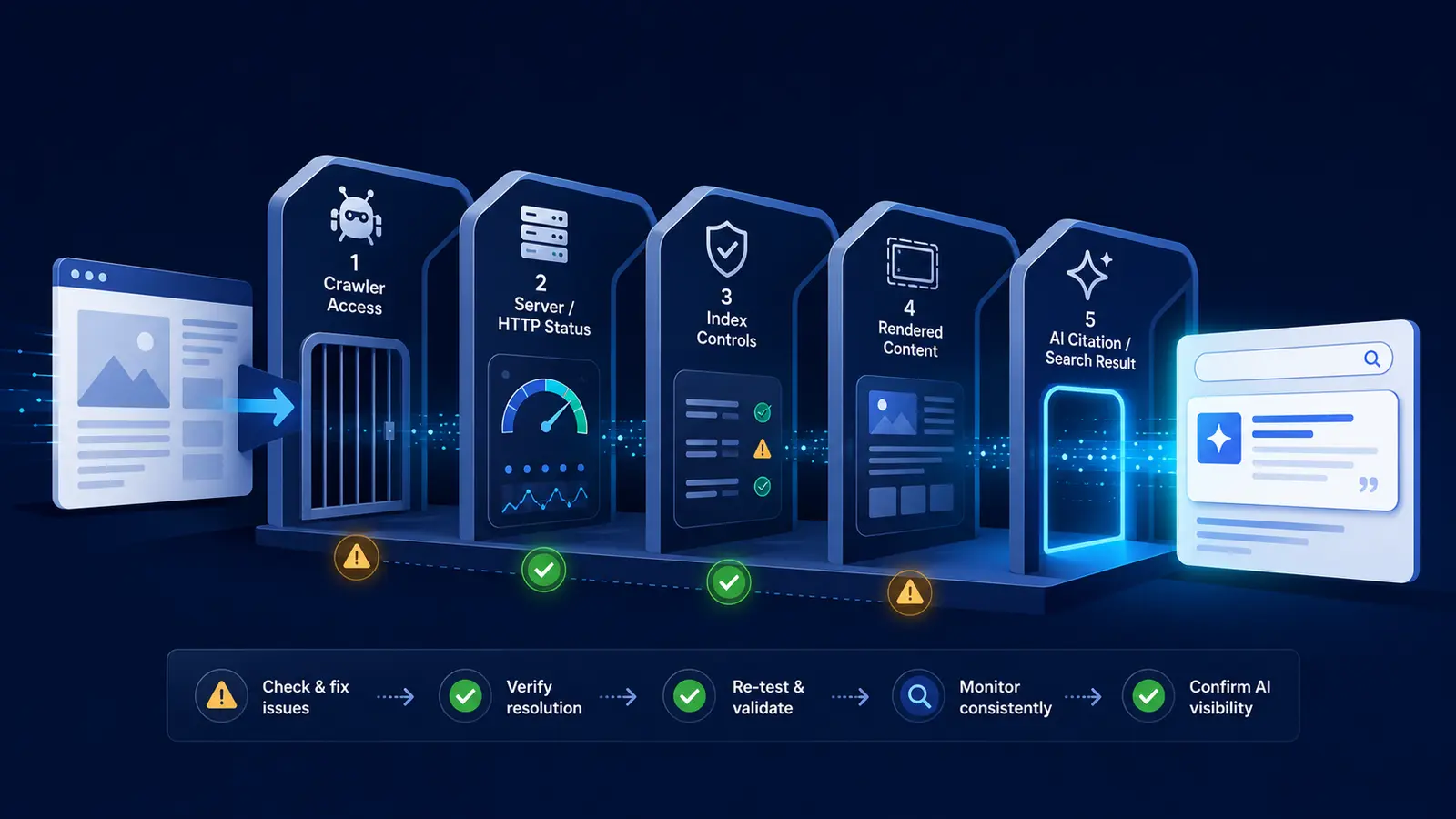
    Important distinction: crawl access, indexing, retrieval, mention and citation are five different outcomes. Passing the first four does not force the fifth.

    Five-stage diagnostic for appearing in AI search from discovery to citation
    Diagnose discovery, crawler access, indexing, retrieval relevance and citation separately.

    Five factors that change how long it takes

    1. Crawler access and HTTP delivery

    A crawler cannot evaluate content it cannot fetch. Check robots.txt, meta robots directives, authentication, redirect loops, rate limits, CDN bot rules and web application firewall events. Test several representative inner pages, not only the homepage. A homepage can return 200 while deeper URLs are blocked by path rules or security challenges.

    2. Discovery paths and site freshness

    New pages are normally found through crawlable internal links and sitemaps. Google notes that sitemaps help discovery but do not guarantee crawling or indexing. A new website with few external links may take longer because crawlers have fewer established paths into it. Link the article from a relevant hub, keep the sitemap current and avoid publishing orphan pages.

    3. Authority and evidence quality

    A technically perfect page can still lose to a source with stronger first-hand evidence, clearer attribution or broader recognition. Include identifiable authorship, a precise publication or update date, primary references, concrete examples and claims that can be checked. AI visibility is not only a technical waiting problem; it is also a source-selection problem.

    4. Content fit for the prompt

    A broad landing page may be discoverable but poorly matched to a narrow question. Make the page answer one identifiable intent, state the qualified answer early, use descriptive headings and explain limitations. This does not guarantee selection, but it gives retrieval systems clearer material to match and quote.

    5. Platform and model behavior

    The same page can appear in Google AI Mode, remain absent from one ChatGPT Search response and surface in another platform. Google says its AI features can use query fan-out across related searches and that AI Overviews and AI Mode may use different models and techniques. That variability is a reason to test platforms separately rather than declaring the entire site “indexed by AI.”

    Practical examples with contrasting site conditions

    • Established publisher: a well-linked article on an actively crawled domain may be discovered within days. It can still wait longer for a relevant AI citation because selection depends on the question and competing sources.
    • New business website: a crawlable page may take weeks to gain conventional indexing evidence, especially when the site has few links and little publishing history. Improve discovery signals before assuming an AI-specific block.
    • Technically blocked site: weeks of waiting will not solve a robots.txt disallow, noindex directive, 403 response or JavaScript-only content failure. Repair the failed stage and restart measurement.
    • Indexed but rarely cited page: the next improvement is usually clearer query fit, original evidence and entity clarity—not repeated indexing requests.

    A simple diagnostic you can run today

    Use the same small test set every time so that changes are comparable. Choose the homepage, one commercial page and one knowledge article. Record the date, URL, platform, prompt and exact outcome.

    1. Confirm that every test URL returns a normal 200 response without a login, challenge page or redirect loop.
    2. Review robots.txt and page-level robots directives for the relevant crawler and for conventional search indexing.
    3. Inspect the rendered page and verify that the main answer, title, canonical URL and important links are available without interaction.
    4. Confirm sitemap inclusion and add a relevant internal link from an already discoverable page.
    5. For Google, check URL Inspection and request indexing once when appropriate; repeated requests do not make recrawling faster.
    6. Run a fixed set of specific prompts in fresh sessions. Record four outcomes separately: not found, brand mentioned, page mentioned, and linked citation.
    7. Retest on a consistent schedule—such as weekly for four weeks—without changing several variables at once.

    Evidence beats guesswork: save screenshots of platform answers, Search Console status, the rendered HTML, sitemap membership and verified server-log requests. A dated evidence trail tells you whether the delay is discovery, access, indexing, relevance or selection.

    How to interpret the result without overclaiming causation

    If crawler requests begin after a sitemap or internal-link update, you can reasonably say discovery improved. If a page becomes indexed after a technical fix, you can document the sequence, but you still cannot prove that one change alone caused the timing. If a citation appears, repeat the prompt across sessions and related phrasings before calling it stable visibility.

    Avoid publishing a claim such as “AI search takes 14 days.” A fixed number hides the most useful question: which stage has not completed? The correct next action depends on that answer. Access failures need technical fixes; discovery failures need stronger crawl paths; indexed pages with weak visibility need better evidence and query fit.

    Common interpretation mistake

    The most common mistake is treating a single AI answer as if it were a permanent search index. Generated answers can vary, and platforms discover sources differently. One successful citation is encouraging evidence, not a guaranteed position. Likewise, one failed prompt does not prove that the website is blocked.

    Frequently asked questions

    Can I submit my website directly to every AI search engine?

    There is no universal submission console for all AI products. Use established discovery methods—crawlable links, XML sitemaps and valid search indexing—then follow each platform’s documented crawler controls. Avoid services promising guaranteed AI inclusion by a specific date.

    Does allowing OAI-SearchBot make my site appear immediately?

    No. Allowing OAI-SearchBot helps make content accessible for ChatGPT Search summaries and snippets, according to OpenAI’s publisher guidance. It removes a potential access barrier but does not guarantee when or whether a page will be selected.

    Does Google indexing mean I will appear in AI Overviews?

    No. Indexing and snippet eligibility are technical requirements for supporting links in Google’s AI features, but Google does not guarantee that an AI Overview will appear for a query or that a particular page will be used.

    Should I request indexing every day?

    No. Google states that requesting recrawling multiple times for the same URL will not make it happen faster. Request it once when appropriate, then monitor the URL and fix any reported problems.

    When should I stop waiting and investigate?

    Investigate immediately if the page returns an error, is blocked, has noindex, lacks crawlable links or is absent from the sitemap. When those basics pass, a weekly four-week observation window is more informative than daily random prompts. Escalate based on the failed stage, not simply elapsed time.

    Official sources and further reading

    For a broader diagnostic path, read Why AI Search Engines Cannot Find Your Website. To compare discovery behavior between platforms, continue with ChatGPT vs Perplexity Website Discovery.

    Next step: Check your website’s AI discoverability. Start with access, rendering and indexing evidence before spending another week waiting.

  • ChatGPT Can Open Homepage but Not Inner Pages

    ChatGPT Can Open Homepage but Not Inner Pages

    If ChatGPT can open your homepage but not inner pages, do not assume ChatGPT has indexed the whole site. The homepage may be reached through a user-triggered visit, a navigational result, or an existing link while deeper URLs remain blocked, undiscovered, redirected, or difficult to interpret. The fastest route to a fix is to test the same inner-page URLs at each technical layer and record where the evidence changes.

    Fast answer: compare the homepage with three representative inner pages. Check robots.txt for OAI-SearchBot, final HTTP status, redirects, CDN/WAF events, canonical and noindex directives, rendered HTML, internal links, and server logs. Then repeat a fixed set of ChatGPT search prompts. A page that returns 200 and is crawlable is technically accessible; it is not automatically discoverable or guaranteed a citation.

    Quick diagnosis: ChatGPT can open homepage but not inner pages

    This symptom usually comes from a difference between the homepage template and deeper templates, not a mysterious site-wide penalty. Start by matching what you observe to the most likely failure.

    Observed symptomLikely causeFirst evidence to inspect
    Homepage opens; every inner URL failsPath-based robots, WAF, authentication, or routing rulerobots.txt, edge firewall events, final status
    Some folders failDirectory-specific disallow, geo rule, bot protection, or application middlewareAffected path patterns and response headers
    URL opens directly but is never citedDiscovery, relevance, or citation-selection gapInternal links, sitemap, fixed prompt matrix
    Page shell opens without useful textClient-side rendering or blocked assets/APIRendered HTML and network dependencies
    Only a copied bot user-agent failsSecurity rule reacts to the string; test is not authentic crawler proofWAF rule ID and source-IP verification

    Important distinction: OpenAI says OAI-SearchBot is used for ChatGPT search discovery. ChatGPT-User is used for certain user-triggered visits and is not the automatic search crawler. A successful ChatGPT-User visit does not prove that OAI-SearchBot can crawl the same inner page.

    Symptom map: access, rendering, discovery, or citation?

    1. Access failure

    An access failure occurs before page content can be evaluated. The inner URL may return 401, 403, 404, 429, 5xx, a challenge page, or an endless redirect. Because security systems often treat the root path differently from deeper paths, the homepage can remain open while articles, product pages, or application routes are blocked.

    2. Rendering failure

    The server may return 200 but deliver only an empty application shell, cookie wall, consent overlay, or JavaScript placeholder. If the meaningful heading, answer and internal links appear only after a blocked script or API call, the fetch technically succeeds while the content remains unusable.

    3. Discovery gap

    The page is accessible but poorly connected. Orphan pages, weak internal anchors, absent sitemap entries, unstable canonical URLs, pagination traps and parameter duplicates can make inner content difficult to discover consistently. A homepage link alone may not establish a clear path to every useful page.

    4. Citation-selection gap

    The page is reachable and discoverable, yet ChatGPT does not use it for the tested question. That outcome is not proof of blocking. Search answers vary with the query, available sources, freshness and answer composition. Eligibility removes barriers; it never guarantees selection.

    Three-layer diagnosis for ChatGPT inner-page access
    Separate crawler policy, HTTP delivery and discovery before deciding why inner pages fail.

    Test 1: reproduce the problem on representative URLs

    Choose four URLs: the homepage, a key service or product page, a recently published article, and an older deep page. Avoid testing only one convenient URL. Record the same fields for every page so template and directory differences become visible.

    • Browser baseline: open each URL in a private window and record the final URL, status and visible main content.
    • Normal HTTP request: check the redirect chain, response headers, content type and HTML body.
    • Controlled crawler-identity request: repeat the request with the published OAI-SearchBot user-agent to see whether infrastructure changes its response.
    • Rendered-content check: confirm the page title, H1, primary answer, author or organization, canonical and internal links exist in the delivered content.
    • Trusted logs: inspect CDN and origin events for real requests and rule decisions.
    curl -I -L https://example.com/deep-page/
    
    curl -I -L -A "OAI-SearchBot/1.4; +https://openai.com/searchbot" \
      https://example.com/deep-page/

    Do not treat the user-agent test as authentication. Anyone can copy a crawler name. It is useful for revealing a rule triggered by the string, but genuine OpenAI traffic should be checked against OpenAI’s current published IP ranges using the source IP captured by your trusted edge or origin logs.

    Test 2: repeat a fixed ChatGPT prompt set

    Technical requests and ChatGPT answers measure different things. After the URL checks, run the same small prompt set in fresh sessions and keep the wording unchanged. Test a navigational prompt for the brand, a category prompt, a narrow question answered by the inner page, and a direct request to open the exact URL.

    Result stateMeaningNext action
    Homepage found; inner page not foundPossible discovery or query-fit gapCheck internal links, sitemap and exact topic coverage
    Exact inner URL opensUser-triggered retrieval works in that testStill verify OAI-SearchBot and discovery separately
    Brand mentioned without linkEntity may be recognized, but no citation was selectedImprove source relevance and evidence
    Inner page citedSelected for that prompt and sessionRepeat later; do not call one answer permanent
    Answer varies across sessionsNormal output or source-selection variationMeasure a fixed sample over time

    Capture the date, prompt, session state, answer, cited URLs and whether browsing/search was active. A single favorable or unfavorable answer is not a stable index report.

    Root-cause checks

    Robots directives that differ by path

    Read the complete robots.txt file and evaluate the most specific matching group. Look for directory rules such as Disallow: /blog/, /resources/, /products/ or wildcard patterns that do not affect /. OpenAI’s crawler controls are independent: allowing GPTBot for training does not automatically allow OAI-SearchBot for search, and the reverse is also true.

    User-agent: OAI-SearchBot
    Allow: /
    
    User-agent: GPTBot
    Disallow: /

    After a robots.txt change, do not expect instant evidence. OpenAI notes that its systems may take roughly 24 hours to adjust to a robots update.

    CDN, WAF and rate-limit rules

    Review security-event logs by requested path, user-agent, source IP, country, bot score and rule ID. Common causes include managed bot challenges, blanket datacenter-IP blocks, rate limits applied to content folders, hotlink protection, cache rules, and custom expressions that allow the homepage but challenge all other paths. Prefer a narrow verified-crawler exception over disabling protection for every visitor claiming an AI user-agent.

    Redirects, status codes and soft errors

    Follow the complete redirect chain. Inner URLs may bounce between trailing-slash variants, HTTP and HTTPS, language folders, login routes or canonical hosts. Also inspect the body: a friendly “not found” template can return 200, and a consent or challenge page can hide behind an apparently successful status.

    Index controls and canonical conflicts

    Although ChatGPT search is not Google Search Console, page-level controls still reveal common publishing mistakes. Check unintended noindex, X-Robots-Tag headers, canonical tags pointing to the homepage, duplicate locale URLs and password protection. If every article canonicalizes to the root page, the site is effectively saying that the inner URLs are not the preferred versions.

    Rendering and content delivery

    Compare raw HTML with the rendered page. Important facts should not depend entirely on a client-side API that rejects automated requests. Server-render or pre-render the main heading, summary, article body, authorship, dates and primary internal links. Keep essential content available even if noncritical widgets fail.

    Internal discovery and entity clarity

    Link inner pages from relevant hubs using descriptive anchors, include canonical URLs in a current XML sitemap, and remove orphaned content. Make the publisher identity consistent through the About page, author information, organization details and contact information. These measures improve interpretation but should not be presented as a guaranteed citation formula.

    Fixes ordered by impact, effort, and risk

    PriorityFixImpact / effort / risk
    1Remove accidental 401/403/404/429/5xx, redirect loops and path-specific crawler blocksHighest impact; test narrowly before deployment
    2Correct OAI-SearchBot robots rules and verified-crawler firewall handlingHigh impact; avoid trusting user-agent alone
    3Fix empty rendering, incorrect canonicals, noindex and broken templatesHigh impact; moderate implementation effort
    4Strengthen sitemap inclusion and contextual internal linksModerate-to-high value; low risk
    5Improve the inner page’s direct answer, evidence, authorship and freshnessEditorial effort; necessary when access already passes
    AvoidWhitelisting every request that claims to be ChatGPT or removing the WAF entirelyHigh security risk
    Inner-page access verification workflow
    Use the same URLs and evidence before and after a fix to prove what changed.

    Apply the smallest change that addresses the proven failure. If a WAF rule blocks one verified crawler range on /blog/, change that condition; do not open the entire site to unverified bots. If access passes and the problem is citation selection, do not weaken security repeatedly.

    Verification: exact evidence that proves the fix

    Define a technical pass condition before editing anything. For each representative inner URL, the normal request and a controlled crawler-identity request should reach the intended canonical URL, return 200, deliver meaningful HTML, avoid authentication or challenge pages, and show no blocking event in the relevant security logs.

    • Retest the homepage and the same three inner URLs after deployment.
    • Confirm robots.txt returns 200 and the intended OAI-SearchBot rule applies to each path.
    • Confirm redirects end once at the preferred canonical URL.
    • Check the response body contains the intended H1 and main answer, not a challenge or empty shell.
    • Review CDN and origin logs for status, rule action and source IP.
    • Repeat the unchanged ChatGPT prompt matrix over several dates.
    • Keep technical accessibility and actual citation results as separate measurements.

    Resolved means evidence improved at the failed layer. A technical fix is proven when the representative pages become consistently retrievable under the defined test. A visibility improvement is proven only by repeatable discovery, mention or citation gains across the fixed prompt set. One citation is encouraging, not a permanent guarantee.

    When the website is healthy but ChatGPT still does not cite it

    If every access and rendering check passes, move the investigation from infrastructure to usefulness. Compare the cited sources with your page. Does your inner page answer the exact question early? Does it provide an original test, data, screenshot, worked example or clearly sourced fact? Is the information current and attributable? Is the page about one coherent intent, or is the useful answer buried inside generic marketing copy?

    Do not create dozens of near-duplicate pages or rewrite the article after every prompt. Improve one defensible source, document what changed and allow time for discovery. OpenAI’s guidance explains how to permit search crawling, but it does not promise inclusion or citation.

    Common interpretation mistakes

    • Assuming the homepage proves that the whole domain is accessible.
    • Confusing ChatGPT-User with OAI-SearchBot.
    • Treating a spoofed user-agent string as verified OpenAI traffic.
    • Reading a 200 status without checking the returned content.
    • Changing prompts between tests and calling the results comparable.
    • Assuming every AI platform discovers and cites sources the same way.
    • Believing one answer is a permanent index entry.

    Frequently asked questions

    Why can ChatGPT access my homepage but return an error for blog posts?

    The blog directory may have different robots rules, firewall conditions, redirects, authentication, cache behavior or rendering than the root path. Compare one homepage and several post URLs through the same HTTP and log checks.

    Should I allow GPTBot to appear in ChatGPT search?

    The relevant automatic search crawler is OAI-SearchBot. GPTBot relates to potential training use. OpenAI documents these controls independently, so configure each according to your goals.

    Does ChatGPT-User obey robots.txt?

    OpenAI states that ChatGPT-User supports certain user-initiated actions and robots.txt rules may not apply in the same way. It is not used to determine ChatGPT search inclusion. Use OAI-SearchBot rules for automatic search crawling.

    Can Cloudflare block only inner pages?

    Yes. Path expressions, managed challenges, rate limits, bot scores, country rules and application firewalls can produce different outcomes for / and deeper routes. Use security-event evidence to identify the exact rule.

    Will fixing crawler access guarantee a citation?

    No. It removes an access barrier. Discovery, relevance, source quality and query-specific selection remain separate stages.

    Next step

    When ChatGPT can open the homepage but not inner pages, test four URLs, identify the first failed layer and preserve before-and-after evidence. Start with the AI Search Readiness checklist, then use the crawler testing tutorial and AI crawler IP verification guide for deeper diagnosis.

    Official sources: OpenAI: overview of crawlers; OpenAI: publishers and developers FAQ.

  • Gemini Cannot Find My Business Website

    Gemini Cannot Find My Business Website

    Gemini cannot find my business website is a frustrating symptom, but it does not point to one single fault. Your site may be absent from Google’s index, technically inaccessible, unclear about the business it represents, or simply not selected for a particular Gemini answer. The fastest solution is to test each stage separately instead of changing everything at once.

    Short answer: first confirm that Google can crawl, render and index the exact business pages. Then make your name, services, location and contact facts consistent across the website and eligible Google Business Profile. Finally, repeat the same Gemini prompts in fresh sessions. A technically healthy site can still be omitted from an answer because citation and retrieval are query-dependent.

    Five-stage workflow to diagnose why Gemini cannot find a business website
    Diagnose discovery, access, rendering, business understanding and citation as separate stages.

    Quick diagnosis: why Gemini cannot find your business website

    Start by asking what “cannot find” means. Does Gemini say the business does not exist? Does it know the company but quote an old address? Does it mention competitors without linking to you? Or can it open the homepage when given a URL but fail to answer questions about services? Each symptom belongs to a different layer.

    • The important page is not indexed by Google or was discovered only recently.
    • Robots rules, a noindex directive, login requirement, firewall or server error prevents access.
    • The page renders little useful text until JavaScript runs, or critical resources are blocked.
    • Business facts are incomplete or conflict across the website, Business Profile and trusted listings.
    • The prompt is vague, highly competitive or does not match the page’s subject closely enough.
    • Gemini found the business but chose not to mention or cite it in that particular response.

    Symptom map: access, indexing, understanding or citation

    Observed symptomMost likely layerFirst evidence to check
    The URL is absent from Google SearchDiscovery or indexingSearch Console URL Inspection and sitemap status
    Google shows the page, but facts are wrongEntity clarity or stale informationVisible page content and Business Profile details
    Homepage works, service pages do notInternal access, rendering or linkingStatus codes, robots rules and rendered HTML
    Gemini mentions the brand without a linkRetrieval or citation selectionRepeatable prompts and cited-source record
    Gemini cannot answer after receiving the URLPage delivery or content clarityFetch response, main text and structured data

    Do not use one Gemini answer as an index checker. Generative answers can change by prompt wording, location, session context and product mode. Use Google Search Console and direct technical evidence to establish crawl and indexing status; use Gemini prompts only to measure answer behavior.

    Test 1: reproduce the issue on representative URLs

    Choose three URLs: the homepage, the most important service or product page, and a useful article that answers a customer question. Record the canonical URL, HTTP status, index status, last meaningful update and the exact Gemini prompt used. This prevents a common mistake: fixing the homepage when the missing evidence actually lives on an inner page.

    Run a normal Google search for the brand and inspect each URL in Search Console. Google explains that discovery, crawling and indexing are separate processes; a known URL is not automatically crawled or indexed. If URL Inspection reports a block, redirect, duplicate canonical or server failure, fix that evidence before changing copy.

    Test 2: use a fixed Gemini prompt set

    Open fresh sessions and repeat a small, stable set of prompts. Test a branded question, a service-plus-location question and a problem-led question. For example: “What does [business] do?”, “Which companies provide [service] in [city]?” and “Who can help with [specific problem]?” Record whether the site is found, the business is mentioned, a fact is correct and a URL is cited. These are four separate outcomes.

    1. Keep wording identical during the baseline and retest.
    2. Run the test on more than one day rather than drawing conclusions from a single answer.
    3. Save the answer, cited URLs, date, account state and location.
    4. Do not claim a visibility gain unless the same test design shows a repeatable change.

    Root-cause checks in the right order

    1. Confirm crawl and index controls

    A robots.txt file controls which URLs a crawler may request; Google explicitly warns that it is not the correct way to keep a page out of Search. Check the final URL for a noindex robots meta tag or X-Robots-Tag, and make sure the canonical points to the intended page. Also confirm that the XML sitemap contains the canonical URL and returns a successful response.

    Test the page without an authenticated session. A 200 response in your browser does not prove Googlebot receives the same result: CDNs and security tools can serve 403, 429, challenge or empty responses based on user agent, IP, cookies or rate limits.

    2. Inspect rendered content

    Google can render JavaScript, but rendering is a separate stage and blocked resources can prevent it. Put essential business facts—company name, offer, location or service area, proof, contact route and main page purpose—in meaningful HTML. If the rendered page contains navigation and animations but no explanatory copy, an AI system has little reliable evidence to retrieve.

    3. Clarify the business entity

    Use the same official business name, URL, phone number and address wherever those details apply. Create a focused About page, clear service pages and a contact page. Add accurate Organization or LocalBusiness structured data that matches visible content. Google says structured data helps it understand a page, but markup does not replace helpful visible information or guarantee a special result.

    For an eligible storefront or service-area business, claim and verify the Google Business Profile, choose accurate categories and maintain hours, website, contact details and photos. Google Business Profiles are intended for businesses that meet customers in person; online-only businesses should not create an ineligible local profile.

    4. Resolve conflicting or stale facts

    Search for old addresses, discontinued services, duplicate profiles, previous brand names and inconsistent social biographies. Update first-party pages before chasing third-party mentions. If several sources disagree, Gemini may surface an older or more established version of the fact.

    Local business note: a Business Profile can improve the quality and consistency of information Google holds about an eligible local business, but it is not a switch that forces Gemini to cite the website. Treat profile accuracy, website indexability and answer selection as related but separate checks.

    Fixes ordered by impact, effort and risk

    PriorityActionWhy it comes first
    CriticalRemove unintended noindex, access blocks, login walls and error responsesNo content improvement can compensate for an inaccessible page
    HighCorrect canonicals, sitemap entries and internal linksHelps Google discover the preferred URL consistently
    HighAdd clear visible business and service factsImproves retrieval and reduces ambiguity
    MediumAlign Business Profile and authoritative listingsStrengthens consistent local and entity evidence
    MediumAdd valid structured data matching visible contentGives explicit machine-readable context
    ImprovementExpand useful answers, examples and proofCreates a stronger reason to retrieve or cite the page

    Make the smallest safe change that addresses the observed failure. If Search Console shows a noindex tag, remove that directive; do not redesign the whole site. If the page is indexed but Gemini confuses two businesses, strengthen entity facts and reconcile profiles. This one-variable approach makes the retest meaningful.

    Verification: evidence that the issue is resolved

    A technical fix passes when the intended URL returns 200, is crawlable, renders the main content, declares the correct canonical and can be indexed. An entity fix passes when the website and maintained profiles show the same facts. A Gemini visibility improvement passes only when the fixed prompt set produces a repeatable improvement across fresh sessions—not merely one favorable answer.

    • Save before-and-after URL Inspection screenshots.
    • Record response headers and rendered main text.
    • Validate structured data and correct critical errors.
    • Document the prompt, answer, citations, date and location.
    • Retest after Google has recrawled and reprocessed the changed pages.

    When the website is healthy but Gemini still does not cite it

    Citation is not guaranteed. Google states that pages appearing in AI features must meet ordinary Search technical requirements, but satisfying those requirements does not guarantee crawling, indexing, serving or inclusion. The system may prefer a source that answers the query more directly, carries stronger evidence, is fresher for that topic or better matches the user’s location and intent.

    At this stage, improve usefulness rather than adding speculative “AI tags.” Publish specific service explanations, original examples, prices or constraints where appropriate, author and business information, dated updates and source links. Build pages around real customer questions. The goal is to become the clearest source for a narrow query, not to force a model to repeat a slogan.

    Interpret results carefully: a move from “not found” to “mentioned” is not the same as a citation, and a citation is not proof that one technical change caused it. Keep access, indexing, understanding, retrieval and citation as separate measurements.

    Evidence worth collecting

    For a useful diagnosis, capture the Gemini answer and citations, the Google result for the exact URL, Search Console’s index verdict, the live canonical and robots directives, the rendered page, Business Profile facts and the same details on the website. This evidence is more valuable than a proprietary visibility score with no explanation of how it was calculated.

    Frequently asked questions

    Does Gemini use the same index as Google Search?

    Gemini products can use different tools, retrieval systems and context depending on the experience. For website troubleshooting, Google Search indexing is a necessary technical baseline for Search-based AI features, but you should not assume every Gemini response behaves like a conventional result page.

    Should I block Google-Extended?

    Google-Extended is a control token related to certain generative AI uses; Google’s Search documentation says it does not affect inclusion in Google Search or AI features such as AI Overviews. Do not confuse it with Googlebot crawl and index controls.

    Will LocalBusiness schema make Gemini find me?

    Accurate structured data can help Google understand the business information on a page, but it cannot guarantee indexing, ranking, retrieval or citation. It must describe content users can actually see and follow Google’s structured-data rules.

    How long should I wait after fixing the website?

    There is no fixed Gemini timeline. Google must discover, recrawl and process the changed URL, and answer selection can still vary afterward. Track the recrawl and index evidence first, then repeat the same prompt set over a defined observation window.

    Do I need a Google Business Profile?

    An eligible local business should claim and verify its profile to control key facts shown on Search and Maps. Online-only businesses are not eligible for a local Business Profile, so they should focus on a clear, indexable website and consistent organization information.

    Sources and next step

    Technical guidance used in this article: Google Search and AI features, How Google Search works, robots.txt guidance, LocalBusiness structured data, and Google Business Profile eligibility.

    For a broader diagnosis, use the AI search indexing problems guide. You can also compare this workflow with why Claude ignores a website to see which tests are platform-specific.

    Next step: Get the AI Search Readiness checklist and test your homepage, primary commercial page and best knowledge article with the same evidence-based process.

  • Website Not Cited in Google AI Overviews

    Website Not Cited in Google AI Overviews

    If your website is not cited in Google AI Overviews, the problem is not automatically a technical block. A page may be crawlable, indexed, and visible in ordinary search yet still not be selected as a supporting link for a particular AI-generated answer. The useful question is not simply “Why am I missing?” but “At which stage does the evidence stop?” This guide shows how to separate eligibility problems from query-specific citation selection.

    Fast answer: Google says there are no extra technical requirements or special schema for AI Overviews. A page must be indexed and eligible to appear in Google Search with a snippet. After that, selection depends on the query, relevance, usefulness, quality systems, and the sources Google’s AI features retrieve. Fix eligibility first; then improve the page for the exact information need.

    Quick diagnosis: why a website is not cited in Google AI Overviews

    Most cases fall into one of five buckets. Identify the observable failure before rewriting content or installing another plugin.

    • Not indexed: Google has not indexed the URL, selected another canonical, or excluded it because of a directive or quality issue.
    • Snippet-ineligible: a nosnippet rule or an overly restrictive max-snippet setting prevents the page from being used as a supporting link.
    • Poor query fit: the page discusses the topic but does not directly answer the question or subtopic generated during query fan-out.
    • Weak evidence: the content repeats common advice without original experience, data, examples, clear authorship, or primary sources.
    • Normal citation variation: the page is eligible, but Google selects different supporting pages for that query, location, time, device, or answer composition.

    Important: there is no separate “AI Overview index” that a site owner can inspect. Google’s AI features are grounded in the core Search index and ranking systems. A successful eligibility check proves that selection is possible; it does not promise that the page will be cited.

    Symptom map: eligibility failure or citation-selection gap?

    1. Crawling and indexing failure

    Start with the URL Inspection tool in Google Search Console. Confirm whether Google knows the canonical URL, whether crawling is allowed, and whether the page is indexed. Check the final HTTP status, redirects, robots.txt, page-level robots meta tag, X-Robots-Tag response header, canonical target, and whether the main content is available after rendering. If the page is not indexed, AI Overview troubleshooting is premature.

    2. Snippet eligibility failure

    Google states that a page must be eligible to appear in Search with a snippet to serve as a supporting link in AI Overviews or AI Mode. Review nosnippet, max-snippet, and data-nosnippet. These controls can intentionally limit how text is used, but accidental or overly broad settings can remove useful answer passages from consideration.

    3. Query-specific citation gap

    When the URL is indexed and snippet-eligible, the remaining issue is usually retrieval or selection. Google may issue multiple related searches—often called query fan-out—to gather information across subtopics. Your page may rank or be relevant to the original phrase but fail to provide the precise fact, comparison, procedure, evidence, or freshness needed for one of those related searches.

    Three diagnostic layers for Google AI Overview citation eligibility
    Crawling and indexing, snippet eligibility, and query-specific citation selection are separate stages.
    Observed evidenceWhat it provesWhat it does not prove
    URL is indexedThe page exists in Google’s indexIt will be selected for an AI Overview
    Page ranks organicallyGoogle considers it relevant for that result setIt matches every fan-out subquery
    Snippet is allowedThe page is technically eligible as a supporting linkIts passage is the best support for the answer
    One citation appearsThe page was selected in that testThe citation is stable across sessions or locations

    Test 1: inspect three representative URLs

    Do not test only the homepage. Choose the homepage, a core product or service page, and a focused article that answers a narrow question. Record the same fields for each URL so template-specific problems become visible.

    • Check the live URL and its final status code. It should return the intended content without a login wall, soft 404, redirect loop, or server error.
    • Use Search Console URL Inspection to review indexing status, Google-selected canonical, crawl result, and rendered page.
    • Confirm that robots.txt does not block required resources and that the page itself does not carry an unintended noindex.
    • Inspect the robots meta tag and X-Robots-Tag for nosnippet or restrictive snippet settings.
    • Compare the rendered content with the visible page. The main answer, headings, author or organization, dates, evidence, and internal links should be present and understandable.

    Capture screenshots and export the relevant Search Console evidence before changing anything. A baseline prevents you from crediting the wrong fix later.

    Test 2: use a fixed query matrix

    Citation checks are volatile, so use a small, repeatable test rather than one vanity query. Select five to ten searches that represent real customer needs. Keep the wording fixed, note the country and device, and run the set on several dates.

    Query typeExample patternEvidence to record
    Branded factWhat does [brand] offer for [audience]?Mention, linked source, URL
    Problem queryHow do I fix [specific problem]?Whether the exact article is used
    Comparison[Option A] vs [Option B] for [constraint]Claims supported and cited sources
    ProcedureSteps to complete [narrow task]Passage and source selected
    Fresh factCurrent requirement or change for [topic]Date, freshness, primary source

    For every test, record whether an AI Overview appeared, whether your brand was mentioned, whether your domain was linked, which exact URL was cited, and which competing sources appeared. A missing AI Overview is not a site failure; Google does not show one for every query.

    Measurement rule: separate “no AI Overview,” “AI Overview with no brand mention,” “brand mentioned without a link,” and “domain cited.” Combining these outcomes into one visibility score hides the actual problem.

    Root-cause checks that matter

    Indexing and canonical signals

    A page intended for citation should have one stable, indexable URL. Resolve accidental canonicalization, redirect chains, duplicate parameter versions, orphan pages, and inconsistent sitemap entries. Link to it from relevant hub and supporting pages with descriptive anchors. Google does not guarantee indexing, but mixed signals make selection less likely.

    Snippet controls

    Search the HTML and response headers for snippet restrictions. A site-wide nosnippet directive is a direct eligibility blocker for supporting links. A low max-snippet value can also limit available text. Use data-nosnippet only around sections you intentionally want excluded, not around the main answer.

    Content usefulness and evidence

    Google’s current guidance emphasizes unique, non-commodity, people-first content. Give the reader something a generic summary cannot: first-hand observations, a worked example, original measurements, clearly stated limitations, screenshots, a decision framework, or primary-source interpretation. Put the direct answer near the relevant heading, then support it with evidence.

    Entity and publisher clarity

    Make it obvious who created the page, what the organization does, and why the source is credible for this subject. Use consistent names across the site, accurate author information, a clear About page, contact details, and appropriate structured data for existing Search features. Structured data can help Google understand eligible content, but Google says there is no special AI Overview schema.

    Local and ecommerce details

    For local businesses and merchants, maintain accurate Google Business Profile and Merchant Center information where relevant. These systems can help Google understand business, product, and availability details across Search experiences. Keep feeds and on-page facts consistent; conflicting names, addresses, prices, or availability weaken trust.

    Fixes ordered by impact, effort, and risk

    PriorityFixImpact / risk
    1Remove accidental noindex, canonical, access, or nosnippet blocksHighest impact; validate carefully before changing intentional controls
    2Correct the page’s main answer, heading alignment, and evidenceHigh impact, low technical risk
    3Strengthen internal links, sitemap consistency, authorship, and entity detailsHigh value; usually low risk
    4Add original examples, data, images, or first-hand analysisMedium-to-high impact; requires real editorial work
    AvoidMass variations, fake freshness, special “AI schema,” or keyword stuffingHigh spam and quality risk; unsupported by Google guidance

    Make the smallest change that addresses the proven failure. If Search Console shows an indexing problem, do not start by adding FAQs. If indexing and snippet eligibility pass, do not weaken security or remove controls repeatedly; move the investigation to content fit and evidence.

    Verification: what proves the issue is resolved

    Use two pass conditions. A technical eligibility pass means the intended canonical URL is indexed, serves the expected rendered content, and is eligible for a Search snippet. A visibility improvement means the fixed query matrix shows a repeatable increase in mentions or citations across multiple tests—not merely one favorable answer.

    • Reinspect the changed URL in Search Console and document the indexed canonical and crawl result.
    • Check the rendered HTML and response headers again for robots and snippet controls.
    • Run the same query matrix without changing the wording to make the result easier.
    • Record dates, locations, devices, AI Overview presence, cited URLs, and competing sources.
    • Review Search Console performance trends. Do not expect a single report or third-party tool to reveal Google’s internal selection logic.
    Google AI Overview citation verification workflow with query matrix and evidence
    Use the same URL checks and query matrix before and after changes to measure real improvement.

    Healthy but still uncited? Stop treating the outcome as a crawler defect. Improve the page’s fit for one narrow information need, add defensible evidence, and test over time. Google explicitly says that meeting requirements and best practices does not guarantee crawling, indexing, serving, or selection.

    Common interpretation mistakes

    • Assuming an ordinary organic ranking guarantees an AI Overview citation.
    • Treating one answer as a stable index rather than a query-specific output.
    • Creating an llms.txt file for Google; Google says it does not use the format for Search or its generative AI features.
    • Adding unsupported “AI schema” instead of fixing normal indexing, snippet, content, and trust signals.
    • Publishing many near-duplicate pages for every fan-out variation. Google warns that scaled content created mainly to manipulate rankings or generative answers can violate spam policies.
    • Using a third-party visibility score as proof of Google’s internal state.

    Frequently asked questions

    Is there a special crawler for Google AI Overviews?

    No separate site-owner crawler control is required for AI Overviews. Google says these features rely on the core Search index and ranking systems. Focus on normal Google Search crawlability, indexing, and snippet eligibility.

    Do I need special schema to appear in AI Overviews?

    No. Google says there is no special structured data required. Continue using valid structured data where it helps the page qualify for established Search features, and ensure the markup matches visible content.

    Can nosnippet prevent an AI Overview citation?

    Yes. Google states that supporting links must be eligible to appear with a snippet. The nosnippet rule blocks snippets, while max-snippet and data-nosnippet can limit usable text.

    Does ranking on page one guarantee a citation?

    No. Organic visibility is useful evidence, but AI features can use query fan-out and select pages that best support specific parts of an answer. Citation depends on the query and available sources.

    How long should I test before judging a change?

    There is no universal waiting period. First confirm that Google has recrawled and indexed the changed page. Then repeat the same query set on multiple dates. Separate technical recrawl timing from the slower editorial question of whether the page becomes a stronger source.

    Next step

    If your website is not cited in Google AI Overviews, begin with evidence: three representative URLs, Search Console inspection, snippet controls, and a fixed query matrix. Fix the first failed layer, preserve the before-and-after proof, and avoid promises that any setting can force a citation. Continue with the AI Search Readiness checklist and the AI Search Readiness vs traditional SEO audit guide.

    Official sources: Google: AI features and your website; Google: optimizing for generative AI features; Google: robots meta and snippet controls; Google: how Search works.

  • Why Claude Ignores My Website

    Why Claude Ignores My Website

    If you are asking “why Claude ignores my website?”, do not assume the answer is a hidden penalty or a single crawl setting. A website can be public yet unavailable to Anthropic’s search systems, technically fetchable yet difficult to interpret, relevant yet undiscovered, or known but not selected for a particular answer. The practical solution is to identify which layer fails and repair that layer with evidence.

    Quick answer: Allow the Anthropic bot that matches your goal, return a stable HTTP 200 response without firewall challenges, put the main answer in accessible HTML, and make the page uniquely useful for the query. Even after every technical test passes, Claude is not guaranteed to mention or cite the page.

    Why Claude ignores my website: identify the real symptom

    “Ignored” can describe several different outcomes. Claude may fail to open a URL supplied by a user. Claude’s web search may not surface the page for a relevant prompt. Your logs may show no Anthropic crawler visits. Or Claude may answer the question while citing another source. Those symptoms require different fixes, so begin by writing down exactly what happened, which Claude product or mode was used, the prompt, the date, and the URL tested.

    • User-directed retrieval failure: Claude cannot fetch a page when a user asks it to open that URL.
    • Search discovery failure: Claude search does not find the page for a query it should answer.
    • Delivery failure: an Anthropic bot receives a block, challenge, timeout, redirect loop, or server error.
    • Rendering or comprehension gap: the page loads, but its useful facts are absent from the returned document or difficult to identify.
    • Selection gap: the page is accessible and relevant, but a clearer, fresher, or better-supported source is chosen.

    Understand ClaudeBot, Claude-User, and Claude-SearchBot

    Anthropic’s current publisher guidance describes three separate robots. ClaudeBot collects public web content that could contribute to model training. Claude-User supports user-initiated retrieval when a person asks Claude to access a website. Claude-SearchBot navigates the web to improve search relevance and accuracy. These purposes are not interchangeable.

    Important: If your goal is visibility in Claude’s web search, blocking Claude-SearchBot can reduce discovery. If users cannot ask Claude to retrieve your page directly, review Claude-User access. Your decision about ClaudeBot training access is separate and should reflect your own policy.

    Five-stage diagnostic path for Claude website access, delivery, rendering, relevance and citation
    Diagnose Claude visibility in five stages: crawler permission, server delivery, readable content, relevance, then mention or citation.

    Step 1: test whether the page is genuinely public

    Choose three representative URLs: your homepage, one service or product page, and one detailed article. Open each final canonical URL in a private browser session. The page should not require a login, a mandatory location choice, a consent interaction that hides all content, or a temporary session token. Check that the final URL is stable and that the server returns HTTP 200 rather than a soft error page.

    Record the status code, redirect path, canonical URL, response time, and response body. Repeat the test from more than one location if your CDN uses geographic rules. A successful visit in your normal browser is not proof that an automated request receives the same response.

    curl -I -L https://example.com/page/
    curl -L https://example.com/robots.txt

    Step 2: inspect robots.txt for all three Anthropic agents

    Open the robots.txt file in the root of every relevant subdomain. Search for ClaudeBot, Claude-User, Claude-SearchBot, and broad wildcard rules. Anthropic states that its bots honor robots.txt directives and that blocking must be configured for each subdomain you want to control. A broad User-agent: * rule can also affect access even when no Anthropic-specific group appears.

    User-agent: Claude-SearchBot
    Allow: /
    
    User-agent: Claude-User
    Allow: /
    
    # Set ClaudeBot separately according to your training policy.

    Security rule: Never make private dashboards, customer records, staging sites, or account pages public for AI visibility. robots.txt is a crawl preference, not an access-control system. Protect sensitive material with authentication and authorization.

    Step 3: check the CDN, firewall, and bot controls

    A robots.txt allowance does not override a web application firewall. Review CDN and server logs for 403, 429, 5xx, JavaScript challenge, CAPTCHA, browser-integrity, and rate-limit events. Pay attention to rules applied by country, network, user agent, path, or request frequency. Anthropic says its bots do not attempt to bypass CAPTCHAs, so a challenge can function as a hard stop.

    Do not disable security globally or trust a request merely because it claims an Anthropic user agent. Use the official IP information referenced by Anthropic, retain the firewall event, and make the narrowest safe change. Then repeat the same URL test and confirm that the response body contains the real page rather than a challenge template.

    Step 4: confirm the useful content is delivered

    A 200 response can still be useless. Compare raw HTML with the fully rendered page. The title, main heading, company or product name, direct answer, supporting evidence, author or organization, and update date should be present in meaningful document structure. If the page is mainly a JavaScript shell, move essential information into server-rendered HTML or use progressive enhancement.

    • Use one descriptive H1 and logically nested H2 and H3 headings.
    • State the primary answer early instead of hiding it behind tabs or sliders.
    • Use real text for important facts rather than placing the only explanation in an image.
    • Add descriptive internal links from relevant hub and supporting pages.
    • Keep canonical tags, XML sitemaps, navigation, and redirects consistent.
    • Remove accidental noindex directives from pages intended for public discovery.

    Step 5: make the page worth selecting

    Technical access only makes selection possible. Claude still needs a reason to use your page for a particular question. A generic summary that repeats stronger sources may be ignored even when perfectly crawlable. Define the subject precisely, answer a narrow intent, show firsthand examples or original data, explain limitations, and cite primary sources for important claims.

    Strengthen entity clarity by stating who publishes the page, what the organization does, who reviewed it, and when the information changed. Avoid unsupported superlatives. Structured data can describe a page, but it cannot compensate for thin, duplicated, or inaccessible information.

    Best diagnostic principle: Prove access, delivery, readability, relevance, and citation as separate stages. Passing one stage does not guarantee the next.

    Test Claude visibility with a fixed prompt set

    Use fresh sessions and a small set of repeatable prompts. Test a brand question, a page-topic question, a problem the page solves, and a request that naturally needs sources. Record whether the website is found, mentioned, linked, or cited. Keep the exact wording, answer, cited URLs, date, and Claude mode so the before-and-after comparison is meaningful.

    1. Brand: “What does [brand] do?”
    2. Topic: “Explain [specific topic] using current sources.”
    3. Problem: “How can I solve [problem the page answers]?”
    4. Source request: “Find a detailed guide about [subject] and cite it.”

    Do not keep changing the prompt until your page appears and then count that one answer as proof. AI answers vary with wording, available sources, freshness, geography, and session conditions. Use the same tests before and after a documented change.

    Prioritize fixes by impact and risk

    • Critical: repair authentication mistakes, redirect loops, 5xx errors, accidental noindex, and crawler rules that conflict with your intended policy.
    • High impact: correct CDN challenges, 403 responses, and unstable rate limits using narrow logged rules.
    • Medium impact: place the main answer in accessible HTML and align canonicals, navigation, sitemaps, and internal links.
    • Ongoing: publish distinctive evidence, refresh outdated facts, monitor crawler events, and repeat the fixed prompt set.

    Change one layer at a time where practical. If you rewrite robots.txt, migrate the CDN, redesign the page, and replace the content simultaneously, you may improve visibility but lose the ability to identify the actual cause.

    How to verify the repair

    A strong verification record includes the final public URL, a stable 200 response, robots.txt results for the relevant Anthropic agent, absence of accidental noindex controls, a CDN or server log showing successful delivery, and a content check proving the main answer appears in the returned document. Then rerun the same Claude prompts without changing the test conditions.

    Pass condition: The technical issue is resolved when the intended public page is consistently fetchable and its useful content is available. Search visibility and citation should be measured separately over time; neither is a guaranteed consequence of crawl access.

    When Claude still ignores a healthy website

    If every technical check passes, the remaining issue is usually discovery, query fit, source quality, or timing. Strengthen the topical cluster around the page, link it from an authoritative hub, update stale information, add original evidence, and make the answer easier to extract. Consolidate near-duplicates instead of creating a thin page for every prompt variation.

    Monitor server logs, referral traffic, cited URLs, brand mentions, and conversions rather than treating one AI response as a permanent ranking. A visibility change is more credible when the same improvement appears across repeated prompts and sessions.

    Frequently asked questions

    Does allowing ClaudeBot make Claude cite my website?

    No. Anthropic describes ClaudeBot as the robot associated with collecting content that could contribute to model training. Citation or search visibility depends on other systems and selection factors. Claude-SearchBot and Claude-User serve different stated purposes.

    Which Anthropic bot matters for Claude search visibility?

    Anthropic says Claude-SearchBot navigates the web to improve search result quality. Blocking it may reduce visibility and accuracy in user search results. Review Claude-User separately for user-directed retrieval.

    Why can people open my site while Claude cannot?

    Your firewall may treat automated requests differently, require browser JavaScript or cookies, impose geographic restrictions, or rate-limit the request. Compare CDN and origin logs with the response Claude-related traffic receives.

    Will an llms.txt file fix Claude visibility?

    Not by itself. An llms.txt file cannot override authentication, robots.txt, firewall challenges, server errors, noindex directives, or inaccessible content. Treat it as an optional machine-readable aid to test, not a guaranteed ranking control.

    How long does it take Claude to notice a fixed page?

    There is no universal timeline or guaranteed citation. Confirm the technical repair immediately, then monitor crawler activity and repeat the same prompt set over time.

    Next step

    Continue with the AI search indexing problems guide, then review why a website is not cited in Google AI Overviews to compare platform-specific failure modes.

    Source

    Anthropic publisher guidance: Does Anthropic crawl data from the web, and how can site owners block the crawler? (updated April 7, 2026; accessed July 31, 2026).

  • Website Not Appearing in Perplexity

    Website Not Appearing in Perplexity

    If your website is not appearing in Perplexity, do not assume the platform has permanently excluded it. The failure may happen at crawler access, page delivery, content understanding, retrieval, or citation selection. Each layer needs different evidence and a different fix. This guide gives you a repeatable way to isolate the problem without treating one answer as a permanent index.

    Fast answer: First confirm that PerplexityBot can access representative pages, returns a normal 200 response, and receives useful rendered content. Then test the same prompt set across fresh sessions and record whether your site is found, mentioned, or cited. Technical readiness removes barriers, but it cannot guarantee a citation.

    Quick diagnosis: why a website is not appearing in Perplexity

    Most cases fall into one of five buckets. Start with the observable symptom instead of changing many settings at once.

    • Crawler policy: robots.txt blocks PerplexityBot, or a broader rule applies unexpectedly.
    • HTTP or security failure: a CDN, WAF, rate limiter, bot-management rule, login wall, or origin server returns 401, 403, 429, 5xx, or a challenge page.
    • Weak page delivery: the URL returns 200, but the useful answer is absent from the initial HTML, hidden behind interaction, or replaced by thin boilerplate.
    • Discovery or relevance gap: the page is crawlable, but internal links, canonical signals, topic focus, freshness, or entity clarity are weak.
    • Citation-selection gap: the page is discoverable yet is not selected for a particular query because other sources fit the intent or provide stronger evidence.

    Important distinction: Perplexity’s official documentation describes PerplexityBot as the crawler used to surface and link websites in search results. Perplexity-User supports certain user-triggered visits and is governed independently. A successful user-triggered fetch does not prove automatic discovery, and a successful crawler request does not promise selection in an answer.

    Symptom map: access failure, rendering failure, or discovery gap

    1. Access failure

    The crawler cannot retrieve the intended URL. Evidence may include a disallow rule, a blocked official IP range, a 403 response, an interstitial challenge, or repeated 429 responses. Fix this layer before changing copy or schema.

    2. Rendering or content-delivery failure

    The server responds, but the response does not contain the substantive text a retrieval system needs. Compare the raw response with what a browser shows. Important facts, headings, prices, definitions, author details, and source links should not depend entirely on a click or fragile client-side request.

    3. Discovery, retrieval, or citation gap

    The page is accessible and useful, but Perplexity does not retrieve or cite it for the tested prompt. This is not automatically a technical defect. The query may be too broad, the page may not directly answer it, the brand may be ambiguous, or competing sources may offer clearer evidence.

    Website not appearing in Perplexity failure layers
    Three diagnostic layers: crawler access, content delivery and citation selection

    Test 1: reproduce the issue on representative URLs

    Choose three pages: the homepage, a core product or service page, and a knowledge article that answers a narrow question. Testing only the homepage can hide template-specific blocks or weak internal discovery.

    • Request each URL normally and record its final status code, redirect chain, canonical URL, response time, and content type.
    • Repeat the request with the published PerplexityBot user-agent to reveal rules that treat crawler identities differently.
    • Inspect robots.txt for a specific PerplexityBot group and for the wildcard group that may apply when no specific group exists.
    • Review CDN, WAF, bot-management, and origin logs at the same timestamp.
    • Confirm that the response contains the page’s unique title, main heading, core answer, and important internal links.

    Do not trust a user-agent string alone. Anyone can send a request claiming to be PerplexityBot. When validating real traffic or creating an allow rule, combine the claimed user-agent with Perplexity’s current official IP ranges. The company says those ranges are updated regularly.

    Test 2: run a fixed prompt set across fresh sessions

    Technical tests tell you whether a page can be retrieved. Prompt tests tell you whether the platform actually finds, mentions, or cites it. Use five to ten prompts that represent real customer questions and keep the wording fixed for the baseline.

    • Branded discovery: “What does [brand] do?”
    • Product fact: ask for one verifiable capability stated on the site.
    • Problem query: ask the narrow question answered by your article.
    • Comparison query: include the category and decision criteria, not only competitor names.
    • Source request: ask for supporting sources and inspect the cited URLs.

    Run each prompt in fresh sessions, on more than one day, and record four separate outcomes: not found, found but not mentioned, mentioned without a link, and cited with a link. This prevents a single volatile answer from becoming a false pass or fail.

    Root-cause checks

    Crawler directives and index controls

    Allowing PerplexityBot in robots.txt is relevant to Perplexity search discovery, but robots.txt is not the only control. Also check page-level noindex directives, X-Robots-Tag headers, canonical targets, redirects, authentication, and accidental staging rules.

    CDN, WAF, and server behavior

    Inspect the actual security event that matches the failed request. Broadly disabling protection is risky. Prefer a narrow rule that requires both the correct crawler identity and an address inside the official range. Recheck after changes; Perplexity notes that crawler-control updates may take up to 24 hours to be reflected.

    Content clarity and evidence

    A technically perfect page can still be a poor retrieval source. Put the direct answer near the relevant heading, identify the organization and author, use consistent product and entity names, support claims with primary evidence, show dates where freshness matters, and link to deeper pages with descriptive anchor text.

    Site discovery architecture

    Make the important article reachable through ordinary internal links, include it in the XML sitemap, avoid orphan pages, and keep canonical signals consistent. Search-oriented systems need a stable URL and a clear route to it.

    Fixes ordered by impact, effort, and risk

    • Critical, low effort: remove accidental robots or noindex blocks on pages intended for discovery.
    • Critical, medium effort: correct WAF, CDN, or origin rules returning challenges, 403s, 429s, or 5xx responses to verified crawler traffic.
    • High impact, low risk: expose the main answer and internal links in reliable HTML; correct redirects and canonicals.
    • High impact, ongoing: improve topical fit, entity clarity, evidence, freshness, and internal linking.
    • Avoid: blanket firewall bypasses, fake freshness, mass-produced near-duplicate pages, and conclusions drawn from one prompt.

    Verification: evidence that proves the issue is resolved

    Define a technical pass separately from a visibility pass. A technical pass means the representative URLs are allowed, return the intended 200 response without a challenge, deliver the expected main content, and appear in logs as verified requests when genuine traffic occurs. A visibility pass means the fixed prompt set produces repeatable discovery, mention, or citation improvement over several sessions.

    Keep both baselines. If the technical pass succeeds but citations do not change, do not keep weakening security. Move the investigation to content fit, evidence quality, brand/entity clarity, authority, and prompt intent.

    When the website is healthy but Perplexity still does not cite it

    Perplexity website visibility verification workflow
    Repeatable workflow for testing representative pages, prompts and server evidence

    No crawler setting can force a citation. Perplexity may retrieve different sources by query, time, location, product mode, or available evidence. A healthy site can be omitted when its page answers a different intent, lacks a precise claim, duplicates stronger sources, or provides insufficient proof. Treat citation as an observed outcome, not a guaranteed indexing state.

    Improve the page for the exact question: lead with a concise answer, add original examples or data, cite primary evidence, clarify the publisher and author, and make the URL the best source for one narrow job. Then rerun the same test matrix rather than inventing easier prompts.

    Common interpretation mistakes

    • Assuming that appearing once means the site is permanently indexed.
    • Treating a user-triggered fetch as proof that PerplexityBot can crawl the site.
    • Allowlisting any request that contains “PerplexityBot” without checking its source IP.
    • Changing robots.txt when the real failure is a WAF challenge or weak page content.
    • Expecting conventional Google rankings to guarantee visibility in every AI answer.

    Frequently asked questions

    Should I explicitly allow PerplexityBot in robots.txt?

    If you want eligibility for Perplexity search discovery, an explicit allow rule can make intent clear. Still inspect the wildcard group, HTTP response, WAF behavior, and page-level controls because robots.txt alone cannot prove access.

    How long should I wait after changing crawler rules?

    Perplexity’s documentation says crawler-control changes may take up to 24 hours to be reflected. Retest the technical response immediately, then repeat visibility tests after the stated window and over several sessions.

    Does a 200 response mean my site will be cited?

    No. It proves only that the tested request received a successful HTTP response. Retrieval and citation also depend on usable content, query fit, evidence, authority, and platform behavior.

    Can I test by changing curl’s user-agent?

    Yes, but only as a controlled site-behavior test. It shows how your infrastructure treats that string; it does not authenticate the request as genuine crawler traffic.

    Is Perplexity-User the same as PerplexityBot?

    No. PerplexityBot supports automatic search discovery, while Perplexity-User supports certain user-triggered visits. Their controls and diagnostic meaning are different.

    Next step

    If your website is not appearing in Perplexity, start with three representative URLs and preserve the evidence before changing anything. Confirm access, delivery, content, and prompt outcomes in that order. Then use the AI search readiness checklist and the PerplexityBot 403 troubleshooting guide to work through the remaining failure layers.

    Sources: Perplexity crawler documentation; current PerplexityBot IP ranges.

  • Why ChatGPT Can’t Read My Website

    Why ChatGPT Can’t Read My Website

    If you are asking “why ChatGPT can’t read my website?”, the problem is usually not one mysterious AI penalty. It is more often a failure at a specific layer: the page is private, the relevant crawler is blocked, the server or firewall refuses the request, important content is missing from the delivered HTML, or the page is accessible but has not been discovered or selected as a source. The fastest solution is to test each layer separately and keep evidence.

    Quick answer: Make the page public, allow the appropriate OpenAI crawler, return a stable 200 response, provide useful content in accessible HTML, and verify the result with repeatable tests. Even when every technical check passes, ChatGPT is not guaranteed to mention or cite the page.

    Quick diagnosis: why ChatGPT can’t read my website

    Start by defining what “can’t read” means. ChatGPT may say it cannot open a URL supplied in a conversation. ChatGPT Search may fail to surface the page for a relevant question. A server log may show no OpenAI crawler requests. Or the site may be mentioned without a citation. These symptoms look similar to a business owner, but they require different tests.

    • The page is not publicly reachable: it requires a login, cookie choice, geographic access, or a session.
    • robots.txt blocks OAI-SearchBot: this can prevent the page from being included in summaries and snippets in ChatGPT search.
    • A CDN or WAF blocks the request: bot management, rate limits, JavaScript challenges, or IP rules may return 403, 429, or a challenge page.
    • The response is unstable: redirects loop, canonical URLs conflict, or the server intermittently returns errors.
    • The useful information is not in accessible HTML: key facts appear only after client-side interaction, inside images, or behind controls.
    • The page is accessible but not selected: weak topical fit, unclear entities, duplication, low evidence quality, or limited discovery can still prevent a citation.

    Symptom map: access, rendering, discovery, or citation

    Access failure means the URL cannot be fetched reliably. Rendering failure means the request succeeds but the returned page does not contain the useful information a system needs. A discovery gap means a fetchable page is not found for the query. A citation gap means it is known but another source is chosen.

    Important distinction: OAI-SearchBot is used for search discovery and surfacing. GPTBot relates to potential model training. ChatGPT-User is associated with user-initiated actions. Do not treat these user agents as interchangeable or assume one robots.txt rule controls every use case.

    Five-stage diagnostic path for ChatGPT website access, rendering, discovery and citation
    Diagnose the problem layer by layer: public access, crawler policy, server delivery, readable content, then discovery and citation.

    Test 1: reproduce the issue on representative URLs

    Choose three public pages: the homepage, a commercial page, and a detailed knowledge article. Test the final canonical URL rather than a tracking link. Open each page in a private browser window and confirm that a new visitor can reach it without authentication or a mandatory interaction.

    Next, inspect the response headers. A healthy page normally returns HTTP 200, uses a consistent canonical URL, avoids redirect chains, and does not send a noindex directive by mistake. Record the timestamp, test location, response code, final URL, and any security challenge. One successful browser visit is not enough if automated requests receive a different response.

    curl -I -L https://example.com/page/
    curl -L -A "OAI-SearchBot" https://example.com/robots.txt

    A user-agent string in a curl request does not prove crawler access by itself, and it does not verify a real OpenAI bot. Use it only as an initial comparison. Review server and CDN logs, security events, and official published controls before changing firewall rules.

    Test 2: repeat a fixed prompt set

    Use a small, fixed set of prompts across fresh sessions. Include a brand query, a direct page-topic query, a problem-based query, and a query that would naturally require sources. Record whether the site is found, merely mentioned, linked, or cited. Keep the date, prompt wording, answer, cited URLs, and session conditions.

    1. Brand test: “What does [brand] do?”
    2. Topic test: “Explain [specific topic] using current sources.”
    3. Problem test: “How do I solve [problem the page answers]?”
    4. Source test: “Find a detailed guide about [page subject] and cite it.”

    Do not keep rephrasing until the desired answer appears and then report only that success. A reproducible test uses the same prompt set before and after a documented change.

    Root-cause checks

    1. Review robots.txt and page directives

    Check the robots.txt file at the domain root. If you want eligible content to appear in ChatGPT search summaries and snippets, OpenAI’s publisher guidance says not to block OAI-SearchBot. Also inspect meta robots and X-Robots-Tag headers. A noindex directive can prevent indexing even when crawling is allowed.

    User-agent: OAI-SearchBot
    Allow: /
    
    # Keep private or utility paths excluded with specific rules.

    Safety note: Never expose private pages, customer data, staging environments, or account areas just to improve AI visibility. Public discovery controls are not a substitute for authentication and authorization.

    2. Check CDN, firewall, and rate limits

    Search CDN and WAF logs for blocked or challenged requests. Look for 403 and 429 responses, managed bot rules, browser-integrity checks, country restrictions, and rate limits. Make the narrowest safe rule change possible; do not disable security globally. Retest the exact URL and retain the event record.

    3. Verify content delivery

    Compare the raw HTML with the rendered page. The title, main heading, core explanation, product or organization name, and important facts should be available in meaningful document structure. Use descriptive headings, real links, alt text, and accessible labels. If the page is mostly a JavaScript shell, improve server rendering or progressive enhancement.

    4. Check canonicalization and duplication

    Confirm that internal links, XML sitemaps, canonical tags, redirects, and public navigation agree on one preferred URL. Near-duplicate pages dilute clarity. Consolidate competing versions and make the preferred page easy to reach from relevant hub pages.

    5. Strengthen entity and source signals

    State who published the page, what the organization does, who reviewed the information, when it was updated, and what evidence supports important claims. Clear definitions, original examples, limitations, and cited primary sources make a page more useful. Schema can describe content, but it cannot repair weak or inaccessible information.

    Fixes ordered by impact, effort, and risk

    • Critical: remove accidental authentication, 5xx errors, redirect loops, unintended noindex directives, or broad crawler blocks from pages meant to be public.
    • High impact: correct WAF challenges and unstable 403/429 responses with narrow, logged rules.
    • Medium impact: place the primary answer and evidence in accessible HTML; improve headings, internal links, canonicals, and sitemap coverage.
    • Ongoing: publish distinctive evidence, update facts, monitor logs, and repeat the same prompt tests.

    Change one layer at a time where practical. A broad redesign, robots.txt rewrite, CDN migration, and content rewrite performed together make it hard to know which change fixed the issue.

    Verification: evidence that the issue is resolved

    A strong verification package contains the public canonical URL, a stable 200 response, the applicable robots.txt result, absence of unintended noindex controls, a log or CDN event showing successful delivery, and a content check showing the main answer in the returned document. Then repeat the fixed prompt set and compare results without changing the test.

    Pass condition: Technical readiness is proven when the intended public page is consistently fetchable and its useful content is present. Search visibility is observed separately. Citation is an outcome to monitor, not a technical setting you can guarantee.

    When the website is healthy but ChatGPT still does not cite it

    A healthy page can remain uncited because the question does not match its focus, another source is clearer or fresher, the answer needs different evidence, or platform discovery has not caught up. Improve the page for readers first: answer a narrow question directly, show firsthand evidence, explain limitations, and link related pages into a coherent topic cluster.

    Avoid creating thin pages for every prompt variant. One authoritative guide with unique evidence is usually more defensible than many repetitive pages. Continue measuring referrals marked with utm_source=chatgpt.com, search visibility, crawler activity, and conversions rather than treating a single AI answer as a permanent ranking.

    Evidence to save during troubleshooting

    • Platform answers and cited URLs for each fixed prompt
    • robots.txt, meta robots, and X-Robots-Tag results
    • HTTP status, final URL, canonical tag, and redirect path
    • CDN/WAF events and relevant server-log entries
    • Raw and rendered content showing the main facts
    • Prompt variants, dates, sessions, and before/after notes

    Common interpretation mistake

    The most common mistake is treating one ChatGPT response as a stable index. Answers can vary by question wording, available sources, freshness, product mode, and session context. It is also unsafe to assume that every AI platform discovers and cites pages through the same crawler or ranking process. Diagnose observable layers and avoid claims the evidence cannot support.

    Frequently asked questions

    Can ChatGPT read every public website?

    No. Public availability does not guarantee successful fetching, discovery, selection, or citation. Security controls, directives, delivery problems, content structure, and query relevance can all affect the outcome.

    Should I allow GPTBot to appear in ChatGPT Search?

    GPTBot and OAI-SearchBot serve different stated purposes. For inclusion in ChatGPT search summaries and snippets, the relevant OpenAI publisher guidance focuses on allowing OAI-SearchBot. Decide training preferences separately.

    Why can a browser open my page while an AI crawler cannot?

    Your CDN or firewall may treat automated requests differently, require JavaScript or cookies, enforce geographic rules, or rate-limit them. Compare logs and responses rather than relying only on a normal browser visit.

    Does adding llms.txt fix the problem?

    Not by itself. An llms.txt file cannot override authentication, robots.txt, noindex, WAF blocks, server errors, or inaccessible content. Treat it as an optional machine-readable aid to test, not a guaranteed visibility control.

    How long will it take ChatGPT to cite a fixed page?

    There is no reliable universal timeline or guaranteed citation. Confirm the technical fix immediately, then monitor crawler access, referrals, and repeated prompt tests over time.

    Next step

    Use the AI search indexing problems guide to expand the diagnosis, then get the AI Search Readiness checklist to document crawler access, delivery, content clarity, and platform tests for every important page.

    Source

    OpenAI publisher guidance: Publishers and Developers FAQ (accessed July 31, 2026).